Graphic configuration issue

I have downloaded the current update.
Issue:
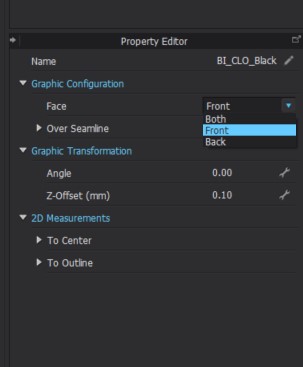
I am downloading graphic and place it onto pattern amd face it to front by using graphic configuration.
Now I am downloading the second graphic (white colored) to place it back by using graphic configuration.
Then the first graphic dissapeared and the second grahic can be seen only.
Before your update It works fine.
Please fix it as soon as possible.
Best Reagrds!
-
Hi c9999. It sounds like you moved the first graphic from the front to the back side of your fabric when you used the Graphic Configurator.
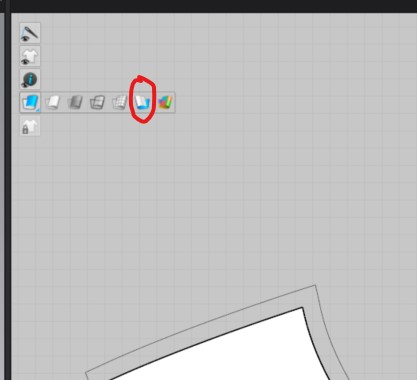
To check if your graphic is now on the back side you can use the 2D toggle in the upper left hand corner of the 2D window and switch your fabric view from Front to Back. You should now be able to see the graphic.
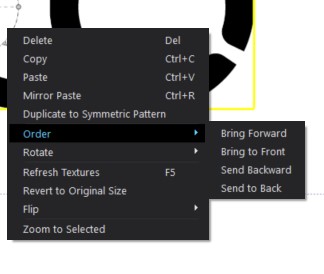
If you want both graphics to stay on the front of the Pattern piece, but change which graphic is on top you can take the Transform Graphic tool > R-Click on one of the graphics and in the drop down menu go to Order and you can change the order of the graphics
We hope this helps!
0
評論