How to change size of letters or digits in 2D window? Can't see it, so small


0
-
Hello!
You can't change this measurements size like that, but there is a trick that could help you.
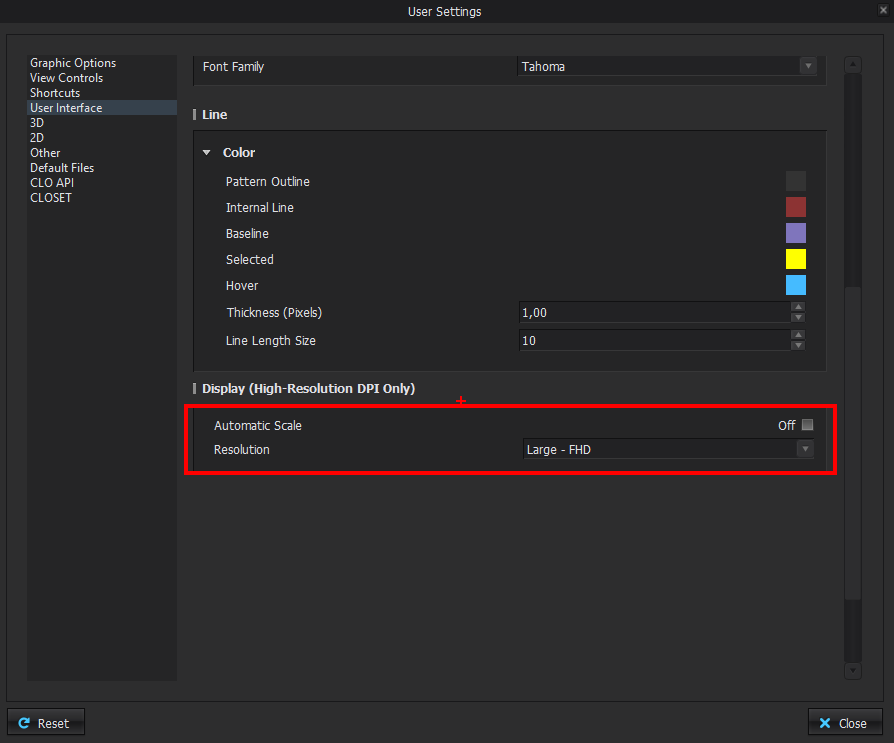
If you go to Settings>User Settings>User Interface>Display (High-Resolution DPI Only), you can uncheck Automatic Scale and change the resolution manually, so everything in the UI will be bigger, so the size of the measurements will increase too.
 0
0
評論