Replace as pattern outline not showing up in menu.

I am following a closely tutorial and "replace as pattern outline" is not in the menu. I'm not sure what I'm missing.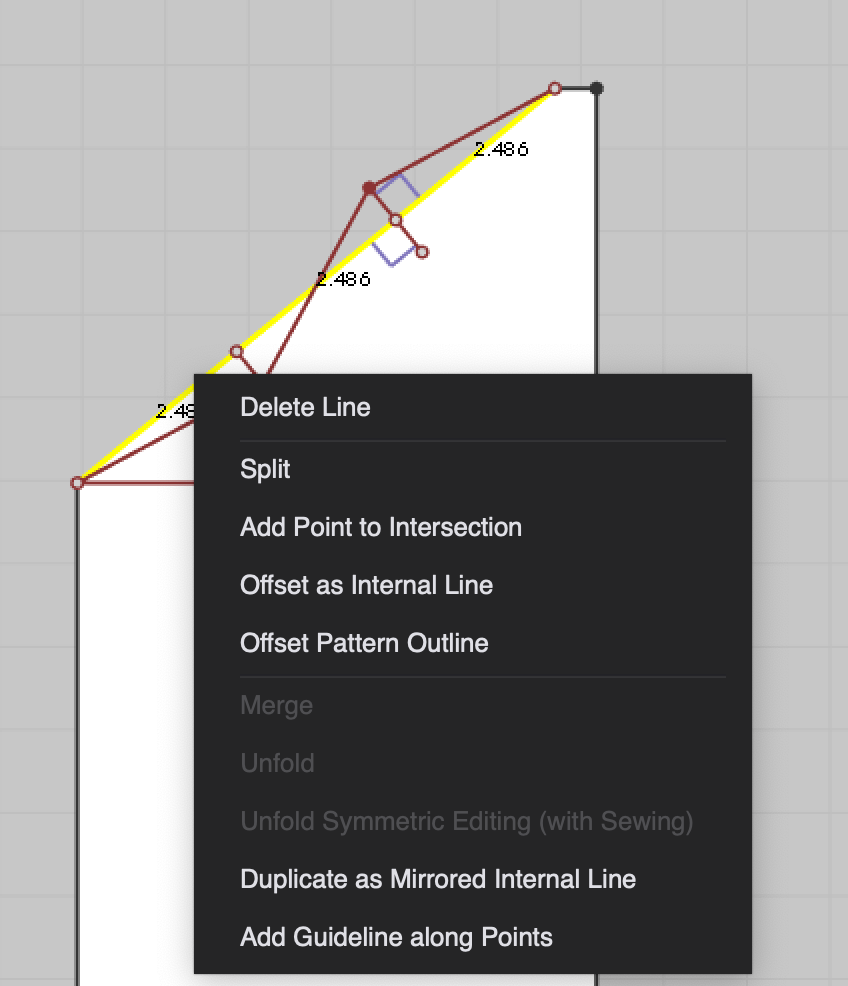
0
-
What tutorial? I can't remember a similar command in CLO.
0 -
https://www.youtube.com/watch?v=MXZeSqCOi1Q <-- this is the tutorial. pablo.quintana you can skip to 43:13 to see what I'm talking about.
0 -
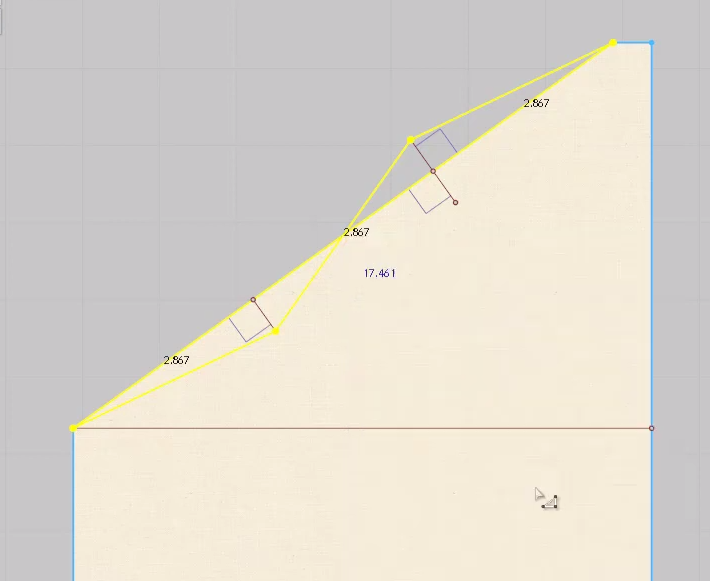
You can see that she has the Edit Pattern Tool selected, and also the internal lines as well as the pattern outlines segments selected before right click.
In the image you share, you haven't selected the internal lines. They are red.
 0
0
評論