double sided doesn't work

Hello
To get a better result of the collar, i've seen on the website, is to double side the piece.
But when I apply that nothing happens..
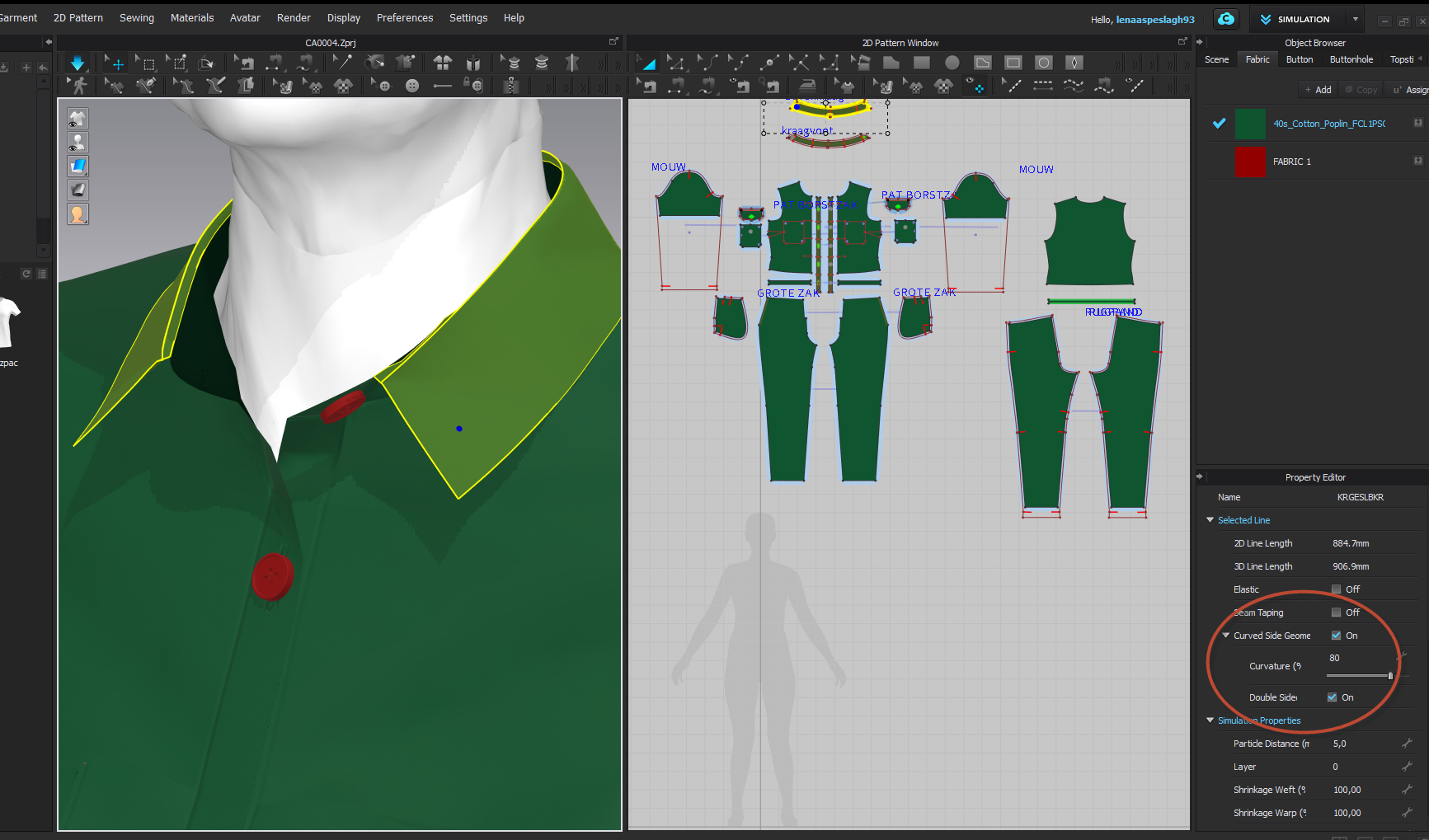 Does anyone know what I'm doing wrong?
0
-
Hi,
You're good! Just change from Textured Surface to Thick Textured Surface (the thicker roll of fabric) here:
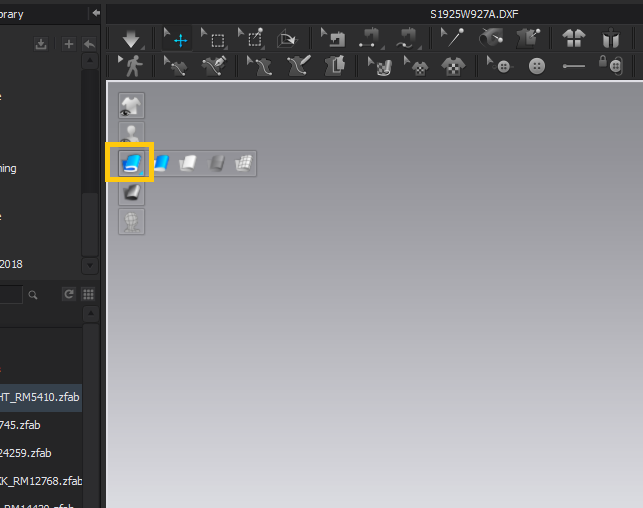
These are your view commands. You can hide/show pattern annotations, fabric texture, etc.
The skinny blue roll is Textured Surface. It lets you see the back/wrong sides of your patterns in 3D as dark grey, to help you assemble things. The thicker fabric roll is Thick Textured Surface--it shows your 3D garment as the correct thickness.
CLO will usually default to the thin Textured Surface because it helps people keep track of their patterns and sewing.
1
評論