grade review mode

Dear CLO team and fellow users
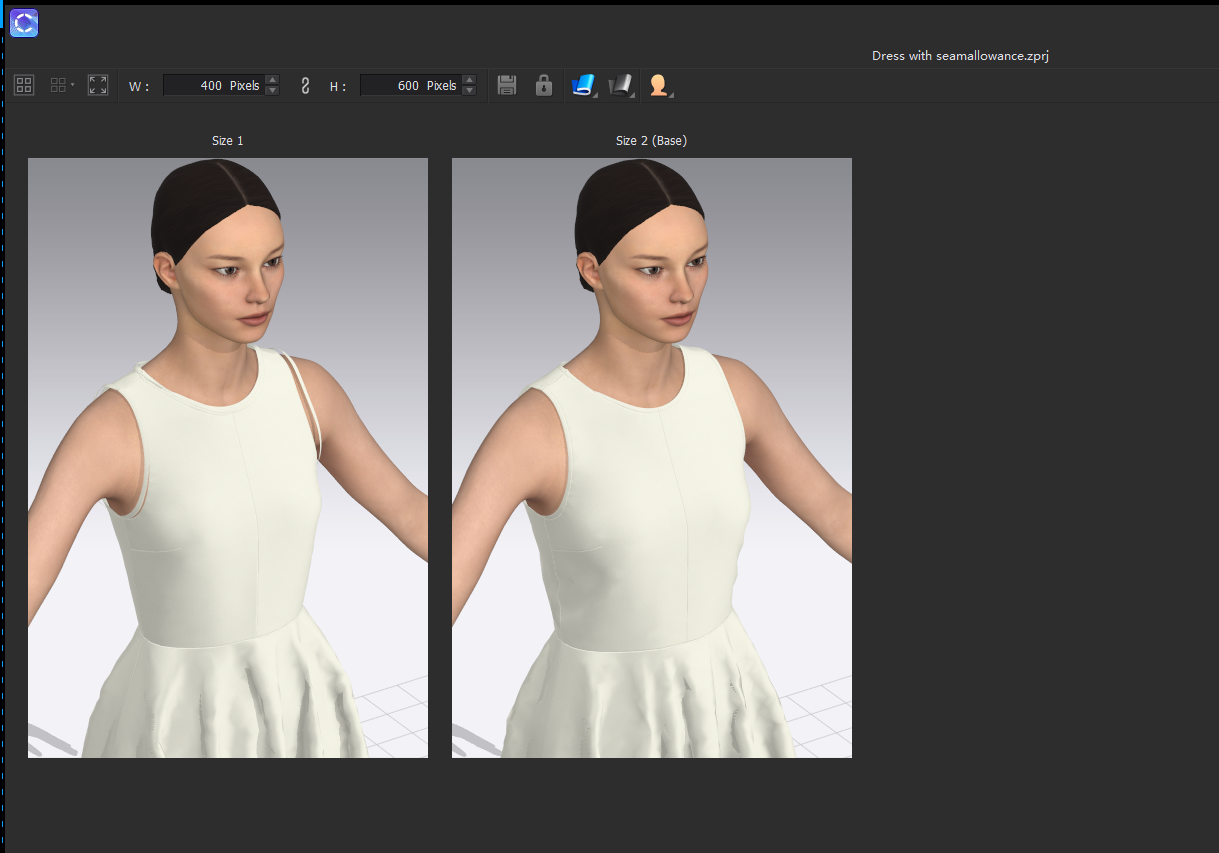
My bindings looked weird in the review mode after I paired avatars of different sizes to the graded garments. It looks like the bindings didn't get graded with the patterns (Please see below). At the same time, the binding is always causing collision problems when I am switching between sizes under the pair avatar. I would be grateful if you could let me know which step I did wrong.
-
Hi there,
Thank you for reaching out. Unfortunately, the effect you observed is a bug in the software.
The binding does follow along when you grade a pattern (in Simulation Mode) but isn't taken into consideration when you look at the whole size range in Grade Review Mode. I have forwarded this to the developers.Thanks!
0 -
Hi Again,
A temporary work around till this is corrected is to make and grade Binding Pattern pieces in the 2D window. These will then adjust in Grade review mode.
Hope this helps!
0 -
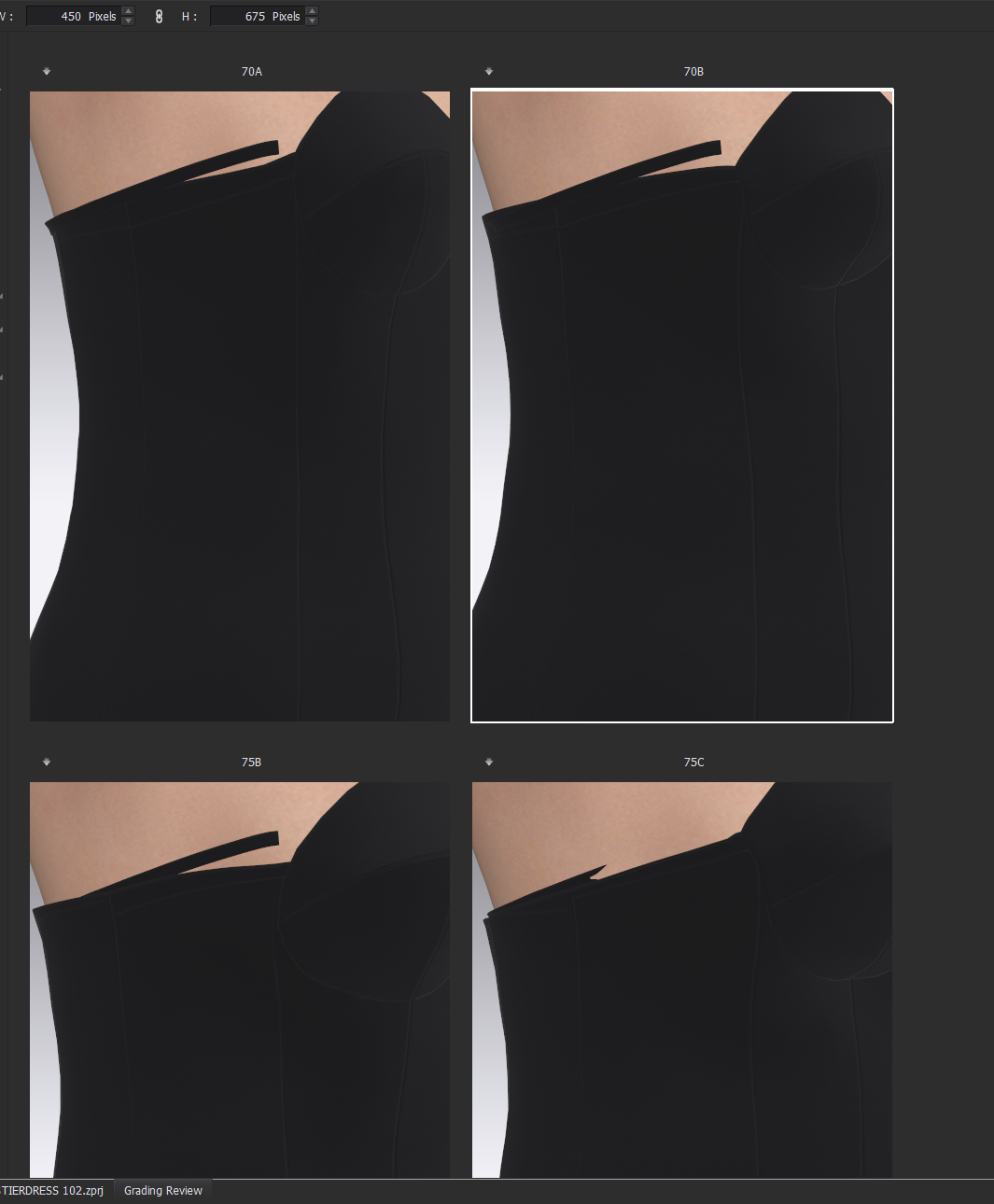
One Year later!!! Still not solved.
 0
0 -
Hi mail
Currently we do not recommend using the binding or piping tool with Grade Review. For this it is still much easier to create binding pattern pieces in the 2D window.
0
評論