Issues with t-shirt sleeves

Hi everyone, I'm a week into CLO and I'm having so much fun but I have some problems with the sleeves on my shirt. I don't know what to do honestly. Does anyone know what the issue may be? I can give every info you want.
You can clearly see there is something wrong here:
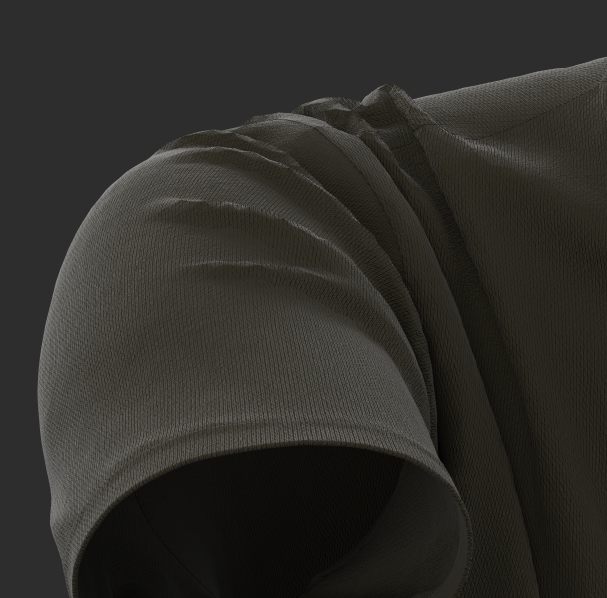

The strange thing is that the light is fine on the other parts except for the sleeves.
Fabric properties:
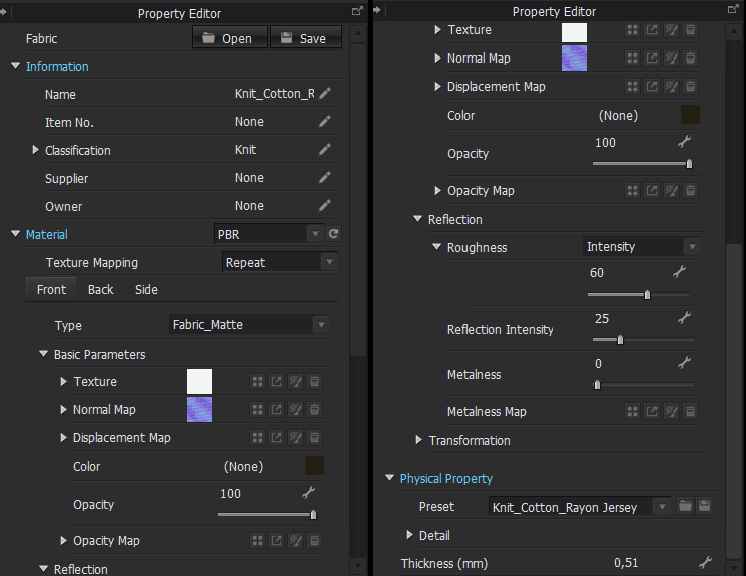
Garment: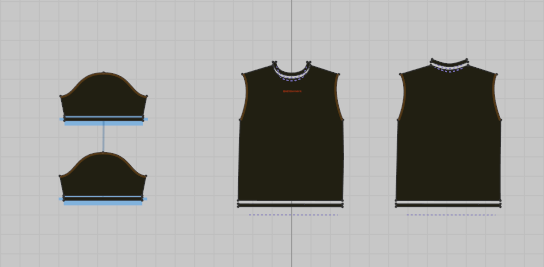
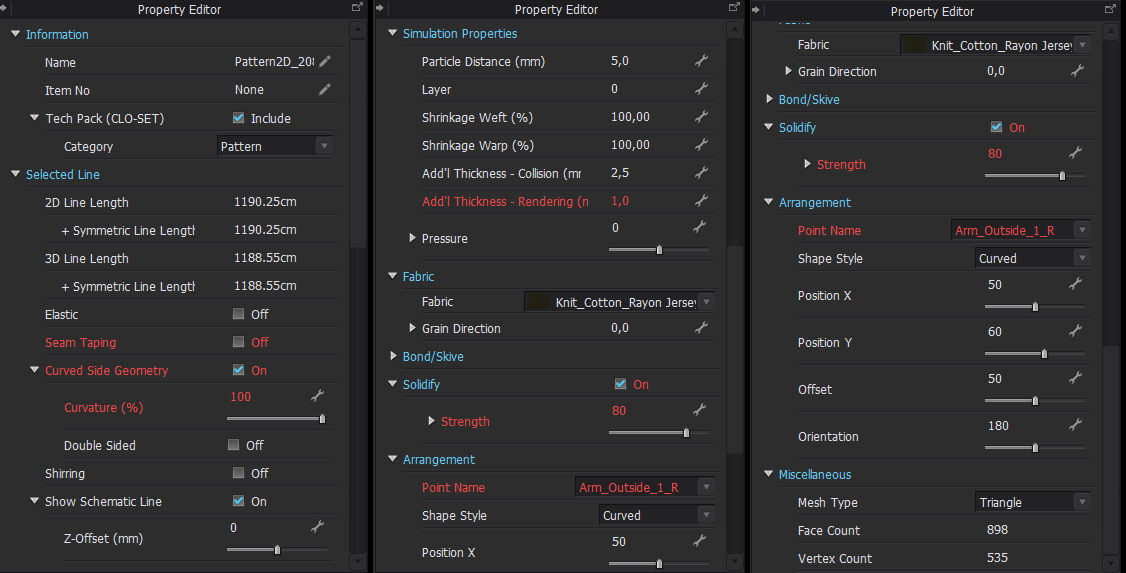
Thank you.
-
You post ...." You can clearly see there is something wrong here:" then don't explain what it is you see ? Which is maybe the 1st thing you need to 'specifically' explain, as there are quite a few things wrong with that sleeve, missing seam stitching offset(s), particle mesh tolerance, arm fit, sleeve banding edge radius, avatar pose leading to drape compression.
 0
0 -
@ottoline My bad, I thought it was visible as the wrinkles on the sleeve have weird spikes, and I don't know what the problem could be. But thanks for mentioning what's wrong with the sleeve, I'll see what I can do even though I have little to no knowledge. Is the image you attached how the sleeve should look?
0 -
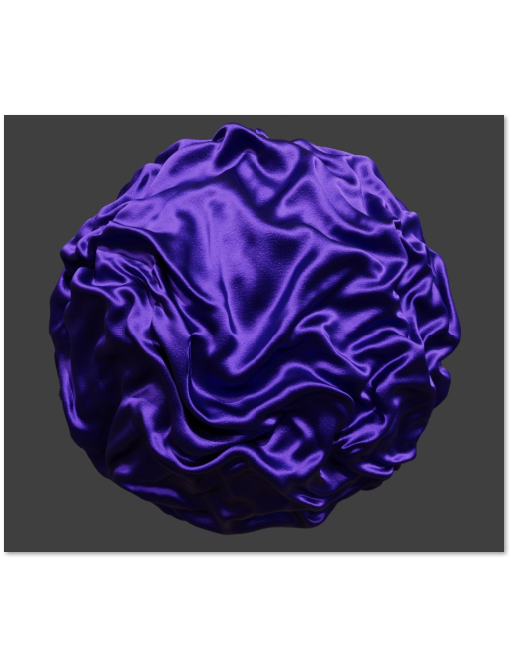
The quality of your creases are directly related to how many polygons you use that allow the folds to form. Therefore if you use the default mesh particle density on your pattern pieces in drafting > you may need to lower the mesh particle density from the default 20mm (which means 20mm lengths to form around a tight curve is going to result in coarse creasing) change it to something like 5mm or less to get finer creasing. That means the polygon is now smaller so it can roll around a crease with more edges and subsequently less faceting / artefacts showing up in the drafting work in progress simulation mode. When you change to this finer resolution (beauty pass simulation and choose your pose) your speed will exponentially slow down. So be careful not to go too low a particle mesh density on pattern mesh particle distance - 5mm is likely as low as you should go.
The image I threw up .... is how creasing you can perform additional fold creasing fidelity and frequency which is smoothed out > by using quad mesh simulation (as opposed to tri-mesh simulation) and then passed to an external modeller to use a subd modifier to further apply more mesh resolution (eg: 10X) , these can then be dumped in as a high quality baked normal map texture at higher crease quality and added to the coarser bigger poly mesh on patterns to get a much finer crease resolution, without losing the drape silhouette profile in the final camera scene view or slowing the simulation down too much.
You can also use pucker normal's for seams to get some extra detail, along with a normal at the seam junction.
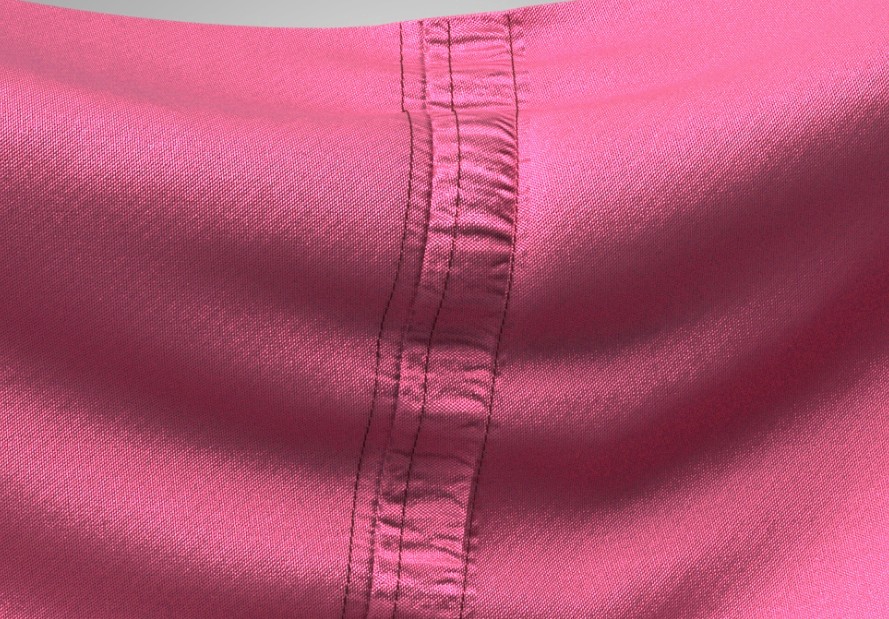
If you apply these stitch offsets you can get a good quality seam.
0
评论