Avatar tape functionalities are missing in the CLO 6.0 software

I installed CLO-Standlone-OnlineAuth_6_0_
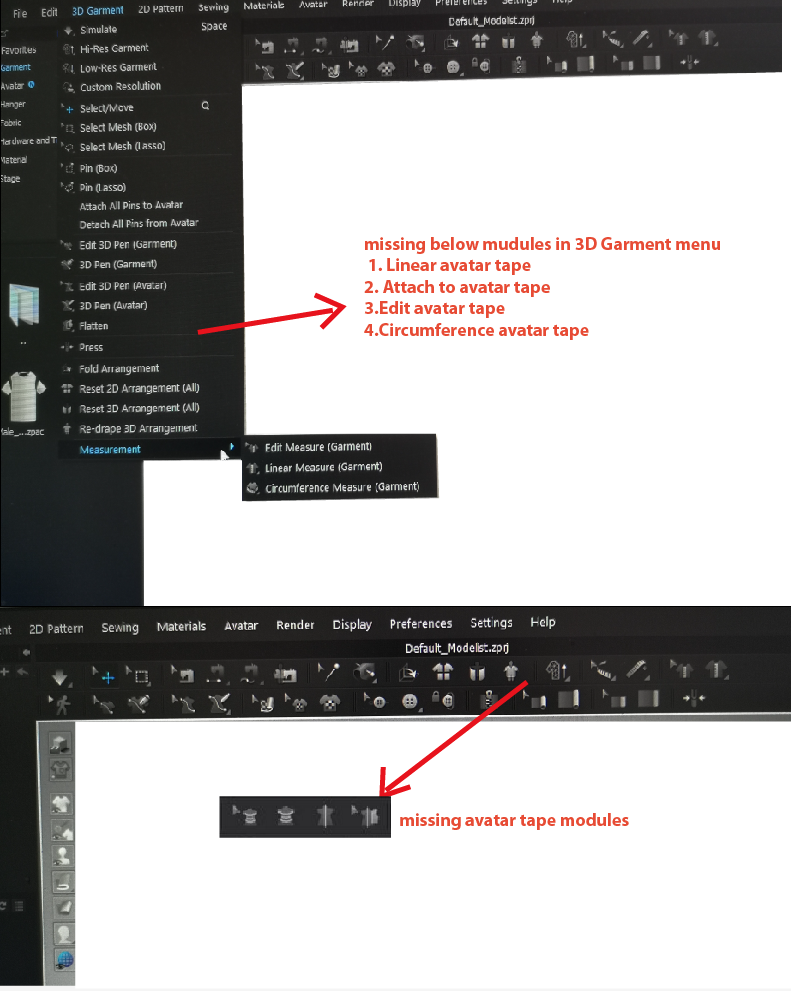
Do I need to uninstall CLO-Standlone-OnlineAuth_6_0_
Thank you so much.
-
正式评论
mayafeng Hello. Thank you for your inquiry. The measurement tools have been combined (in the toolbar). Also tools have been "grouped". Try changing your User Settings so your toolbars are on the Left (3D) and Right (2D). UNCHECK Group Tools as well. In the menus; Avatar Measurement tools are in the Avatar Menu.
-
Dear CLO Designer:
Thank you for your advice.
0 -
Hi there,
I am having the same issue as the OP. I am unable to find the Avatar Tape tools in the version (7.0.296). Could you please assist? I have attached a screenshot below (By the way I have gone through all the collapsed tools 'marked with an arrow' as well and still no luck):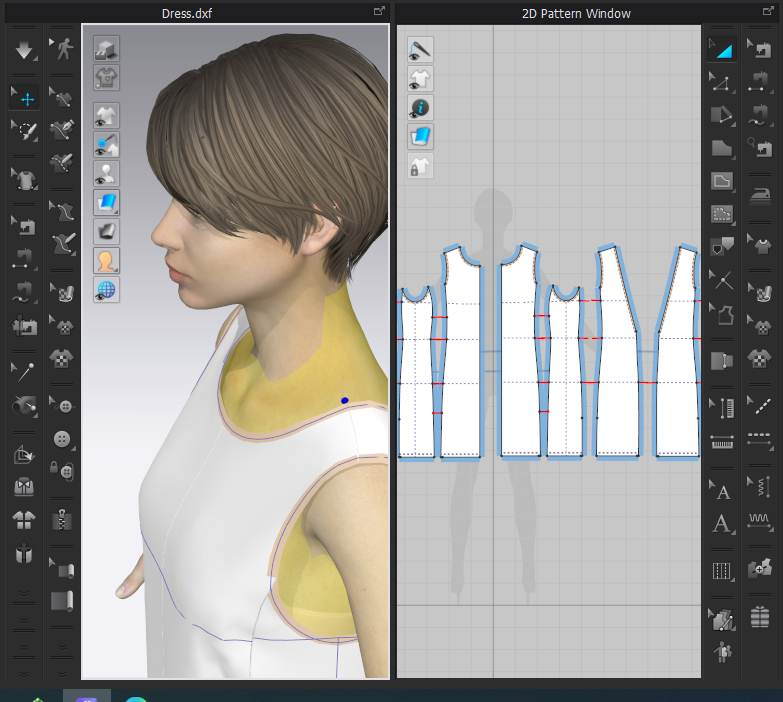
Thanks
0 -
Hi harrisinayat
If you go to the top of your screen Select Avatar > Measurements > The avatar tape measurements will appear
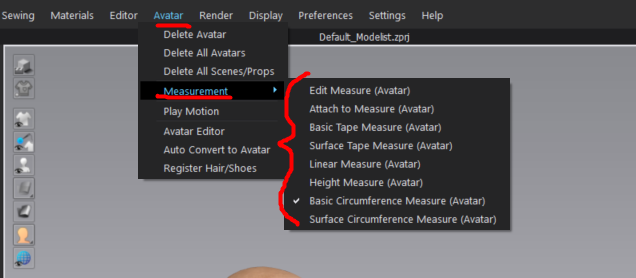
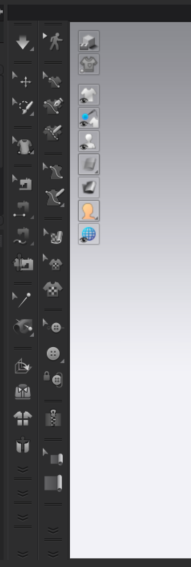
Also your avatar tape Tools are in the second collapsed tool from the bottom left. When you click you will see two tools appear. You can then Left click and hold to see all the different tools appear.
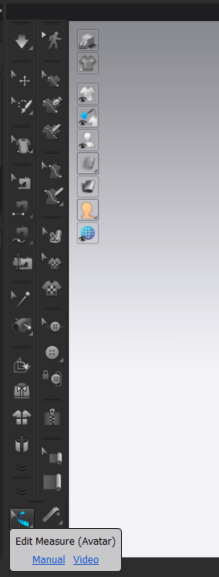
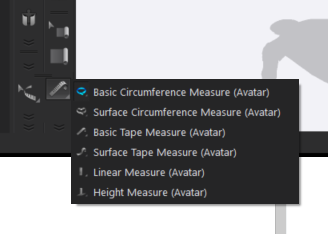 0
0 -
Hi,
Thanks for replying. Apologies for not clarifying this earlier but it is not the tape measurement tools that are missing, it is the tools for creating and editing Avatar Tape that are missing. The OP shared a screenshot of the missing tools:
For reference, these tools are also mentioned in the CLO 101 lesson under 'Check Fit' section for creating Avatar tape: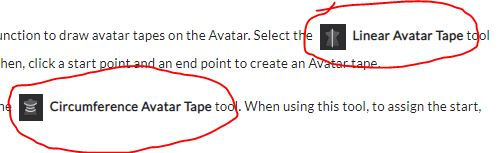
Thank You0 -
Those tools have been replaced with the tools mentioned in the previous comment. You can see them in the the third screen shot previously posted but also highlighted below. You can also find a video HERE that shows each tool being used
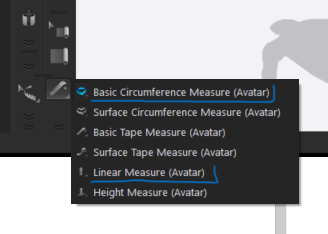 0
0
评论