FUR RENDER HIDES DETAILS?

Hi, I'm new on using this software and I'm haveing some issues with fur fabrics.
When I try to render them i can't see the details, like the labels, patch, pockets, cords, etc.
Here an exemple:
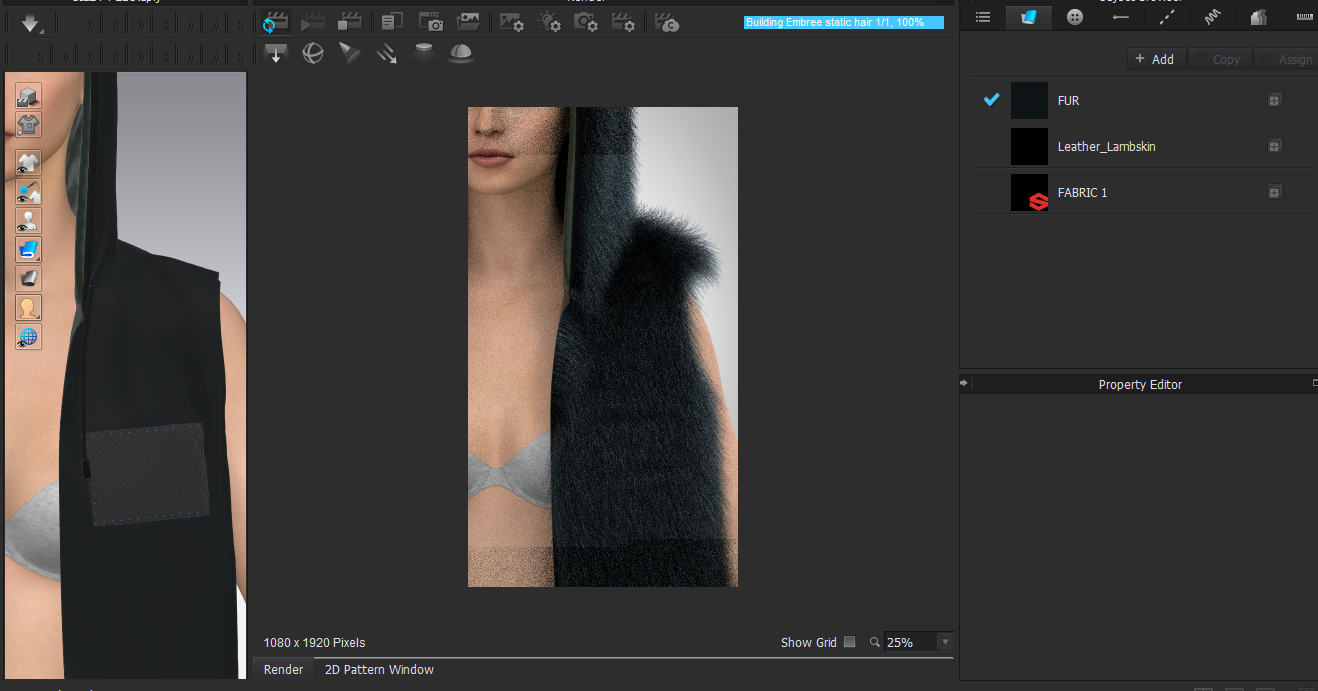
Which parameters should I change?
Thanks for the help.
-Elis
-
Hi Elis user1109,
For this situation, you need to add the base map to adjust the fur length within a single Pattern.
To create your own base map for fur:
1. Take the 2D snapshot from File on Menu bar > Snapshot > 2D snapshot
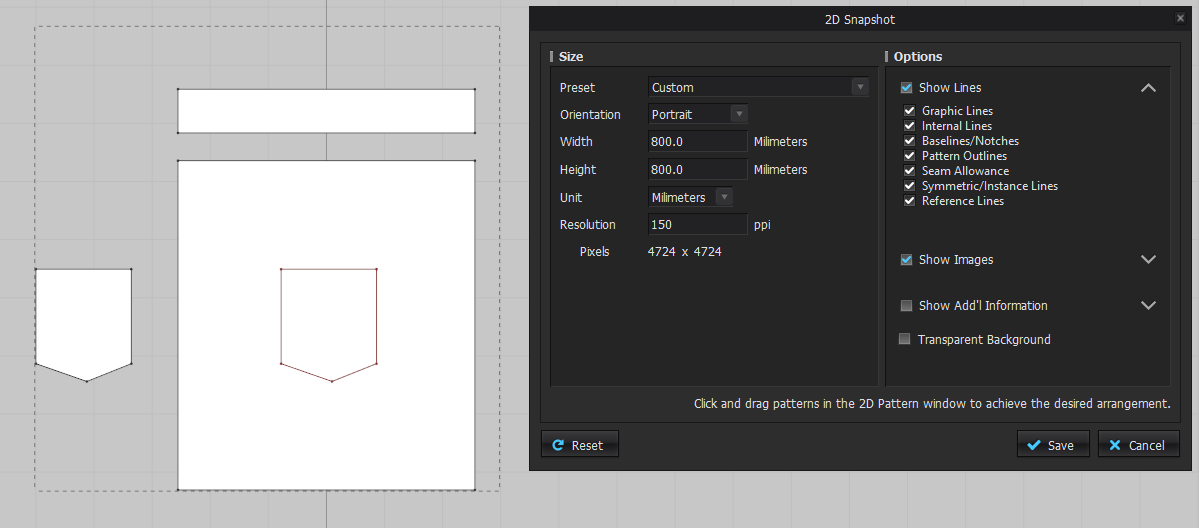
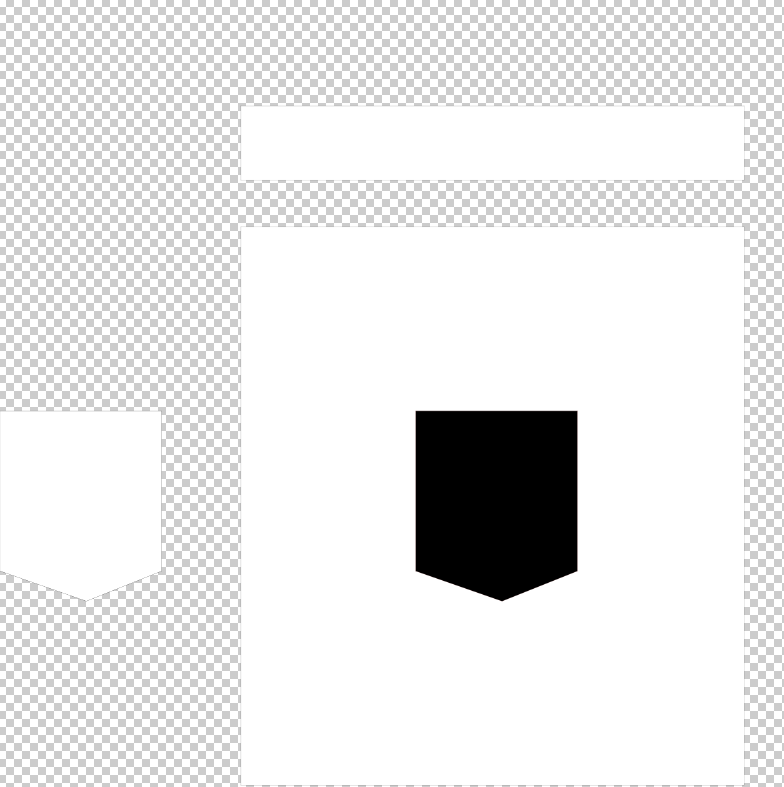
2. Edit the image in photo editing software and fill B&W colour depends on your needs. In your case, you can fill black color in the pocket part on the body panel. The purpose is to block the length values of that part (in black color).
Please refer to Express Fur Manual > Fur Shape > Base Map to know more about the setting: https://support.clo3d.com/hc/en-us/articles/360001526568-Express-Fur-ver4-2-0-and-Above-
Then you will have a base map.
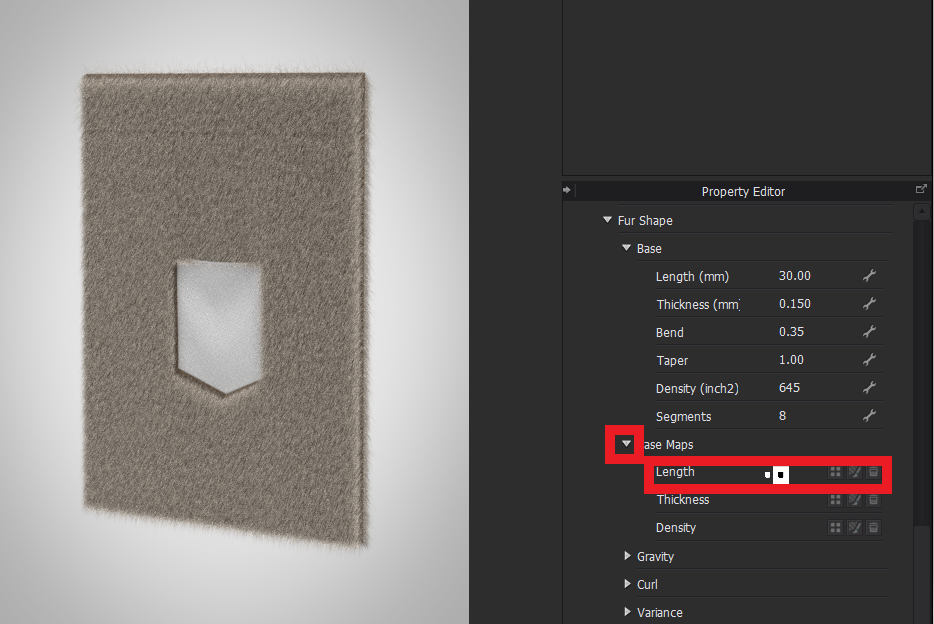
3. Go back to CLO and select the fur fabric. Add the base map into Base Map - Length. And you can check the result in Interactive Render window.
 0
0 -
Thank you a lot!
0
评论