CLO3D 6.2 too zoomed in

I have just downloaded CLO3D 6.2 and it is too zoomed on my screen. I have attempted all help suggested regarding the user interface but still can't seem to fix it. Can someone help please?
-
Hi niamhmccallY. When you say CLO is too zoomed in are you talking about the 2D or 3D window? Is either window you should be able to zoom in and out using your scroll wheel on a regular mouse. Or in the very bottom right of the CLO screen is a reset option. This should reset both 2D and 3D screens so that you can fully see the avatar.
If none of these options help please share screen shots of the zoomed in screens so that we can assist further.
Hope this helps!
0 -
Hi,
I am having the same issue where this is my full screen. I cannot press the reset option either as it is not in my screen and i can not find the menu button either. Please help
 0
0 -
Hi sigvard,
Yours is a more complicated case, but here's a way to hopefully fix it.
1. Right-click on your desktop and edit the display resolution. I guess bigger in order to gain access to more of the CLO window:
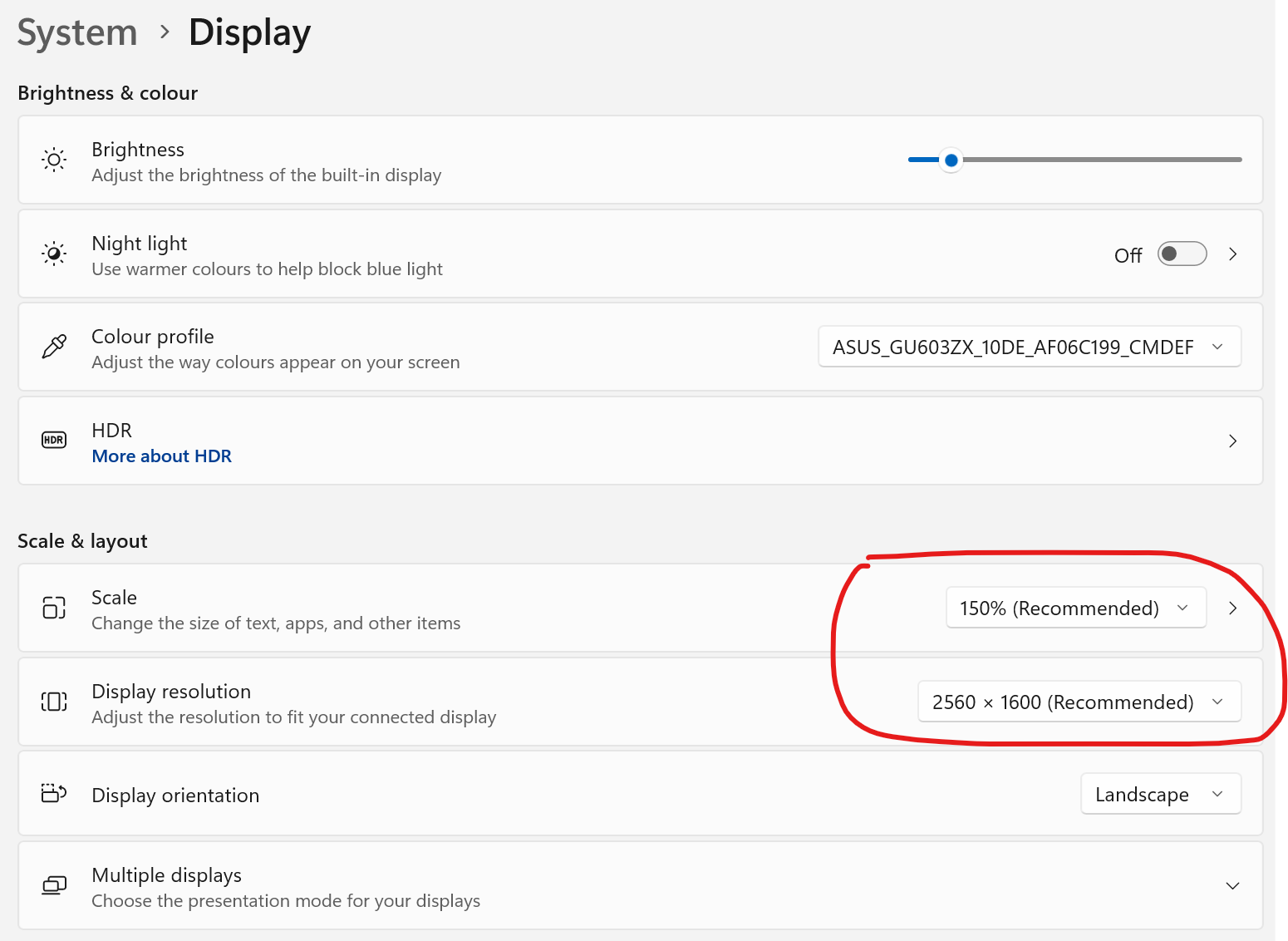
2. When you can now see the full main menu of CLO, go to Settings --> User Settings --> User Interface. First try the Automatic Scale if it isn't already ticked on. You will have to close and reopen CLO to apply the changes. If auto scale doesn't make the window much smaller, try the options in the dropdown menu. I cannot tell for sure which one you will need. (Though I estimate "Small (4K)".)

3. When the CLO display looks very small, you can readjust your Windows display if necessary.
Let us know how it goes!
0 -
Hisigvard
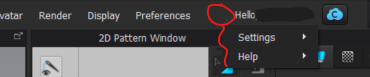
You can also reveal any hiden bar option by clicking the grey arrows to the left of your User name (can be hard to see sometimes). This will allow you to see User Settings and then adjust the resoultion
 1
1
评论