DISPLACEMENT MAP

When render with the displacement map applied to the texture, the fabric looks bumpy as below photo.
I didn't adjust anything except for applying the displacement map (below is the default status). Please advise the solution.
0
-
Hi lizzy1005. Most knits like this would have a bumpy edge. But if you want t straight edge to your pattern pieces you can remove the displacement from the Side of your fabric.
In the Property Editor go to the Side fabric tab > Uncheck Use Same Material as Front > Remove Displacement Map
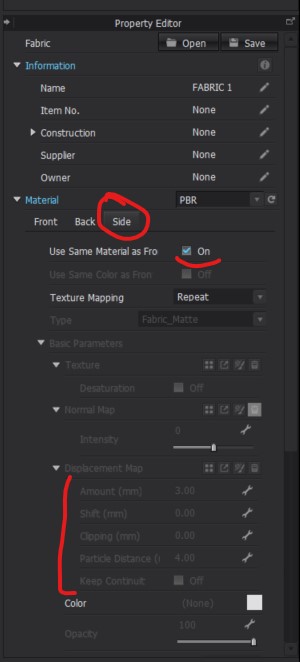
We hope this helps!
0
评论