My lining is showing on other side of garment, what can I do/change?

Hey everyone,
I have the issue that the (furry)lining I am creating for a jacket is pushing to the outside of the garment and is thereby visible on the outside.
I tried to play around with some numbers already and also actually changed the entire way I made the lining: at first, I simply "cloned under" and changed the fabric for the lining to be what I wanted. Then I thought this might've been the issue, but once I made a genuine lining, I came across the problem of how to flip the lining inwards? (Is there a way to do this? -- meaning just as in a physical garment, the lining's right side would be facing the skin, so flipped). I didn't figure out how to do that in general.
So I chose a furry lining for a jumper and its collar; I know fur might be challenging, still, how can I make the hairs stop coming to the outside of the garment?
Please see the picture attached!
The fur is supposed to be only in the inside of the collar/jumper pieces, not on the outside where the print is:
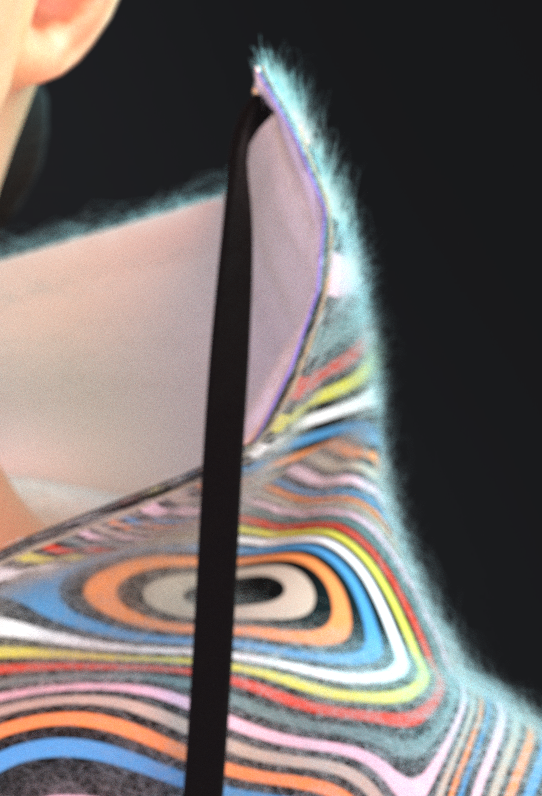
Thanks in advance!
xxxx
-
Hi lionblau ,
when you create your fur material, you can remove the hair from the back of the fabric as well as the side:
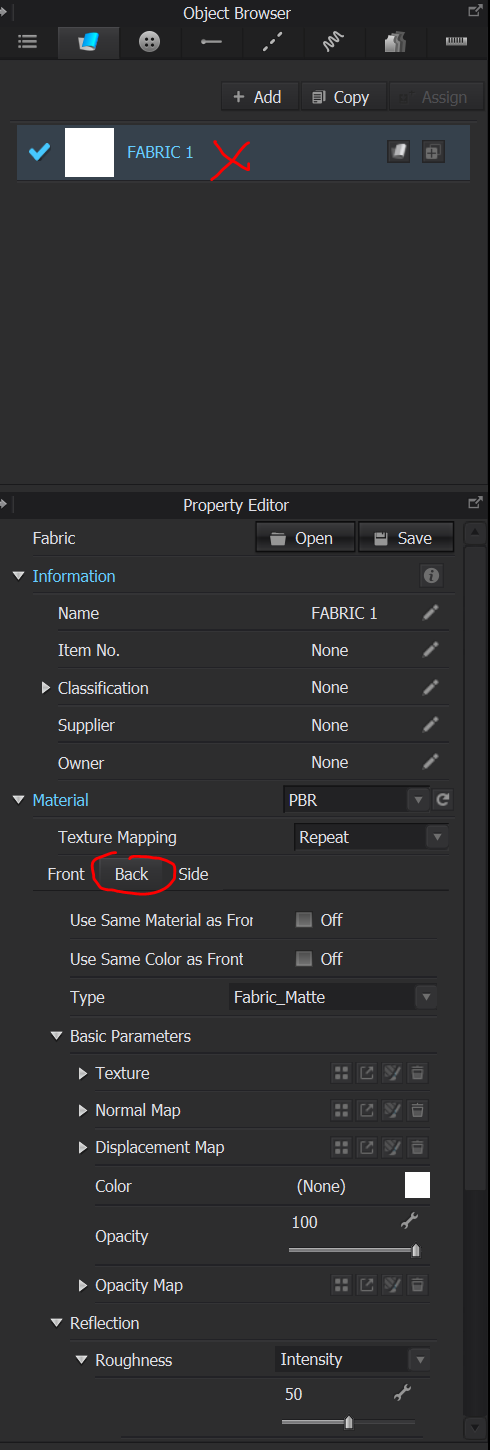
You can also make sure when you have 2 layers on top of each others that the add'l thickness collision(that pushes pattern pieces away from each others) is the same length or bigger than your fur length. You can find it on your pattern piece in the property editor. Don't forget to simulate the garment when the parameter is changed so it moves away.
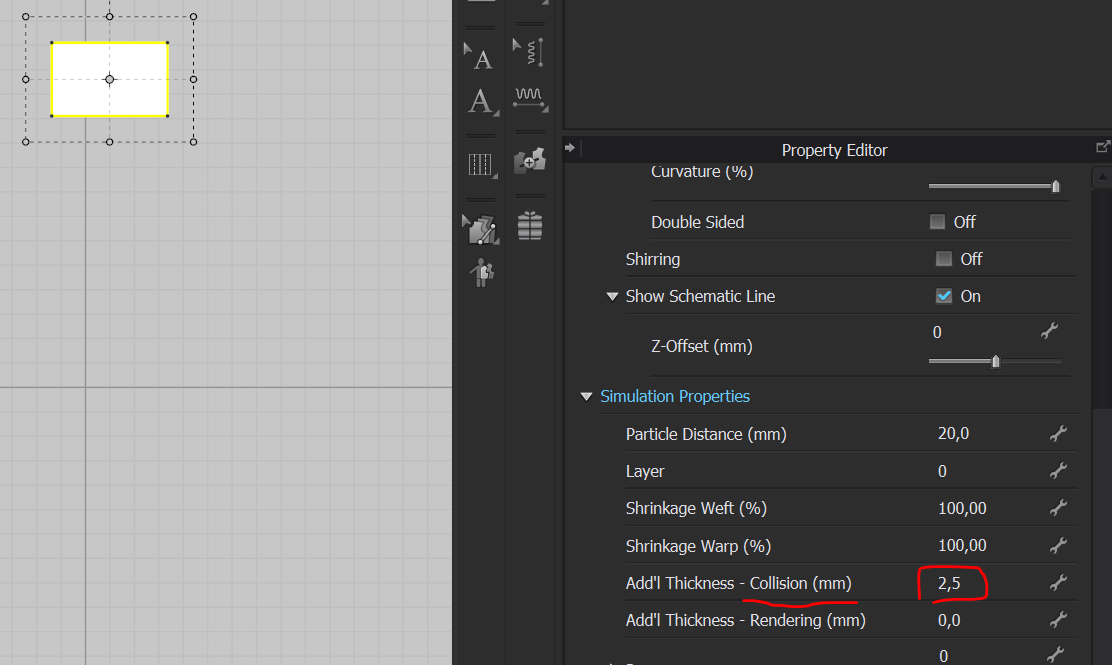
I hope this helps!
Regards,
1 -
wow thanks so much! such an easy and quick fix, makes sense
it worked! merci :))
0
评论