Removing lines from 2D pattern and joining to another pattern

I've just started learning CLO, so this might be a silly question!
I have drafted a top pattern and a jumpsuit pattern and happy with the fit of both. I now want to take the top section and sleeves of the shirt and turn it to the jumpsuit. I was hoping I could just cut the patterns and join them, but can't find a way to do this. When I try to delete the lines I don't need, I can't control what is being deleted - and it's taking more than I need. Any ideas? I
Thanks in advance.
-
Hi erose
I hope you are well.
I have attached a link to our Youtube channel with videos specifically focusing on Patternmaking.
Ultimately, you need to cut the lines you want and merge the top and bottom together.
To cut a line, you need to first have a line to cut - Use (G) Internal Polygon/Line tool to draw the line (click once to start --> double click to finish a line)
I have attached a video on Internal Lines tools - start at 13.33

From here you switch to Edit Pattern (Z) Tool - you can then Right-click on the line and Cut
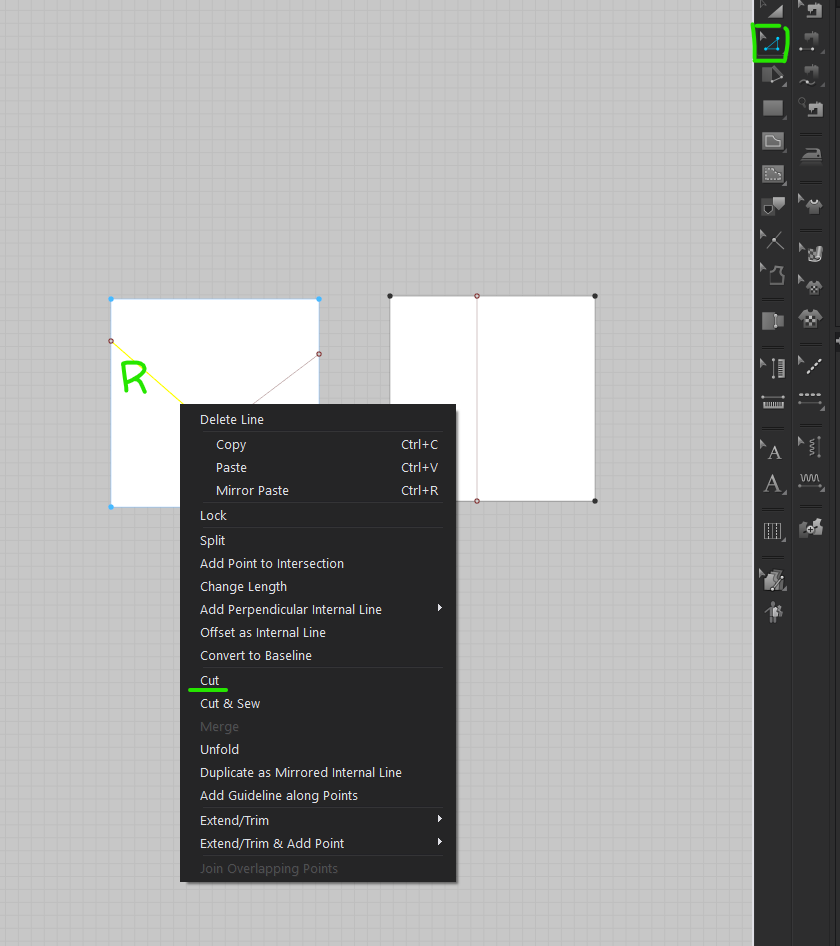
If you don't want the whole line select, you will need to add a Segment Point on the line. To do this you use Add Point / Split Line (X) Tool.
I have attached a video on the Add Point / Split Line (X) Tool. It's worth watching this whole video on Pattern editing.
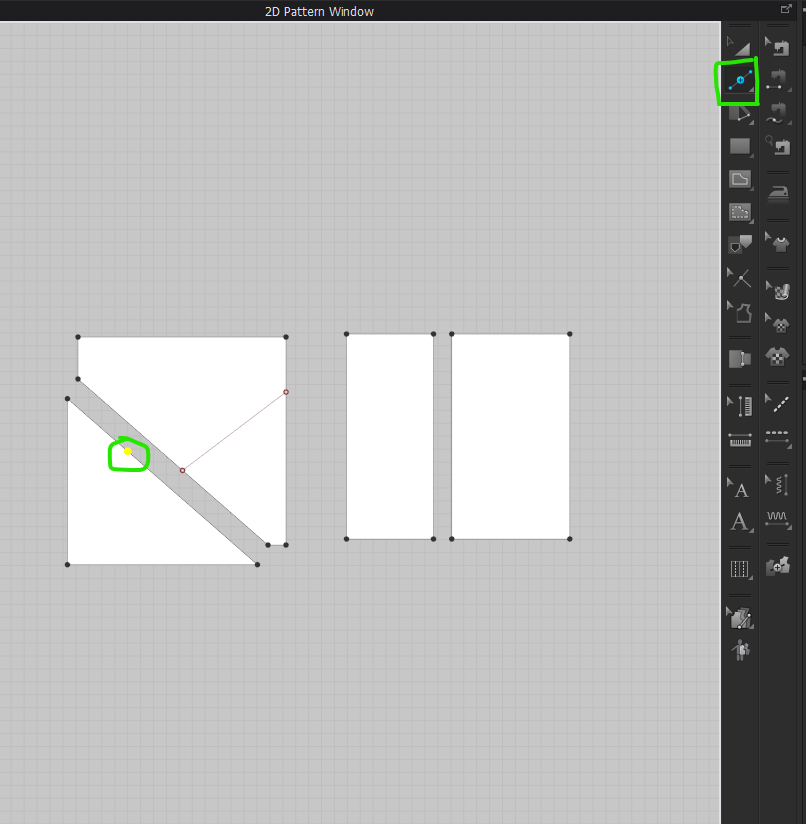
Once you have your new pattern outlines you can merge them. Use Edit Pattern (Z) to select the line --> Right Click on one of the selected lines ---> select merge.

I hope this helps, please let me know if you have any further questions.
Take Care.
0
评论