SUGGESTION: Additional settings for displacement maps

Hi, I would like to give my feedback on the way CLO3D deals with displacement maps. While for small bumps and subdle height effect is good, for texture we want to give thickness is isn't. One example can be found in TPU logos. I've done a post a while ago about my struggle in creating plastic logos like the one used in sportswear and everyone thought the problem was in the texture, but this are the textures: 


This is what I can achieve in blender:
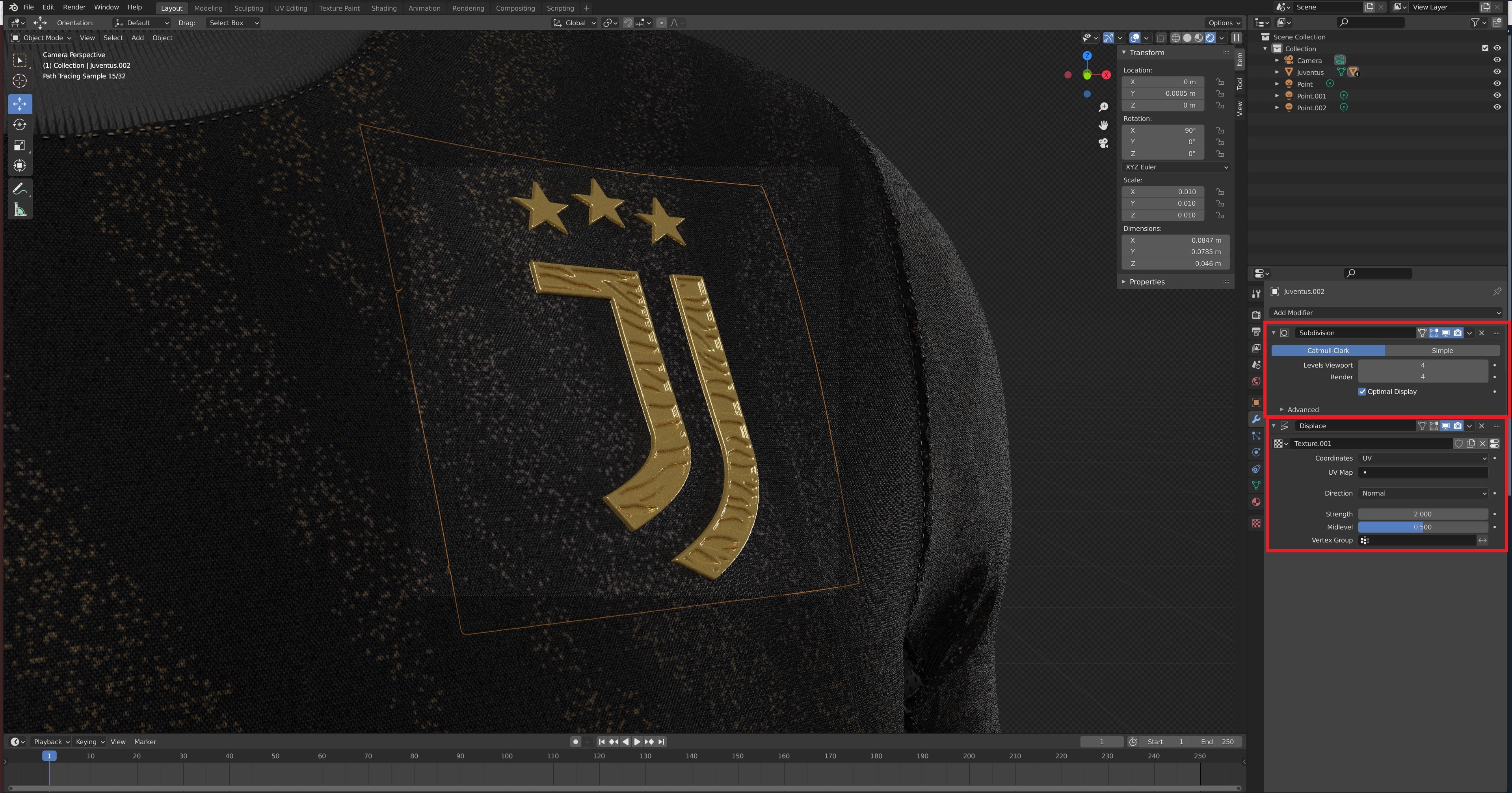
As you can see the thickness of the plastic is very noticable and it's only using normal and displacement maps. This instead is the best I can achieve with Clo3d 6.0:
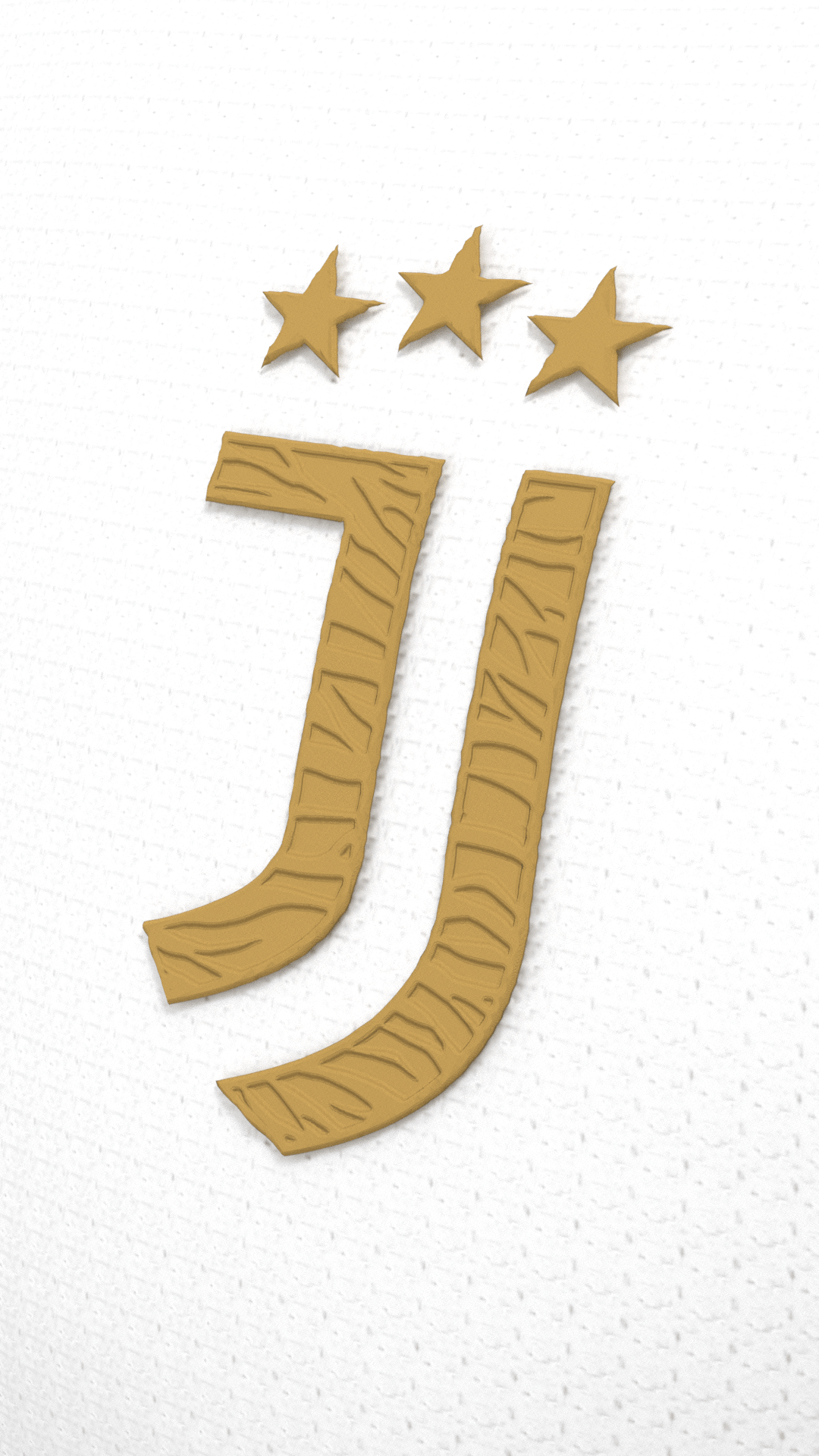
The wavy effect is evident and the thickness is barely noticable.
From what I've been told by a collegue who did the first render, Blender has the possibility to use a subdivision multiplier (in this case, he used 4x) so that the number of vertexes in the logo are much higher then clo3d's render, so the displacement map is applied in a better way resulting in a much more linear and detailed result. Another thing you can look up to, is Bronzwear VStitcher, who added Displacement Map support and, from looking at the photos provided, looks like it is able to create very thick raises on the textures. I hope this can be solved with the next Clo3d update. Thanks for listening to my feedback and suggestion.
评论