Seams too flat - need help please

How can I get the effect of the seams like in the picture shown below?

If you look at my hood seam, it is really flat. I don't mean the puckering, it's more that the middle part of the hood sits a little bit higher than the rest and it creates this nice edge with the shadow. On the below picture I used the custom angle with fold strength on 5 and fold angle on 180.
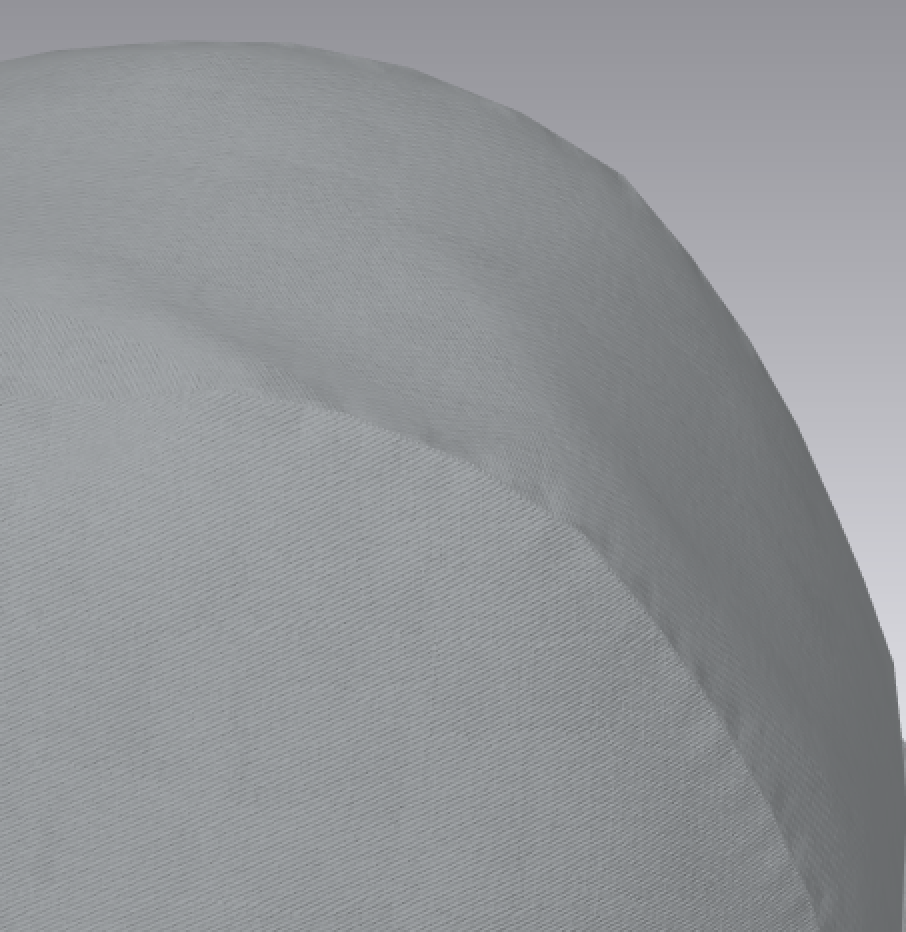
I also tried changing the seams to be turned but when I do that, as you can see below, the pieces are separated and you can almost see the black hood lining, even I got the thick surface switched on.
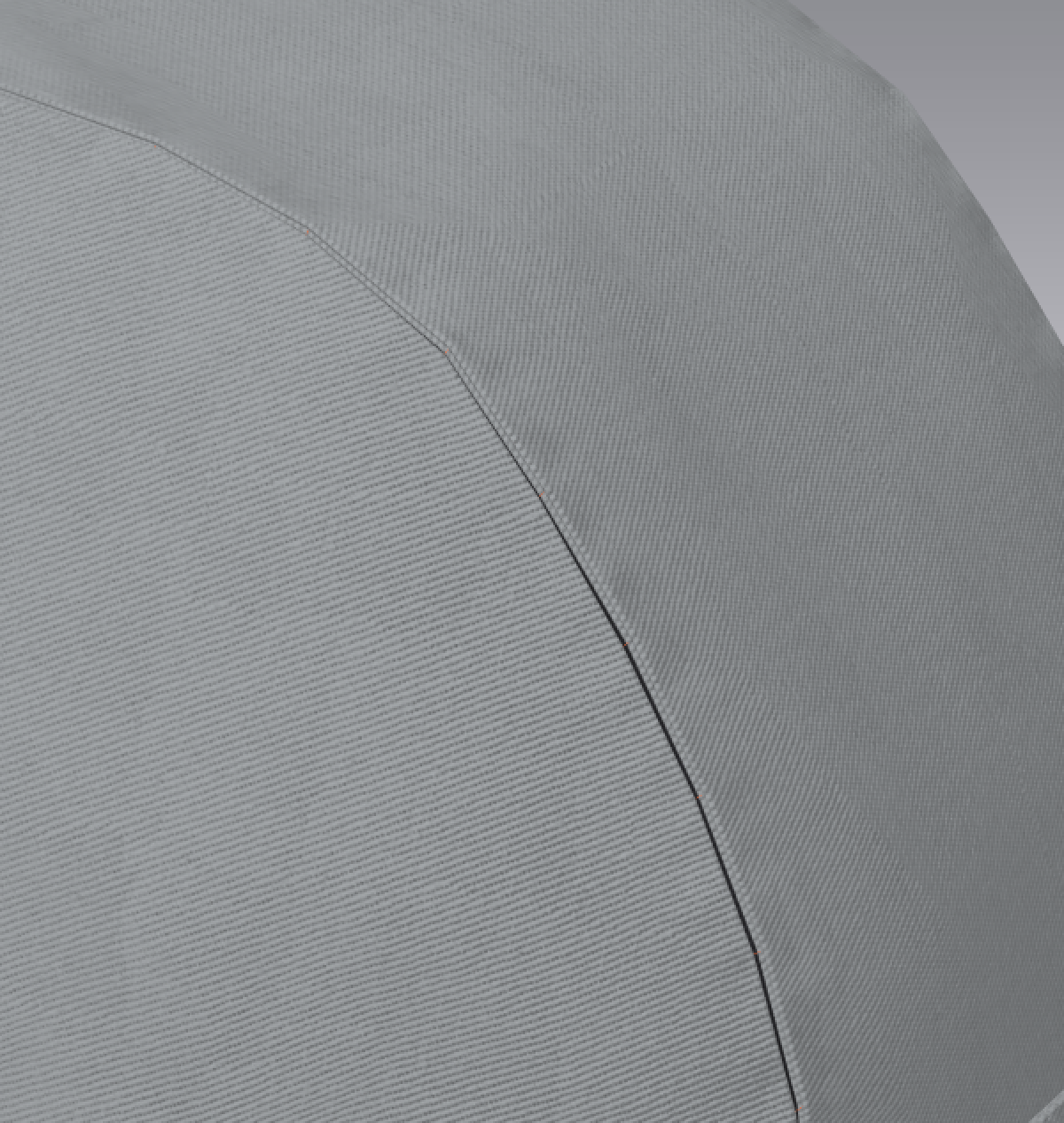
What is it I'm doing wrong?
-
You should apply the pucker normal map (of your choice) to that seam (pattern edge). There is a pucker tab in the object browser with some default pucker types for basic seams. You can select one of these or you can add a new custom pucker object > and it the property editor you can add a new diffuse image of a seam that you want to convert as a custom pucker image map to tile along the pattern /seam edge.
CLO3D has quite a good facility to de saturate an 8 bit image and generate a matching normal map, so in that method you can create that exact effect you want for that clothing type. eg: nylon coat pucker seam.

Tweak your fabric

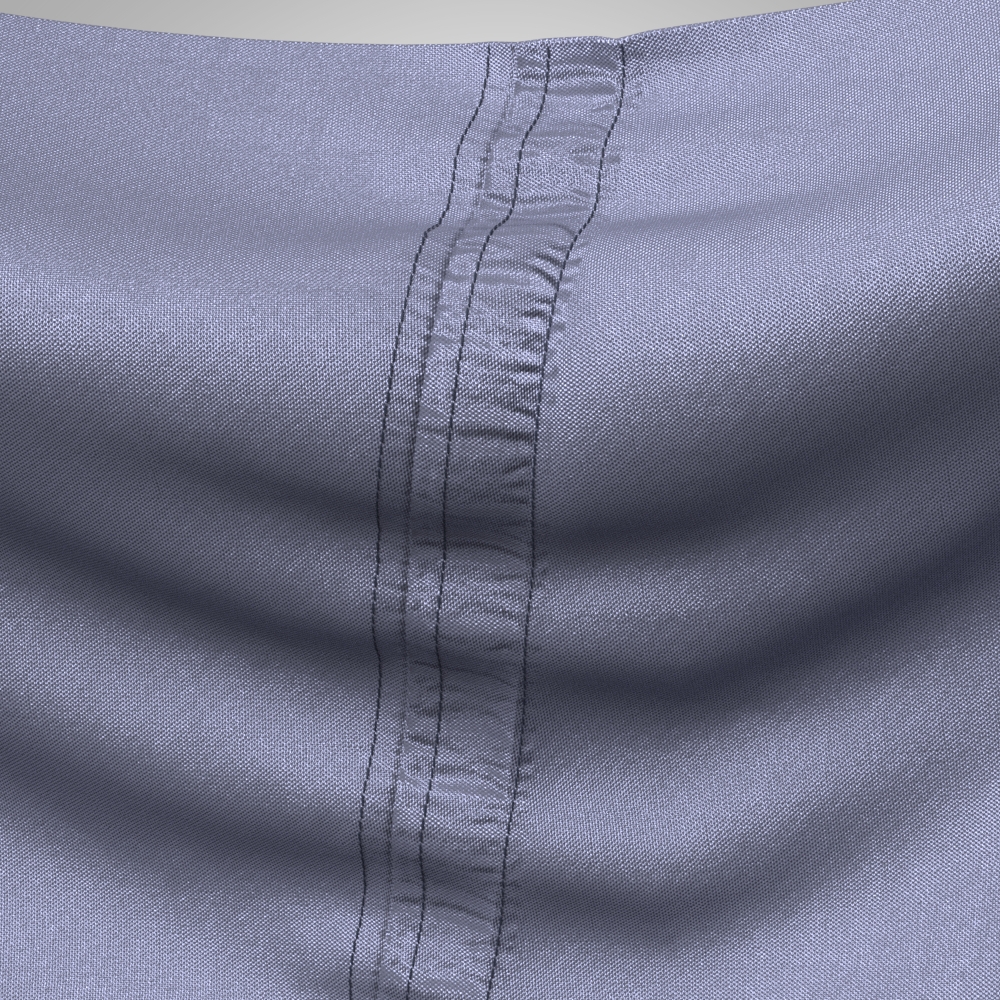
This was a really quick seam. I would usually spend some time digitizing the seam pucker to get the normal and height map exact to the garment type. But you get the general idea for this quick example. Pretty easy to make your own custom pucker maps, and add in all your seam edge and stitching to suit your garment type.
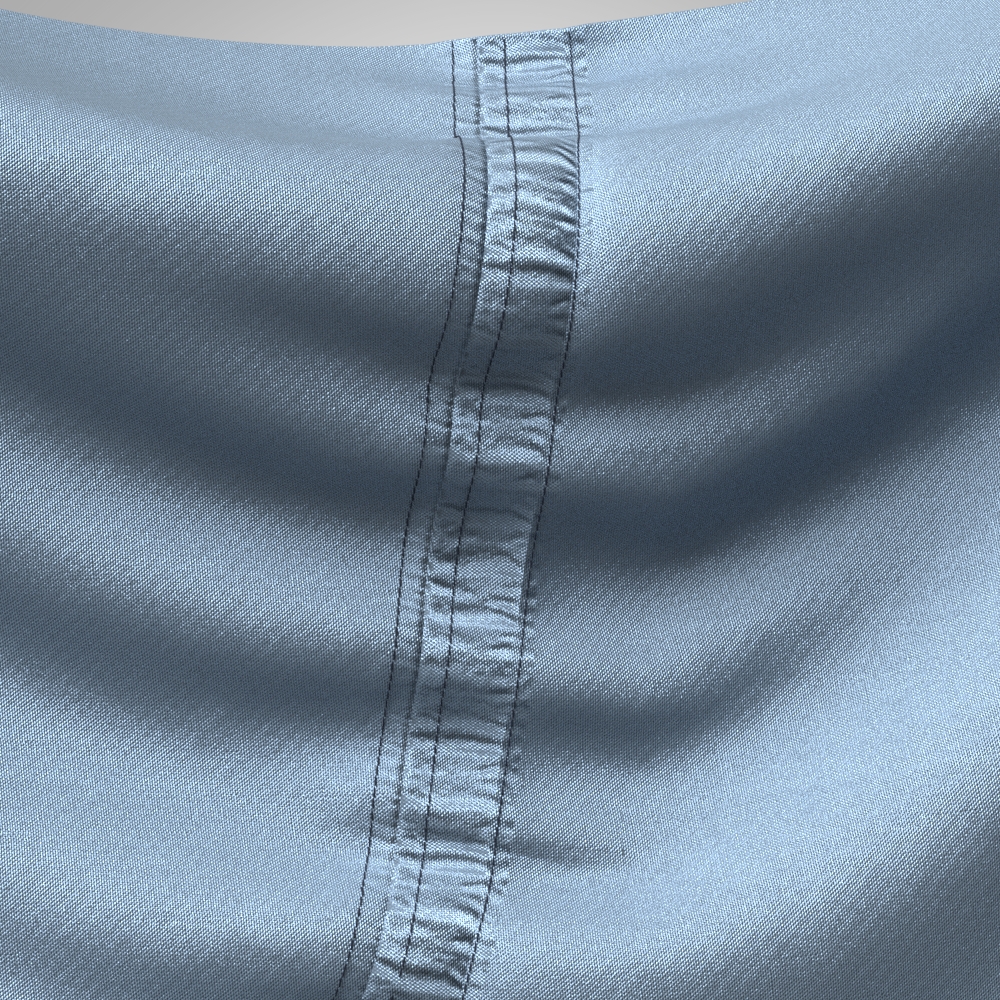
A couple of minutes effort, rendered in CLO3D 6.0
I didn't place the stitch exactly on the pucker map (1/32 offset on the right stitching - just a whisker off) as I was in a rush, but tweak that precisely and it's amazing the detailing you can do in CLO3D for seams - anything you see in a garment is basically possible.
I also custom make my own stitching as well (this is just standard stitching above). So you can make additional library tools to get right down to the macro frequency in seams. Which I have been doing for years over in MD, same technique here in CLO3D. Simple to do.
0 -
That looks amazing, I'll definitely try this out and hope my one will look as good as yours.
Thanks so much for your help!
0
评论