Cutting internal shape issue

Hello!
I'm facing a strange issue, maybe you guys had this problem before.
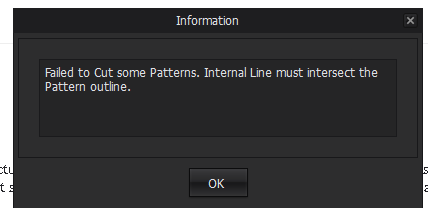
I'm trying to cut out a dart shape on my dress and I managed to do it without any problem from the back part but when I try to do it on the front part of my dress I get thiss message:
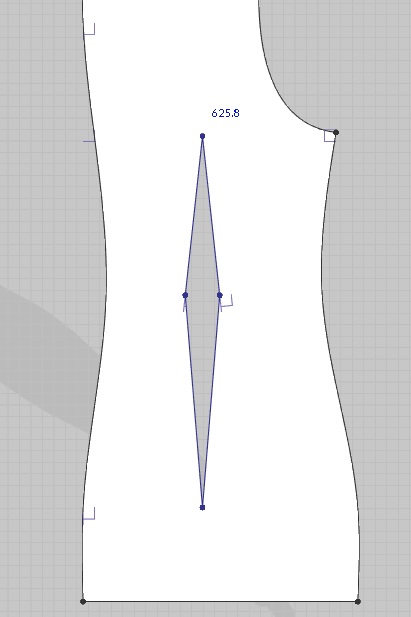
Here's what I was able to cut:
And here's what I struggle with:
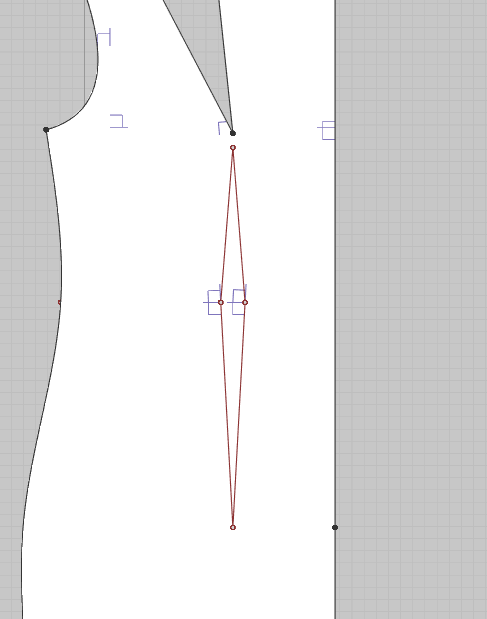
Do you have any idea what can bo wrong with the second patter that stops me from cutting inernal shape out of it?
Thanks in advance for any help!
Cheers!
Aga
-
Hi azok, probably this is not a closed internal shape.
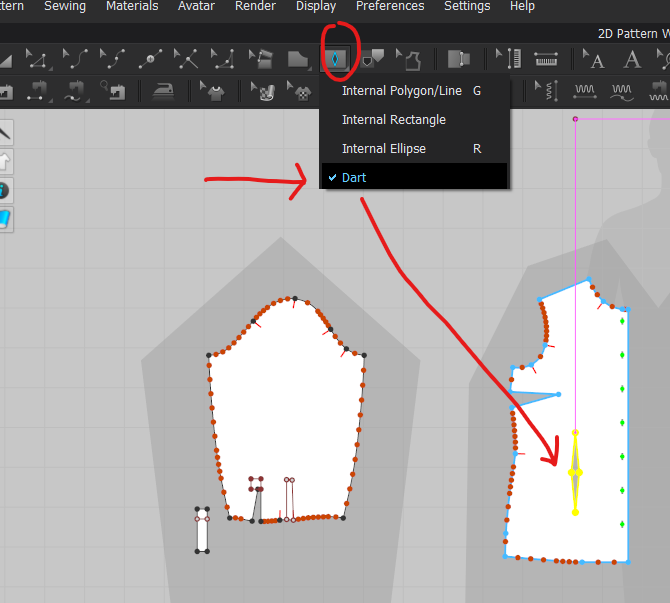
You can use the draw a dart option insted, wich automatically cut of the fabric.
Daniele.
 0
0 -
Thanks Daniele, I'll try that option :)
Cheers!
0 -
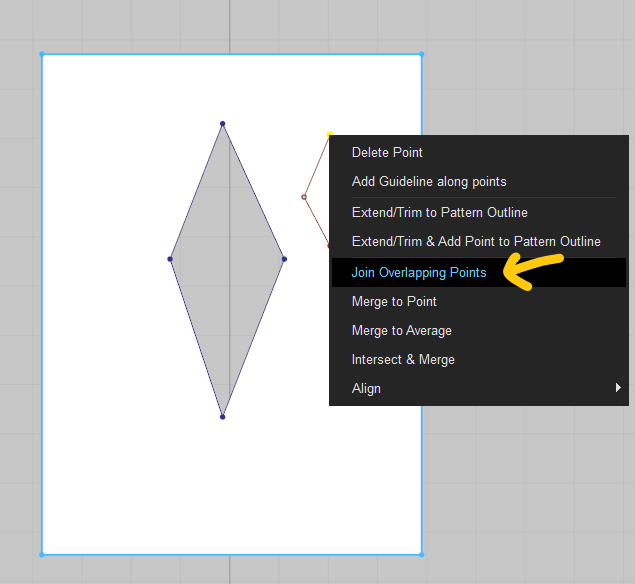
azok the internal dart you manually drafted is not joined at each apex.
When you create a polygon or polyline shape from more than one line, to cut that shape as a closed polyshape you need to use the edit (Z) tool then window select, drag the open line end points corners (where two lines have overlapped points) and use the join overlapped points command (right click mouse). The end point dots will then turn dark red and that will indicate they are now joined. So you need to do that for all 4 apex corners in your dart on the internal lines so it is then a closed polygon shape. You can only 'cut' a closed polygon shape, and not an open polygon.
A red dot that is not filled on an internal line denotes a point(s) that is not joined.
Then when that polyshape has been joined you can cut it from the main pattern shape.
https://support.clo3d.com/hc/en-us/articles/115000390268-Merge-Points-on-Internal-Lines#Click

 0
0
评论