zipper end not stitched


-
The zip ends are not normally sewn in CLO3D as the zip generally is made to fit the slot gap and should simulate flat. However that doesn't mean you cannot manually do this if you choose for effect. See steps below.
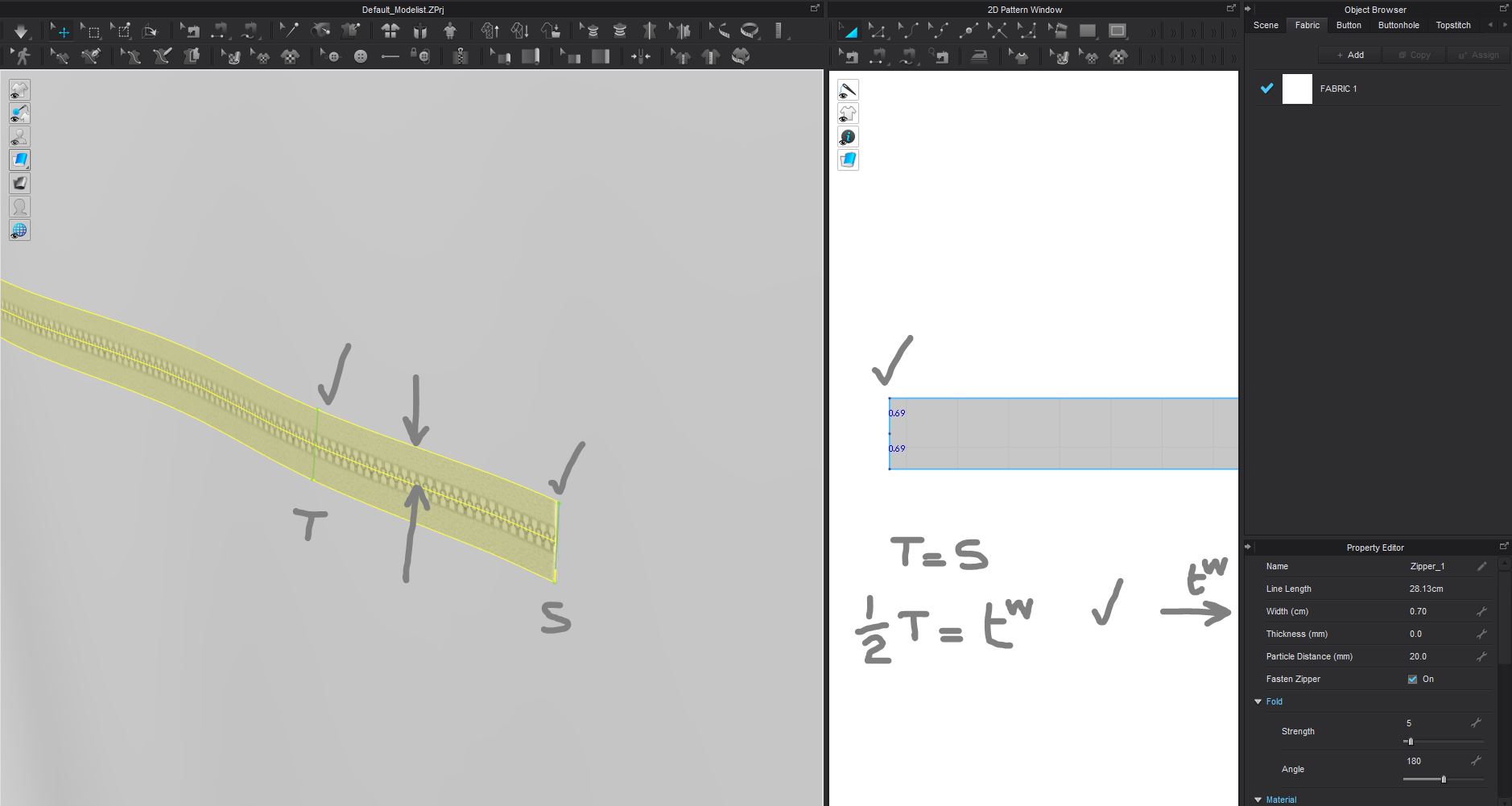
You can still sew the ends of a zip to your pattern if you want. However your zip tape width should match your slot cut for the pocket pattern and pull tight so you don't need to do that > which is perhaps the better thing to check. Click tape in 3D window > property editor > check tape width matches slot height > adjust dimension in property editor so they are the same width. See notes below.
If you find that is not happening, for any reason and you need to have a zip tape larger (or smaller) than the pocket zip slot in the pattern. You can still take the extra step and sew the ends using the standard 2D and 3D segment sewing tools.
Split the zip slot ends in the 2D pattern into uniform equal splits > use segment sewing (N) to select each zip tape end and slot end with a sewing line > simulate.
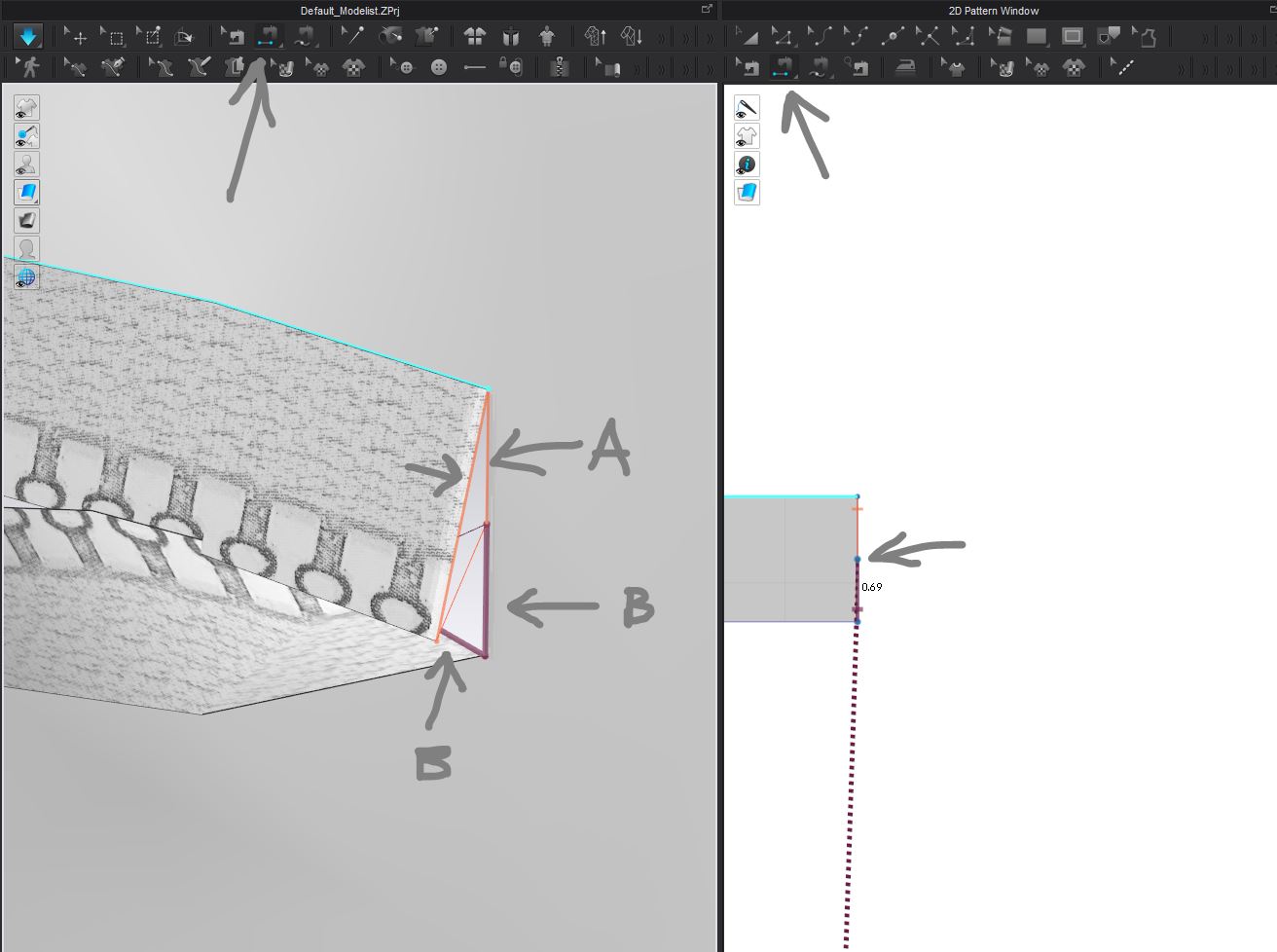
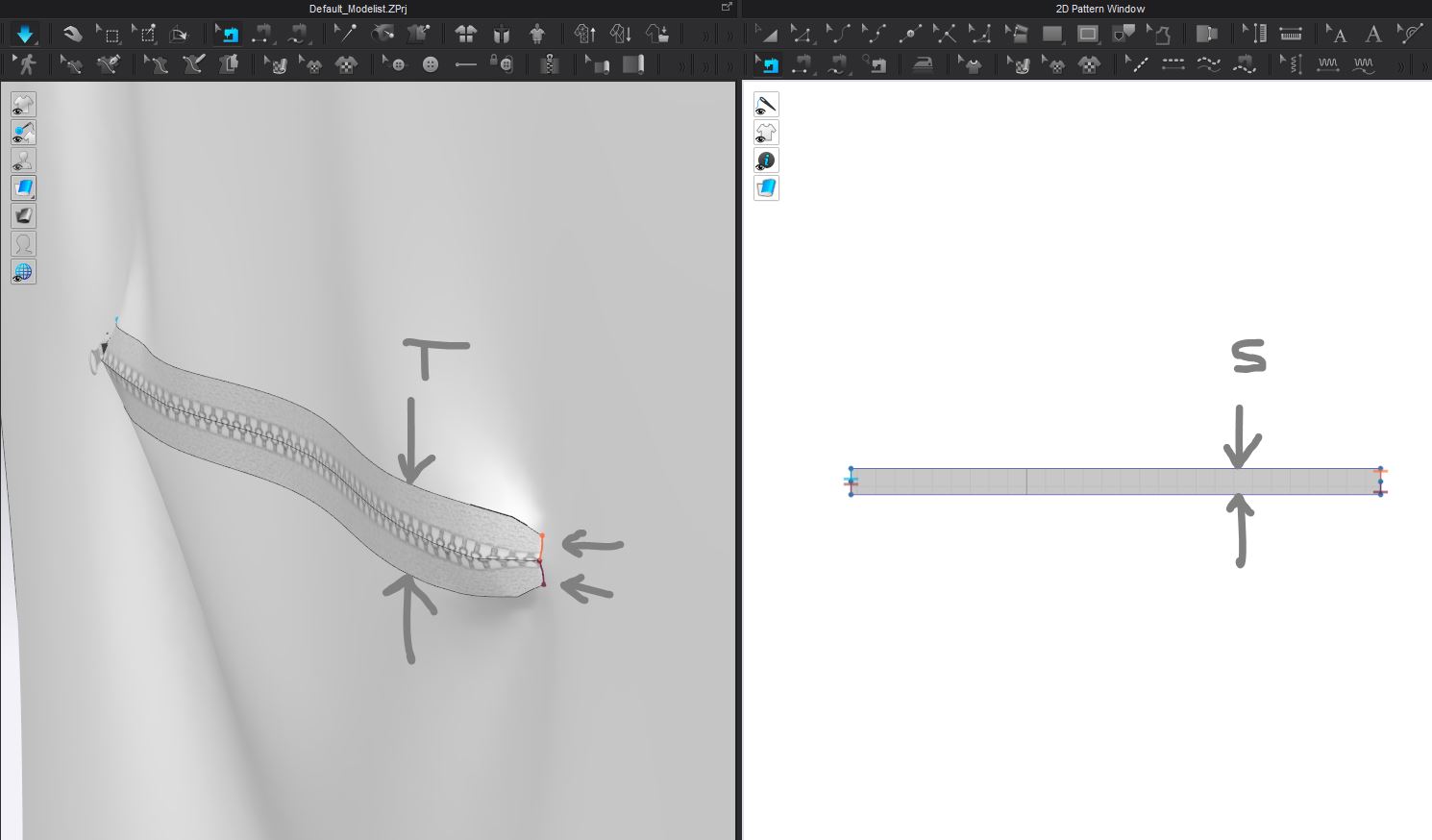
The tape width (T) is now larger than the slot (S) but the sewn ends will pull together well. This is not common practice - the correct approach would be to make the zip tape width (T) the same as the pattern slot (S). Using the property editor. Note the TOTAL width of the Zip (T) is based on the tape x2 (t).

 0
0 -
it works nice now,thnx alot @ottoline
0
评论