Exporting .FBX from CLO results in "crushed" looking mesh

Hey,
I'm trying to export an .fbx with mixamo/mocap animation from CLO. When loading the model into either Maya or Unity the mesh is super crushed and weird looking. I'm thinking the mixamo rig is getting scaled down by CLO for some reason. Below I've outlined my steps
1. Export avatar from CLO as .OBJ
2. Import to mixamo and rig/animate/download as .FBX
3. Import mixamo .FBX into CLO. (Everything looks/works fine at this point.)
4. Export the .fbx from CLO and import into either Maya or Unity. (This is where it breaks down. See image below)
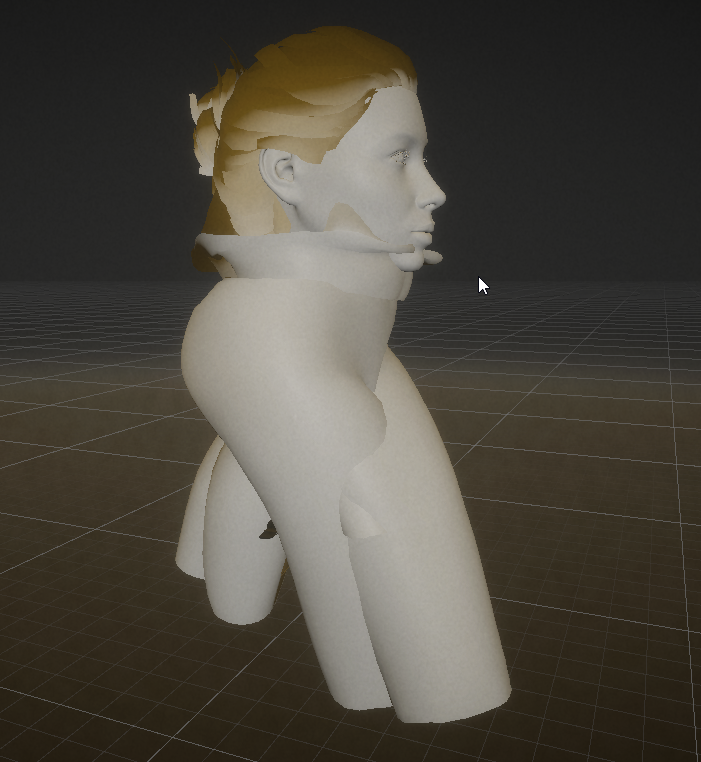
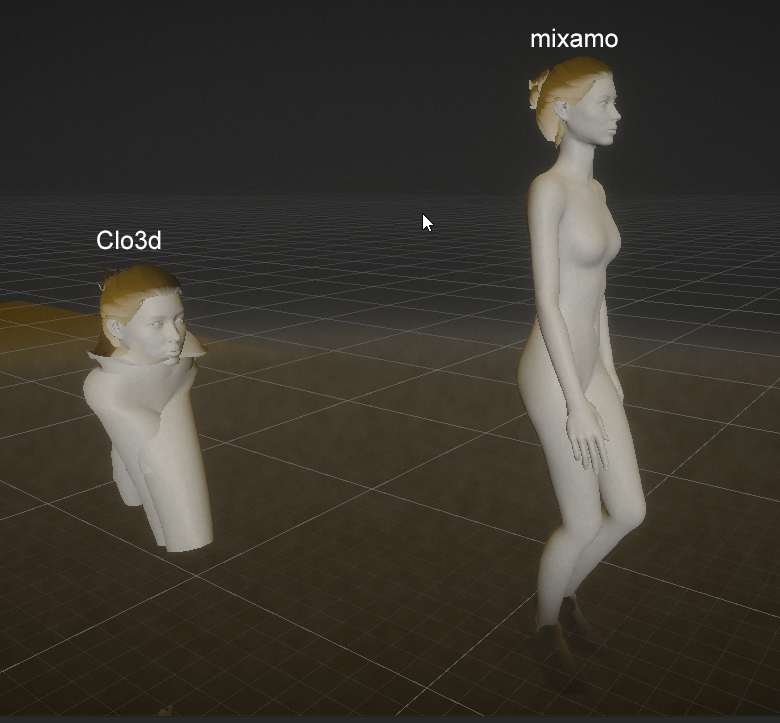
-
Remove all unnecessary. Hair, eyes, teeth. Make merge points. Do not forget that the legs, arms, head, is a separate mesh. Only then upload to mixamo. Pivot must be at 0 for avatar. If it does not work out fbh, try alembic, it definitely works.
0 -
fbx has many versions, and sometimes works with bugs.
https://www.youtube.com/watch?v=iZcSymIoJM8
https://www.youtube.com/watch?v=iewUlV6jzKI
Alembic works well in contrast to fbх
0 -
Thanks for the feedback VAD! In those videos you posted what was the fix? Alembic?
0 -
Here's a screenshot from Maya of how the mixamo rig is getting scaled down when exporting .fbx from Clo3d
 0
0 -
I work in cinema 4d. After exporting mixamo, everything correctly opened in c4d and even with textures. I combined several animation fragments into one long animation. Made fbx export from c4d. After that, Clo opened the file with an error. I think it was a c4d problem. For this fbx not native format. This autodesk. I used alembik, but the textures for the avatar were gone. But I did not need it.
1 -
Thanks for the feedback Ottoline! I'll test that out for sure.
0
评论