coverstitch topstitch for binding (both over and under)

Hello, I put a binding on my garment (both over and under) and I want double straight stitch on the right side of the binding and an overlock stitch on the wrong side of the binding. The only way to get this is to create two separate bindings, one over and one under and adjust the topstitching for these two separate binding objects. But I'd rather have a "both" over and under binding, because you can see the two separate bindings in a high resolution render. 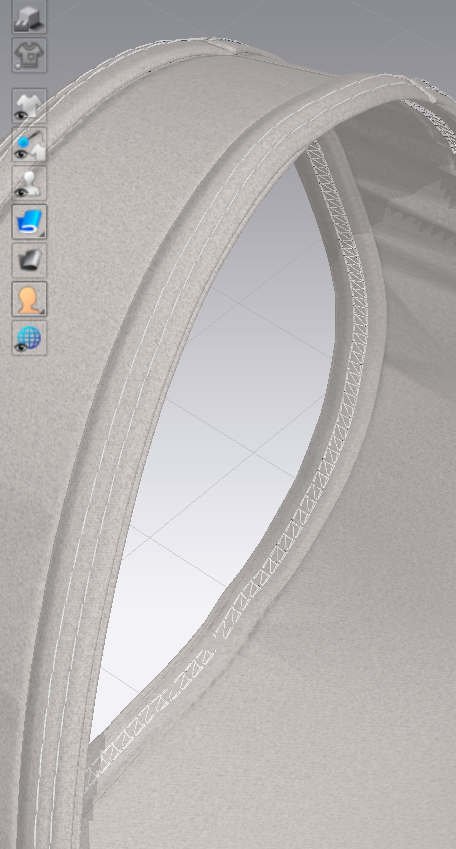
-
If you have created the binding as pattern pieces, you could use one piece only for both upper and lower layers, add Add'l Thickness - Rendering to get a doubled look without a shadow, and then set up a Topstitch with one stitch facing to the front and the other to the back.
0 -
If I have a binding as a separate pattern piece, how do I sew it onto the wrong side of the fabric? I added an internal line to sew the binding on the right side. I know I can fold the binding lengthwise, but how do I sew it on the wrong side once it is folded over?
If I were to create a binding automatically using clo, how can I edit the over and under topstitches independently?
0 -
- I meant not to fold it, but to add thickness to a stripe and fake the look:

Then add a topstitch that has a double stitch on front and overlock on the back.*
- Topstitches don't show up on binding created with the tool, when placed, they go onto the pattern piece associated with them (see here in the middle layer):
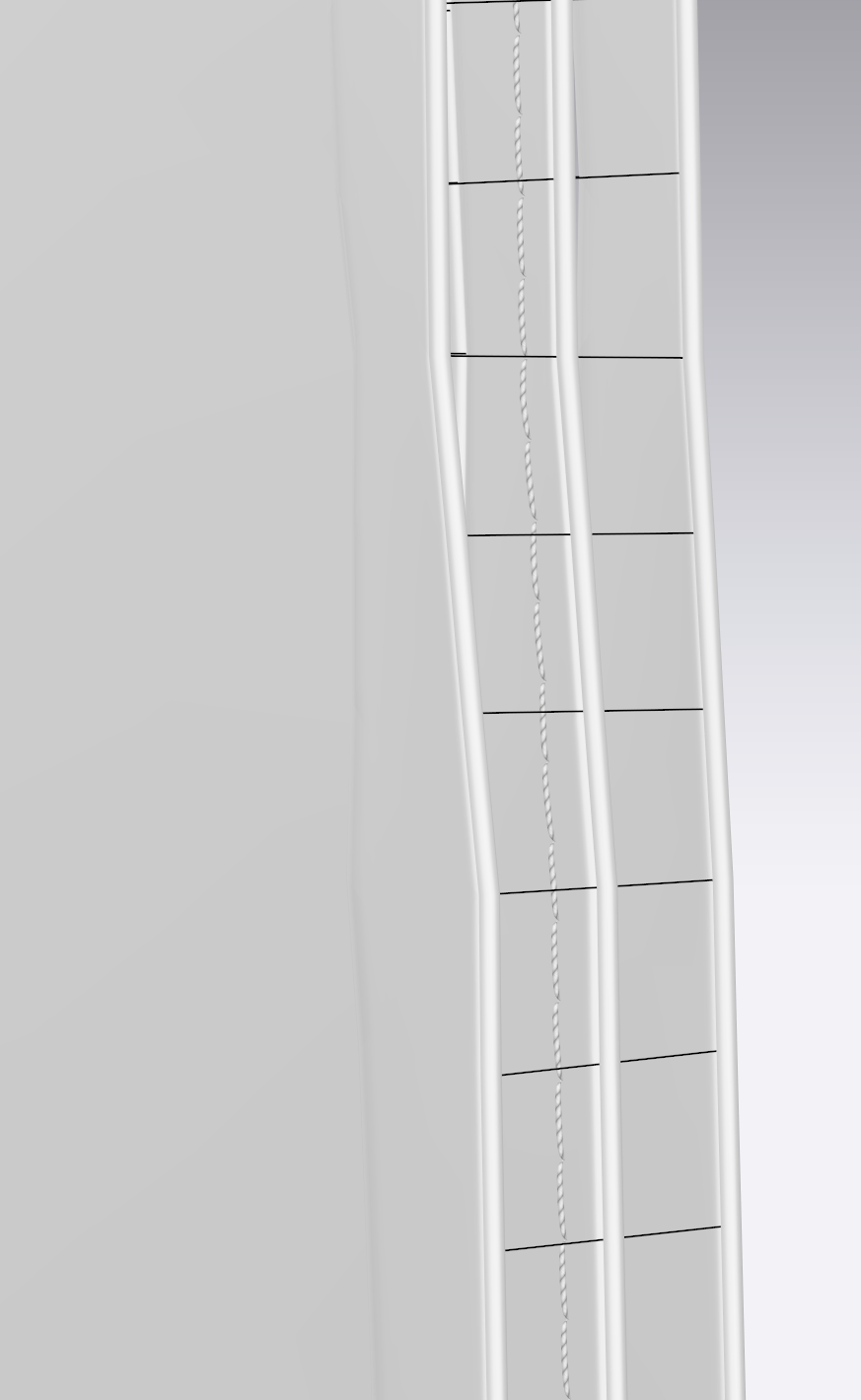
So you could configure the Z-Offset of the topstitch to show up above the binding (example, could be a different value in your project):
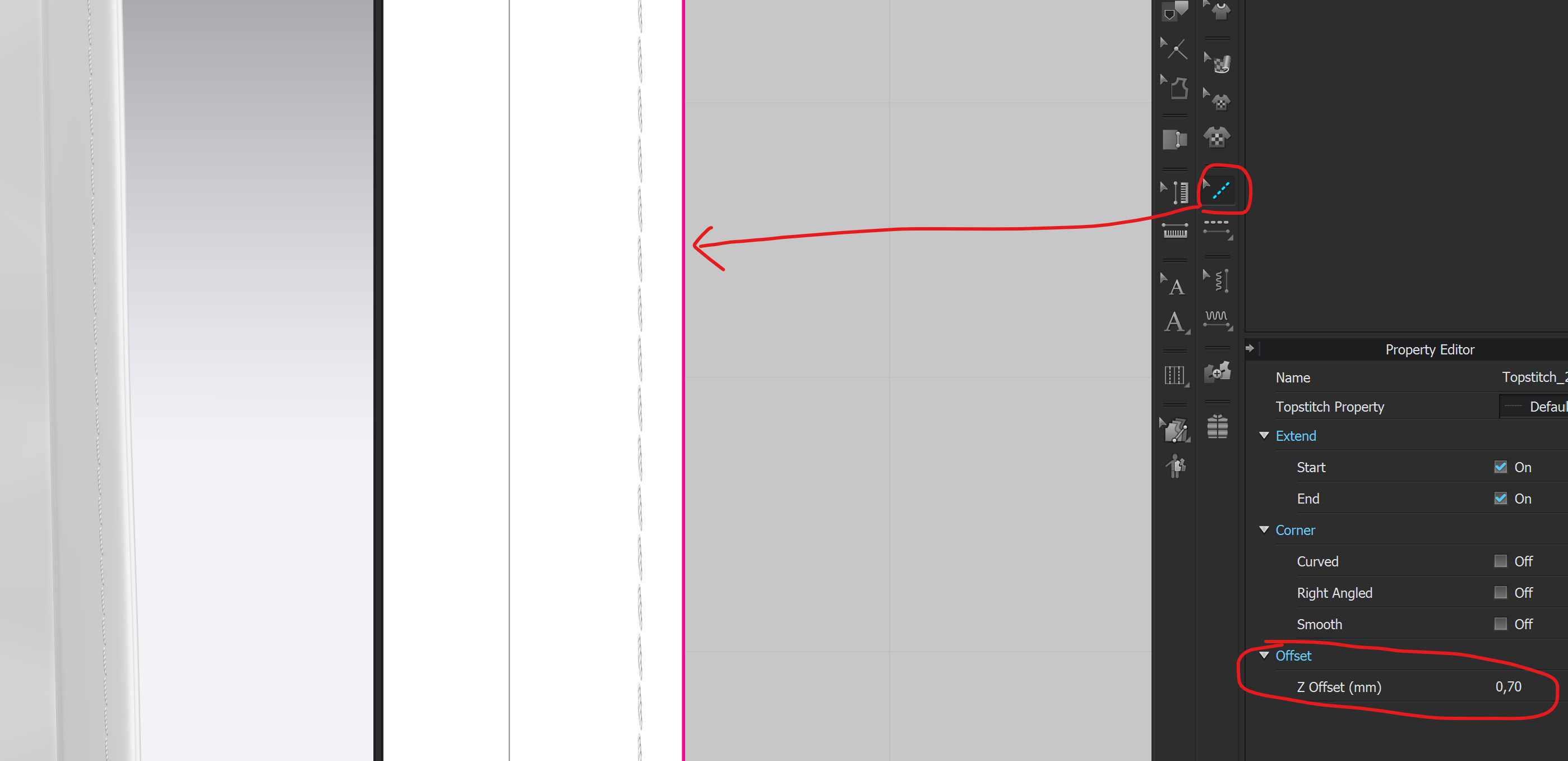
- *To create one topstitch that shows on both front and back as different stitches, edit one to Stitch Count 2 and then configure the second stitch to face the back:
 0
0
评论