How can I move assets from disk c to disk D?

So, I set up disk C for my windows 10 , and its only have 80GB, and rest of space as disk D. windows 10 remind me yesterday said there is not enough space in disk C, I found CLO have 1.45G files in C:\Users\Public\Documents\CLO\Assets can I move those files into disk D, and redirect it in CLO? so I can free some space in disk C? and how should I do that?
-
Hi owen8961,
I do not see an option to store the Assets in another folder in the User Settings:
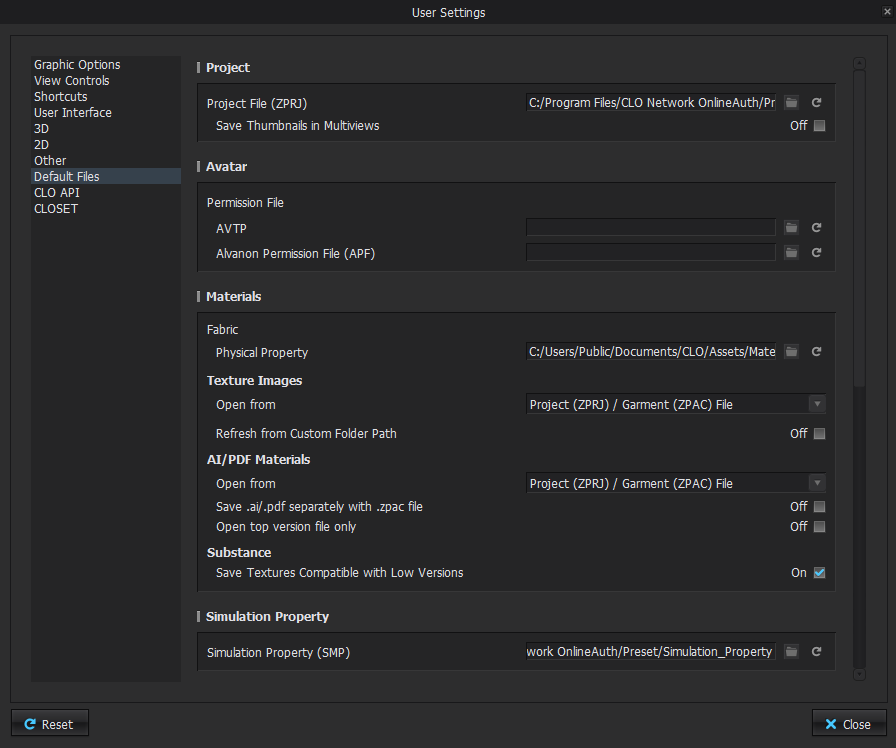
I will investigate this further and get back to you.
For now, what you can do is move all the Assets onto D:, then remove all the library links, and relink the folders from their new position. In the window above, make sure to change all the paths as well to fit with the new path of the folders, and don't forget to choose a spot on D: as well for your Auto Save.
Like this however, asset updates will not work as they should. I am unsure whether they will be displayed and then load onto C:, or not displayed at all after the original library links were severed.
0
评论