Improving POM tool for real world fitting situation

Hi CLO,
I wanted to extend the Body Length while looking at the number next to the purple POM line on my pattern, OR my Body Length number in the POM window, but I quickly realized that the moment I switch to Edit Pattern Tool to actually extend the body length of the pattern, the number on the purple line disappears and also the POM window dissapears. I can sort of fudge it with internal line, and if I select the point at the hem and the hem line and drag it down, it shows the number changing on the internal line, but that that just defeats the purpose of having separate POM lines.
If you want more people to use CLO for actual fitting where POMs matter, the function to show the Lengths changing while editing the pattern will play a big role.

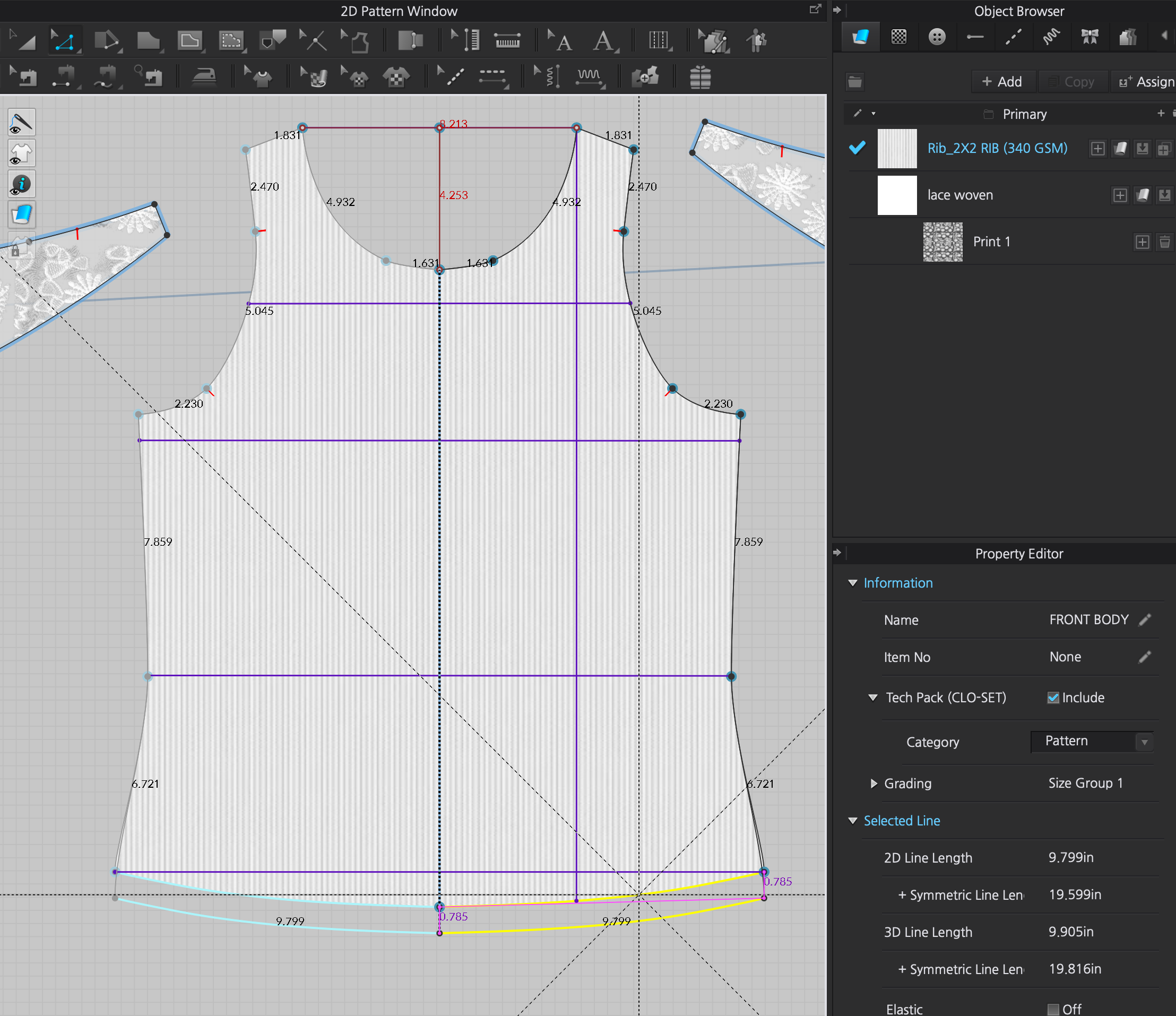
-
Hi paulinechoi,
Thank you for reaching out. Your observation will be handed in as a feature request, however for your purpose, for now, would it be an option to use the precision window instead of editing the patterns by dragging? (As you drag and are holding your left mouse button down, right-click a the same time and the precision window appears. With simple additions and substractions, you can then reach the desired result that should then be reflected in the POMs).
0
评论