Adding helmet stickers/graphics

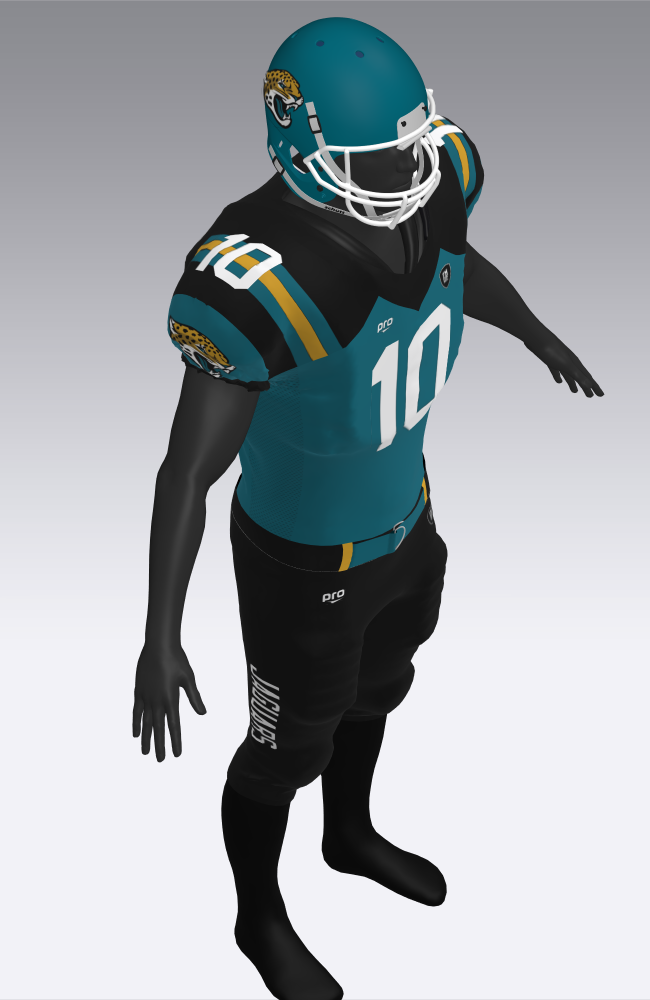
I am designing sportswear that includes helmets and need to add stickers and other decoration to the helmet. Is this possible to do with Clo3d? You can see in the image where I am looking to add the same graphic that is on the shoulder. Thanks in advance for any help. 
-
Hi cburylax
Is the Helmet an OBJ or FBX file? If so you will need to unwrap the texture (Blender can work for this) and add the stickers separately in Photoshop
0 -
The helmet is an OBJ file. I understand your solution. I am wondering if there is way to add decals another way? I do so many of these models for sportswear clients that I need a way to do this within CLO, if only just for speed.
Is there another model file type that would allow me to add graphics within the program?
Is there a way to "sew" a panel onto the helmet then fill that panel with the graphic?
0 -
Hi cburylax
You could create a pattern piece with fabric that has an Opacity of 0 with the logo added as a graphic. Then add avatar tape to the helmet and use the attach to avatar tool to attached the "invisible" pattern piece with the logo to the helmet
0 -
Hello! I'm very interested in this, but.... could you be clearer about the process? I don't really understand it!
Thank you!
0 -
By any chance, have you already tried and succeeded?
Regards!
0 -
Dear virtuallytrendy,
- Create a pattern piece and add the logo as a graphic. Create a fabric for which you set the Opacity to 0 and apply it to the pattern piece. You will now have a pattern piece that is invisible except for the applied graphic.
- Add avatar tape to the helmet, see here: https://support.clo3d.com/hc/en-us/articles/115012379848-Circumference-Avatar-Tape & https://support.clo3d.com/hc/en-us/articles/115012380748-Linear-Avatar-Tape
- Attach the pattern piece to the helmet via Attach to Avatar Tape: https://support.clo3d.com/hc/en-us/articles/115012225987-Attach-to-Avatar-Tape
0 -
This process works well enough.
 1
1
评论