Need help Placing a Swimwear Hook!

Hi Clo friends, I am new to the software and need help with placing the hook on the back strap (swimwear top)
this is what I did:
1. I cut, folded, and sewed the strap.
2. Change particle distance to 2. , skin offset to 0.2
3. I added the swim hook as an obj. -as an Avatar
I used this video and how he did the slider settings for the bra https://www.youtube.com/watch?v=vUygs75lEoc&t=605s
But, when I simulated it- it didn't work
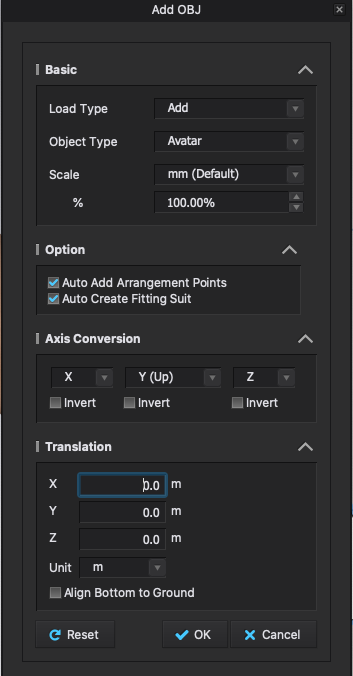
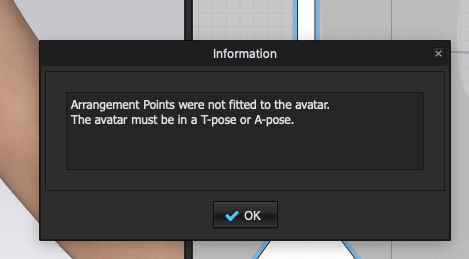
-I tried with single or double stitches, I also tried to bring the hook as a trim. I noticed when i add the hook as an avatar and when the options are checked, it says that the avatar must be in a T pose. So I changed the pose as well.
What I am missing?
In real life, it takes me 10sec to add a hook:) I would appreciate any help. Thank you!
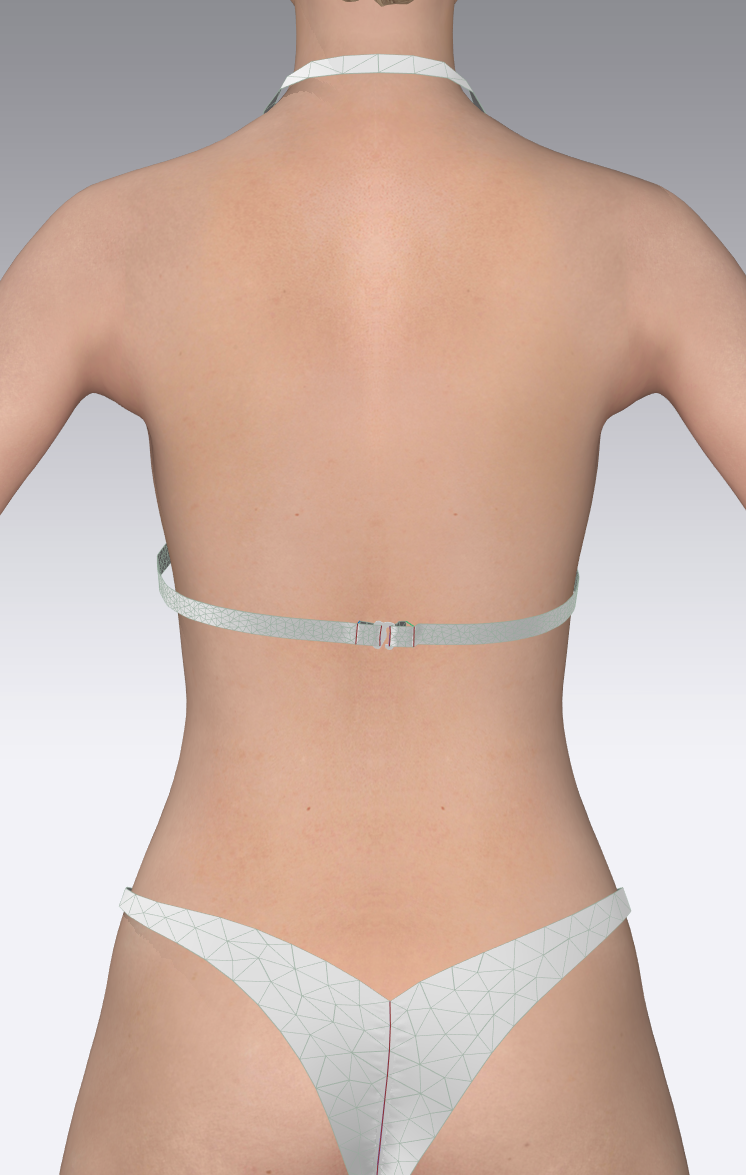
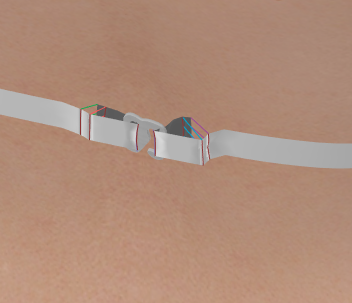
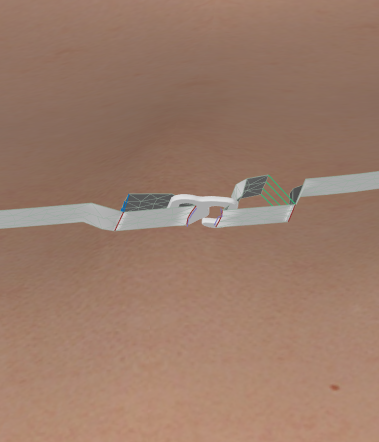
-
Hi there!
First up, to explain: There is one key difference between Add Avatar and Add Trim.
'Add Avatar' adds a 3D object that will not be affected by gravity once the simulation is on.
This object has collision detection, that means the fabric will react to it, drape on it etc. but the object itself will not move'Add Trim' adds a 3D object, that will move with the fabric/gravity during simulation. This object doesn't have collision detection so it "falls through" the fabric.
It is possible to turn on 'collision' in the property editor, but then it will be functionally the same as 'Add Avatar', so unaffected by gravity.So in your case, it is correct to add the hook as an avatar, as the fabric will have to be held up by it ( = collision detection). If the fabric still slips through, a solution can be to lower the particle distance for both fabric as well as 3D object (before exporting) and reduce the Skin Offset/Add'l Thickness Rendering, again for both fabric as well as 3D object.
The dialogue window about arrangement points not being fitted to the avatar is only relevant in case a human avatar is brought in.
It can be ignored in this case as the 'avatar' (=object with collision detection) that you add, is in fact the swimwear hook.
In the import dialogue, the checkboxes 'Auto Add Arrangement Points' and 'Auto Create Fitting Suit' can be unticked.I hope this helps!
0 -
Thank you so much for your explanation! I will try again by lowering the PD & reducing the skin offset/add'l thickness. I appreciate that you made it clear what the difference is between Add Avatar & Add Trim. I will keep working on it :). Thank you!
0 -
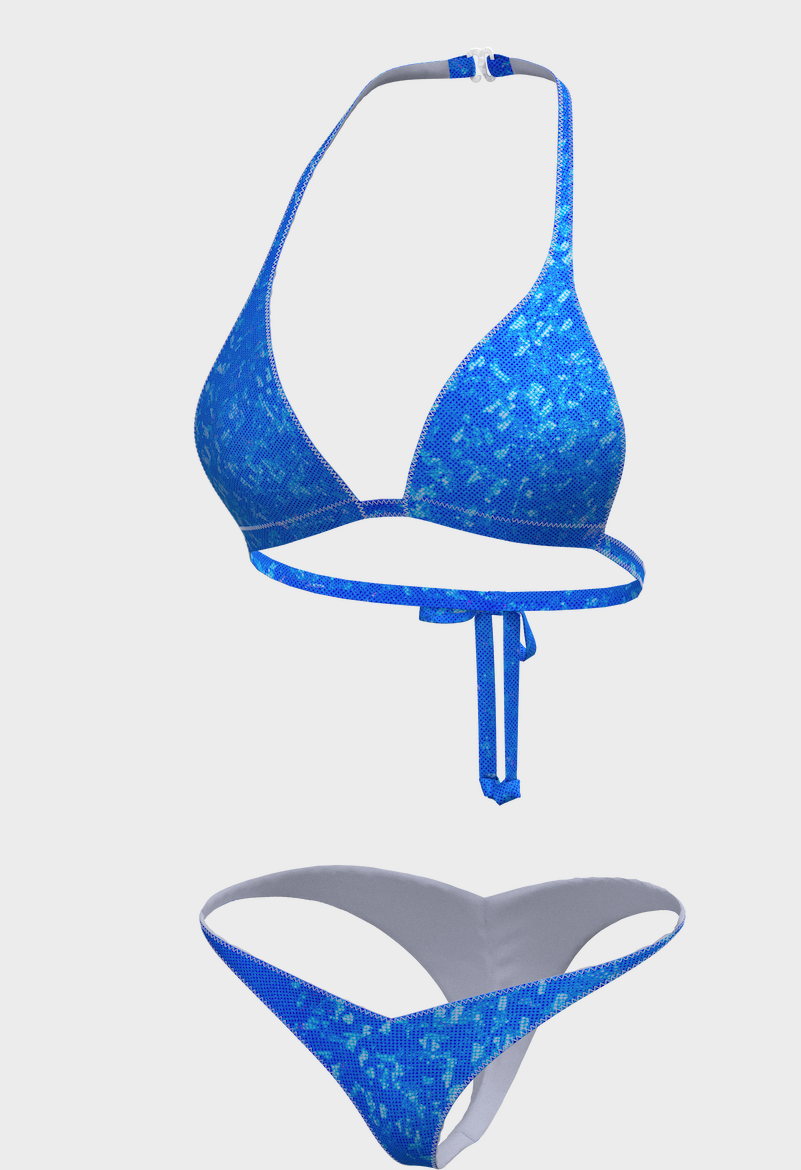
Ok, after 8 hours of playing with adding the hook, I finally did it!
Those are my settings:
1. Particle distance - 2.0
2. Add'l Thickness collision - 0.2
3. Add'l Thickness rendering- 0.0
4. Skin offset- 0.1
And, I use the pin box to hold the fabric around the hook in place while simulating.
I hope I saved you some time & this is helpful! :)
 0
0
评论