DXF export - distorted shapes

Hi there,
I sent a DXF AAMA to my producer and then got as feedback that some shapes were distorted when he opened the file. Also the grainlines have gone crazy and the annotations.
Actual shape:

Distorted shape:
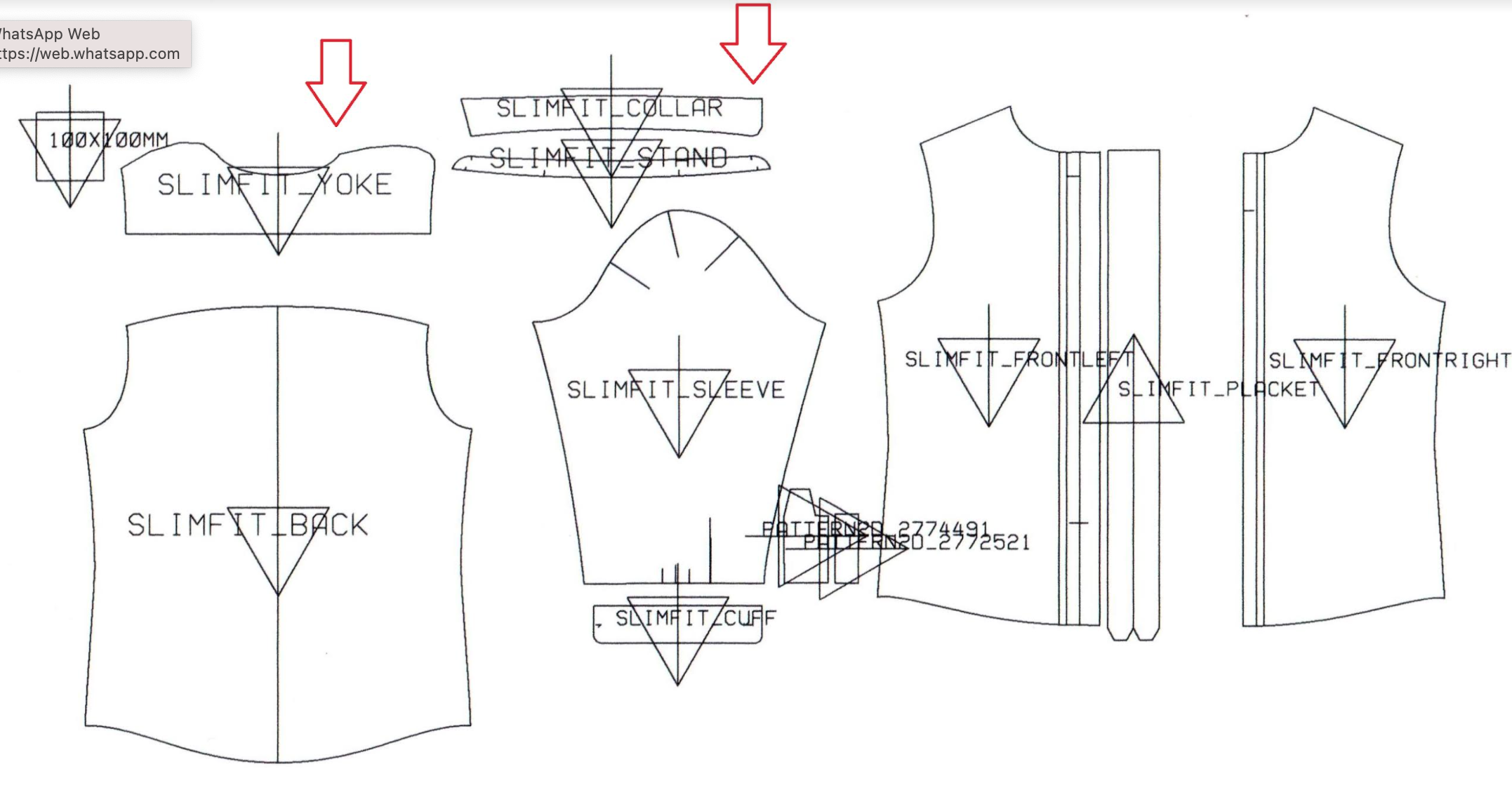
Does anyone have tips on how I can export it the right way?
Thanks!
-
Hi archivist. This can depend on a lot of different factors. First check that when you are exporting the file that you check/uncheck what you want to export. You will also need to check what program your producer is opening these files on what their import settings are.
0 -
Thanks!
Next problem is, that the pattern is exporting in a very small size. Even though it was made in CM and exporter in CM, it comes out as small as fitting on an a4.
Do you know what could have happened?
0 -
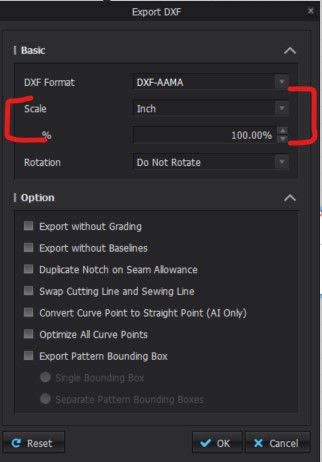
Hi archivist. Check that when you are exporting or importing that the scale is set to 100%
 0
0 -
Hi there,
It was set on 100% and it still came out smaller than a4.
Would it be possible to extend my trial and see if I can make this work? If yes, I will take a subscription, but now I first need to see if I can find a solution for exporting.
Thank you!
0
Comentários