Edit graphics size after insertion on garment

I watched the video and read the guide but didn't understand how to do it.
I would like to change the size of a graphic as for insertion, with exact measurements, even after placing it. Is there a field of measures like for insertion?
I can not find it. thank you
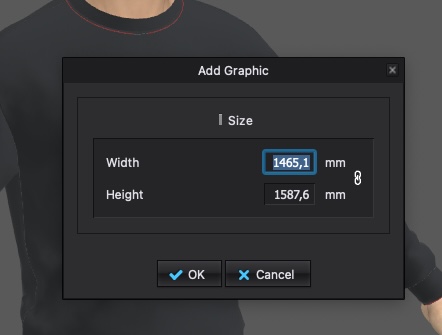
-
Hi multimago. You can fin d a detailed breakdown of how to edit. adjust, scale your graphics HERE. Or videos HERE and HERE. But I am adding screen shots showing how you can adjust Graphics.
-Your first option to scale the graphic is what you show above. When first applying the graphic you can put in the size
-If the graphic is already applied you can use the transform Graphic Tool in the 3D or 2D tool bars > L-click on the graphic > Use the gear that appears to rotate or scale the graphic.

-Open the Graphics Tab in the Object Browser > Select your desired graphic and go to the below Property Editor > At the bottom there is a Transform Graphic option to enter a specific size
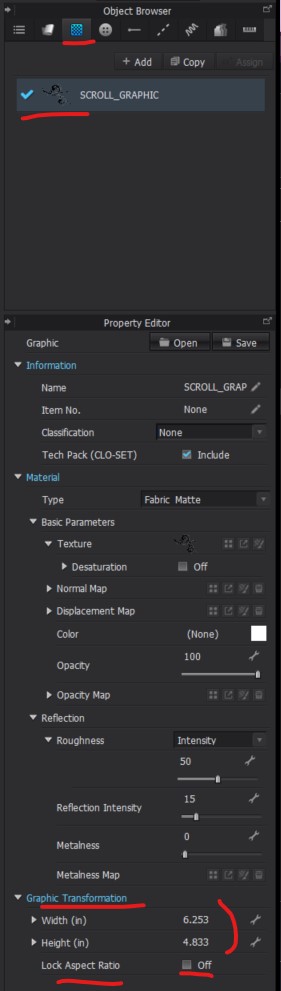
Hope this helps!
0 -
Thanks!! that's where it is,
I couldn't find it because I was clicking on the model and not on the graphics on the right.
thanks again for the quick response!
0
Comentários