why zipper tape so low-res clo to cinema 4d

hi there,
love using clo, but having some trouble with the zippper teeth/tape when importing into cinema 4d.
it looks great/crisp in clo.
but when in cinema 4d, and rendered, the tape and teeth so blurry and lo-res. why is this?
i think my settings are correct, can anyone help?
(screenshots below)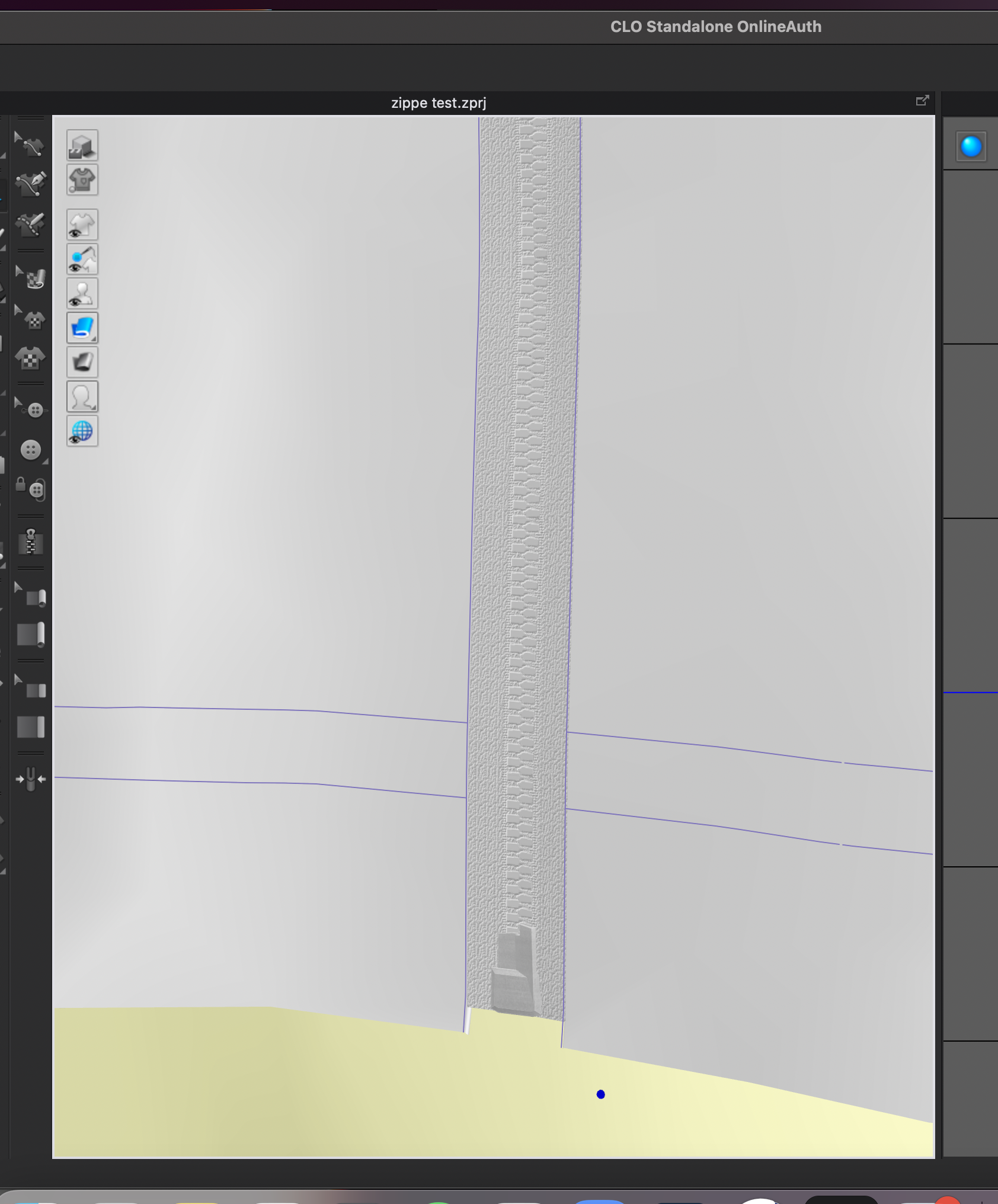
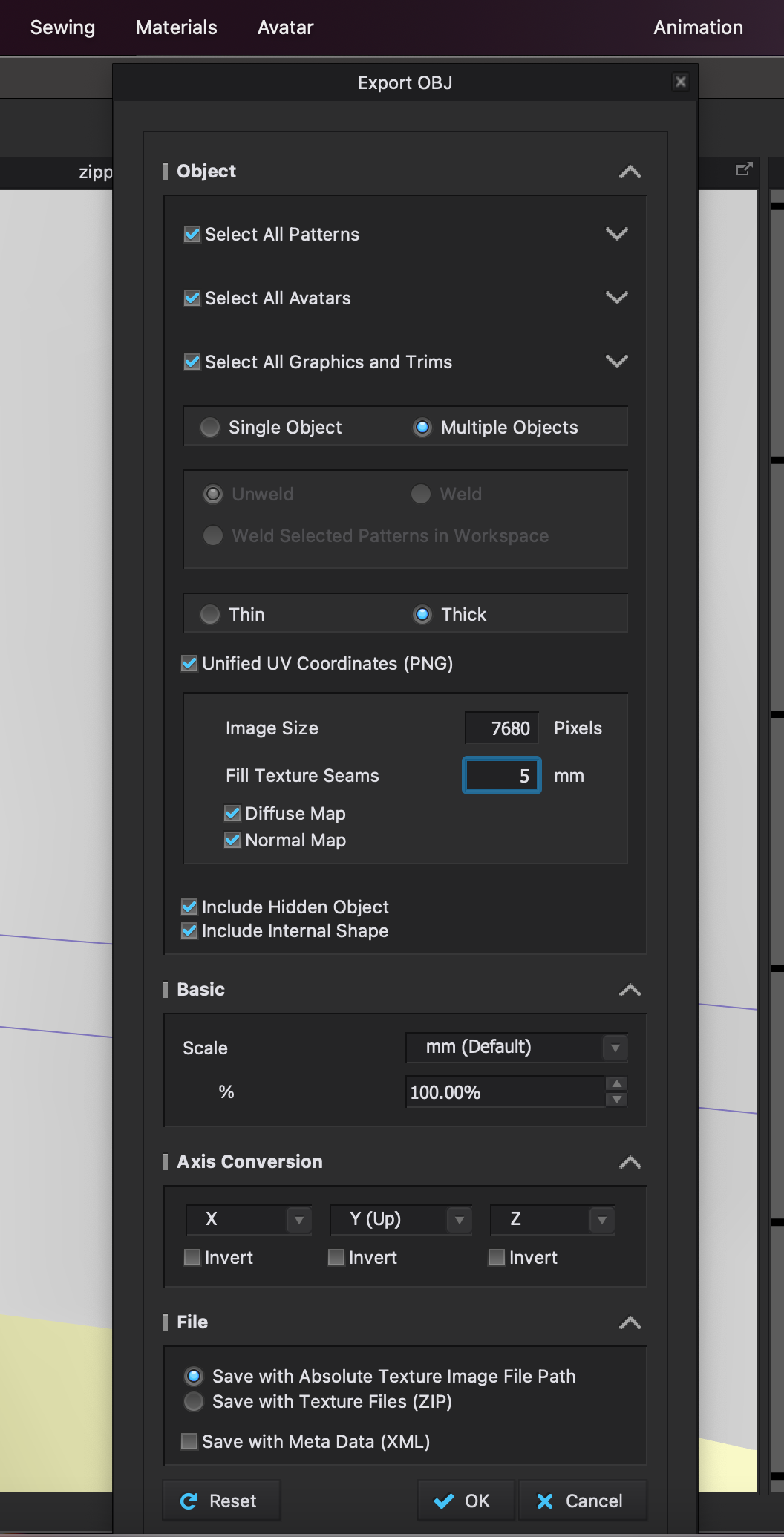
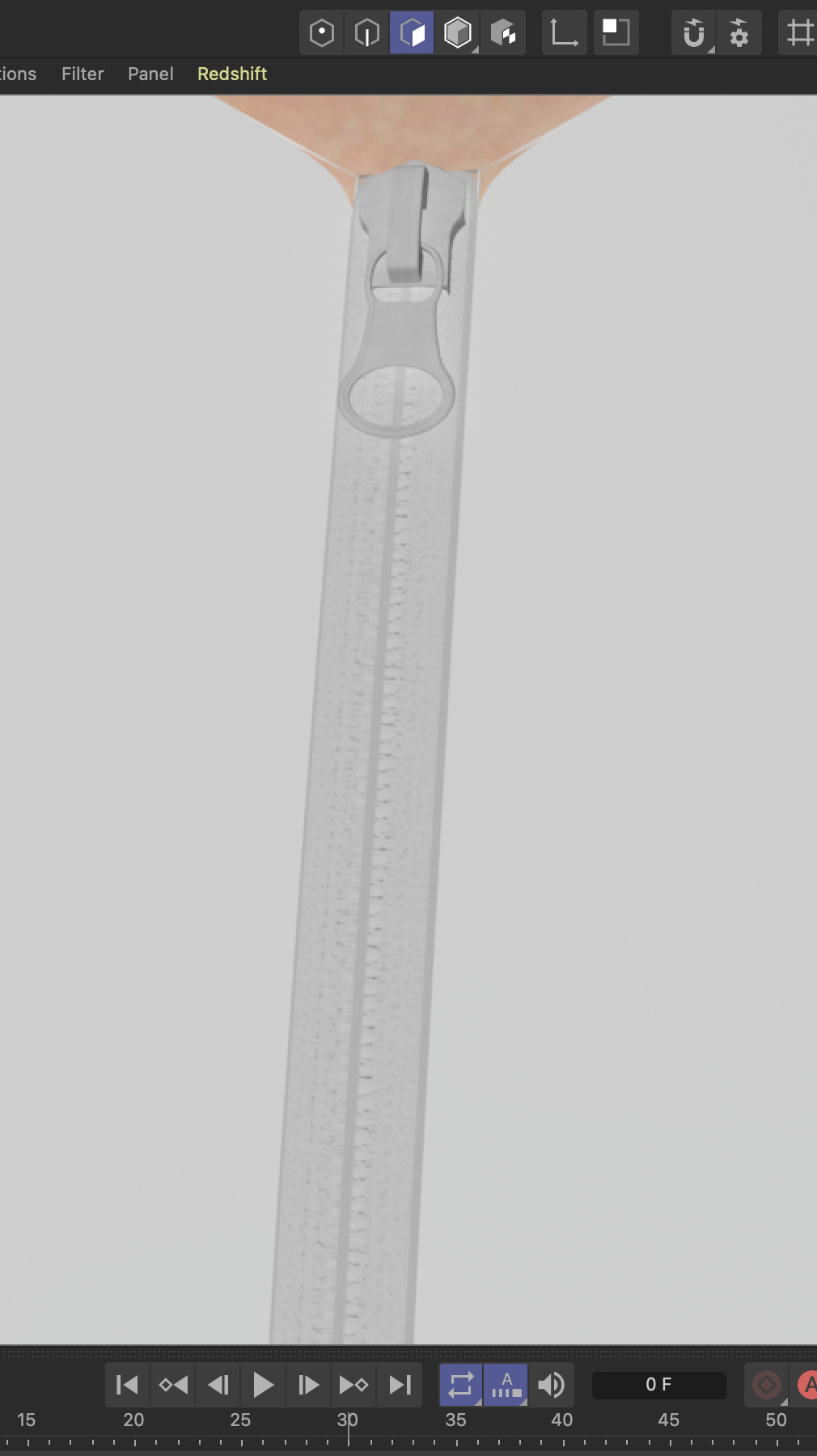
thanks!
-
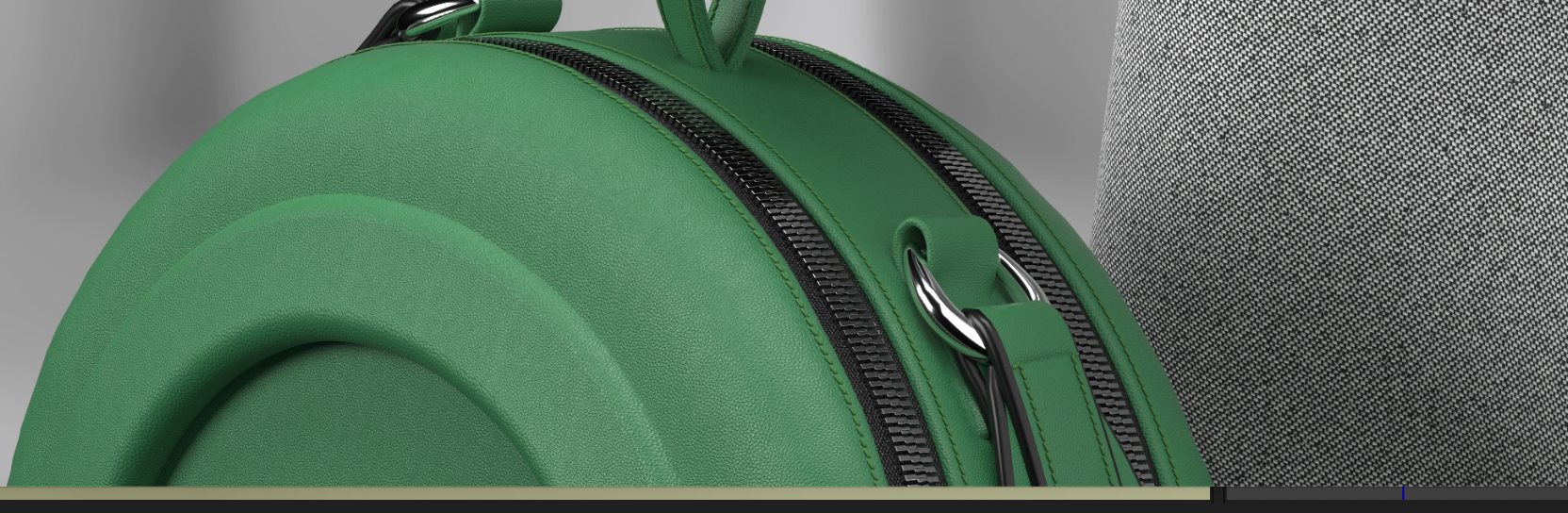
like how are people doing things like this?
crisp zipper tape, nice displacement. surely there's. way to use the zipper tape/textures with clo to make good quality things like this when exported to cinema 4d?
 0
0 -
That zipper in the image you show looks like it is a trim 3D model and not a displacement map. Which mean you would need to add in a 3D zip model to that bag within the external scene within C4D.
0 -
hi there,
the image ref above is taken from the clo3d webpage frontpage, so i would hope it was achievable with clo.
i'd love if anyone can share a tutorial on how to make zippers (specifically the zipper tape and teeth) look good when taking from clo to cinema 4d.
right now when you take clo zipper tape/teeth into c4d, it looks terrible and low res, and not 3d at all.
if anyone has a workflow / tutorial they can share either using the clo standard, or any other method. love to see/learn.
if any staff from clo can help, much appreciated too - been trying to find a solve for this for weeks.
0 -
You can import a 3D model as trim or as a 3D modeled zip into CLO3D, nothing stopping you from doing that which is likely how that image was rendered in CLO3D vray.
However YOU stated you were using C4D > therefore you would need to export that scene from CLO3D including that zip 3D model. You can add in any >>custom 3D<< element like buttons, buckles, brooches, zips, toggles etc into a CLO3D scene using the add trim tool, or by adding in a 3D object model. And you may assign that 3D model (eg: zip model made to the curvature of the bag) a plastic or metal vray shader > which is likely how it was done. Which also means you have more work to do - as you need a 3D modeled zip as I originally stated.
So to be clear > you need to have a 3D zip model. You cannot always default to low res texture maps and expect them to render as a 3D model, even if height is applied, that may result in texture artifacts, as they are different elements and hence have differing quality when it comes time to render. So I suggest you model your zip in C4D to the curve of your bag and then apply to your C4D scene if you want that type of model result, and if that is where you are rendering.
0
Comentários