Logo Rendering Problems

Hello everyone!
I hope you all are well. I am having issues with my printed logo when rendering. On the left side, how it should look. On the right, how does it looks after rendering. Funny enough, everything looks good when I use interactive render.
I tried different materials, logo sizes, and formats but I can not find a solution. The printed logo is a PNG image.
Thank you very very much:)
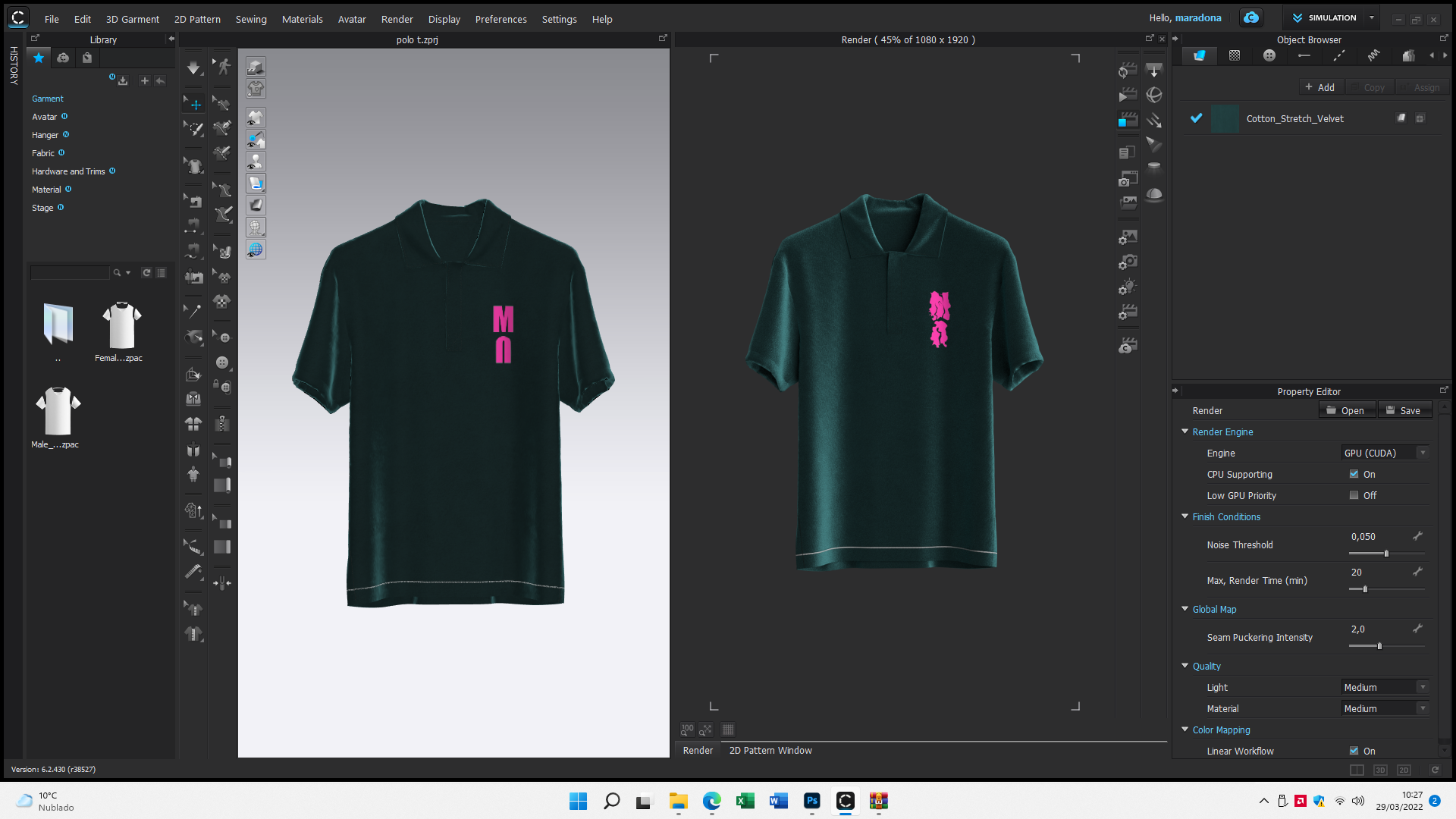
-
Hi maradona.
Please try to remove the graphic and re-add it again.
If the issue is still there, could you select the graphic and check the below settings in Property Editor?
- Z-offset: Please try to increase the value in case your graphic is inserted into the garment.
- Displacement Map: Did you apply any displacement map on the graphic? If yes, it would be great if you can share the settings.
0 -
Hello,
Thanks for your help!:) Increasing the z-offset fixed the problem when I first changed the render setup. However, the problem came back when I tried to render the same image with the exact same parameters.
I deleted and re-added the print again, tried with different materials, print sizes, and render qualities. I also tried all the Z-offset setups from 0 to 2 but the problem is still there. Closing and reopening the problem doesn´t seem to help.
Unfortunately, I really can not spend more time in this problem, but it feels like there is a parameter changing by default every single time the rendering process starts. I will be back to this later.
Thanks a lot!
0 -
maradona Could you also check with the graphic format? It is recommended to use RGB rather than CMYK. And you can check if it is in 8-bit / 24-bit
0
Comentários