White box around my png graphic

this is supposedly a transparent png image, the white box doesn't show in the 2D window or in the 3D, it only shows up when I go to render it, doe anyone have any tips on how to fix this problem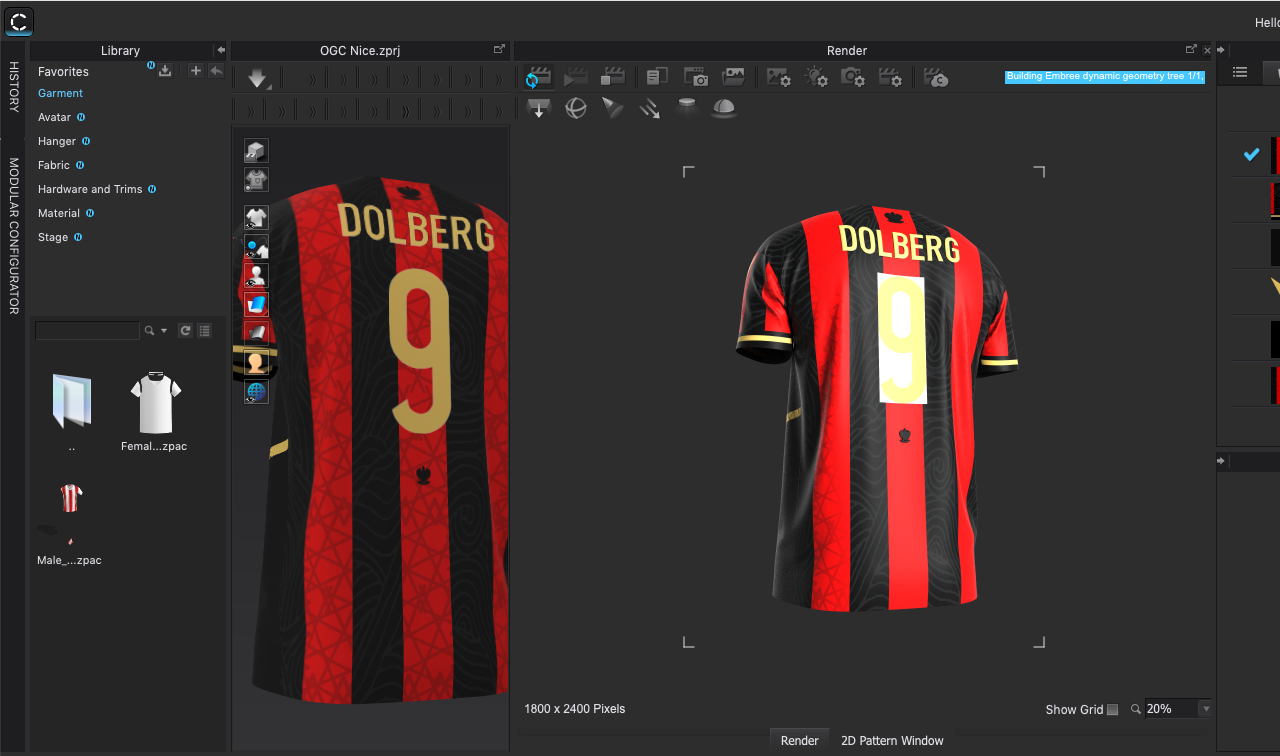
-
CLO3D has 2 render engines > the one on the left for 3D work in progress visualization of materials and the second their partners integrated render engine > vray (right image)which can treat shader's and materials differently > try making sure the .png has the alpha channel (RGBA) value such that the opacity on that value renders as transparent. This can mean checking the shader setup in the property editor and the image artwork where black and white in an image layer may need to be defined as a mask layer in black and white and then the black and white value flipped. There is a toggle in the shader you can activate to do this for the transparency channel. The image should be 8 bit and you may need to toggle clip so the edges are clean.
0 -
Hi I am having the same issue but cant make out how to do what I need to do in the answer above? I also have an issue where the graphic is ordered to the top but it doesn't render through in the 3D viewer and then in the render viewer its got a white box
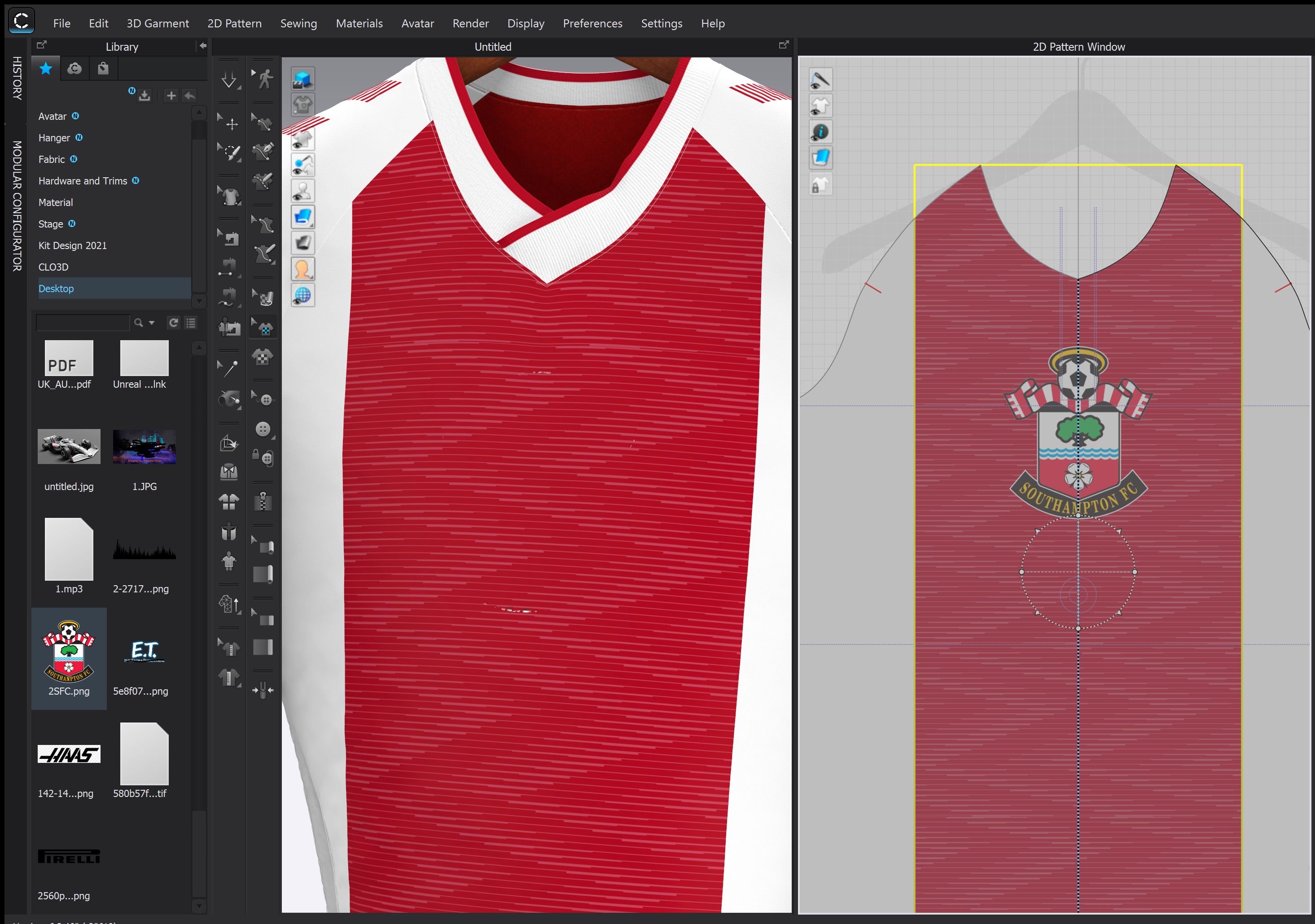 0
0 -
Hi stubbo1799. Have you looked into the Z-offset of the graphic? You can increase the Z-offset by selecting the graphic using the Transform Graphic tool and going to the property editor(see below visual).Also for the zig zap pattern on the red is this a texture or a graphic? If it is a Graphic you may need to check the order og you graphics to make sure that correct one is in front.
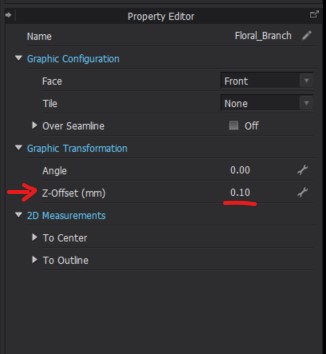
Hope this helps!
0
Comentários