face print is showing on back side of fabric

I'm having issues with how the back side of my fabric is rendering. I'm using a .ai generated .png as the face fabric print set as the texture. I have the back side of the fabric set to a grey (use same material as face unchecked). Looks fine in the 3D window, when I render the face print shows thru to the back. Driving me nuts and I'm on a deadline.
Any ideas here?
Thanks!.
-
Try posting an image - hard to appreciate what is going on.
Any .png may have a transparent component to the image if it was saved as RGBA > so maybe try saving the image from illustrator as an RGB image only and drop the alpha channel on export for the .png .
In the fabric (shader) stack if you apply a color other than white to the Back base materials (fabric shader) it will render dark as the diffuse is based on a white value on the base material.
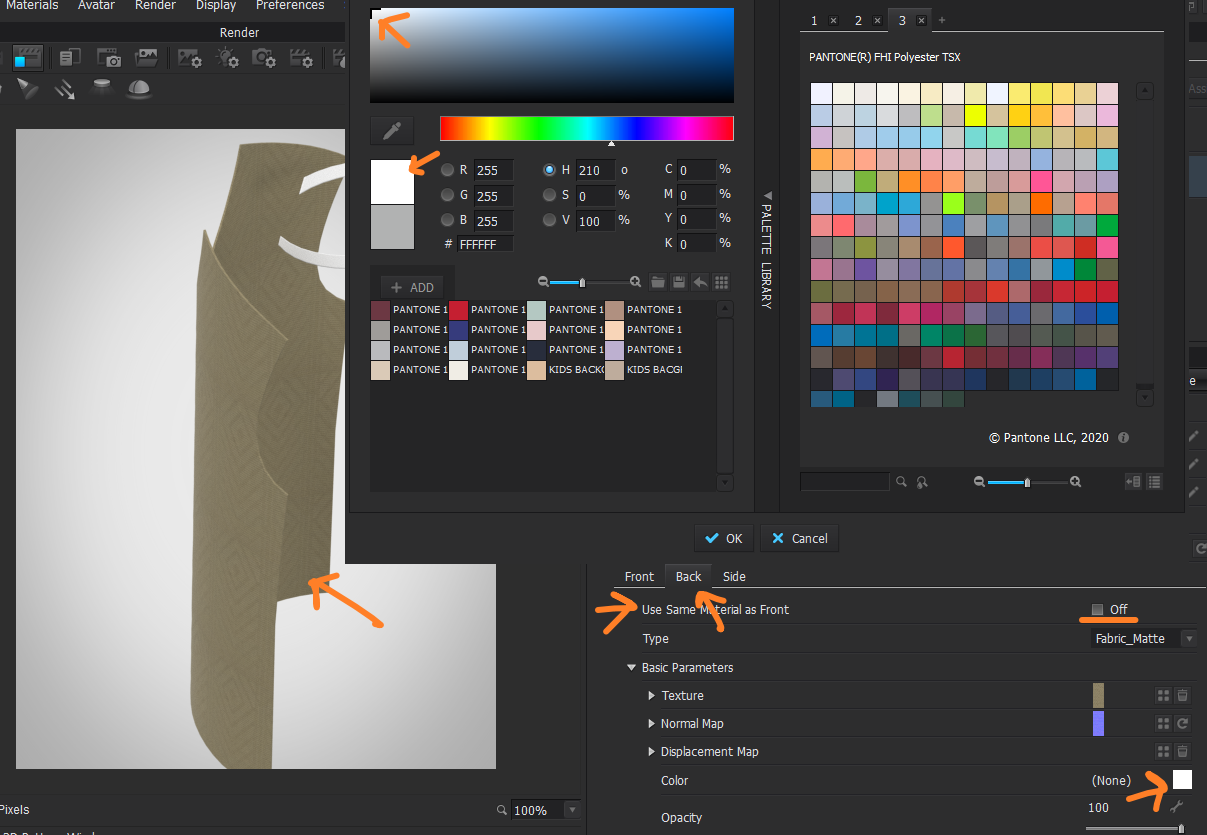
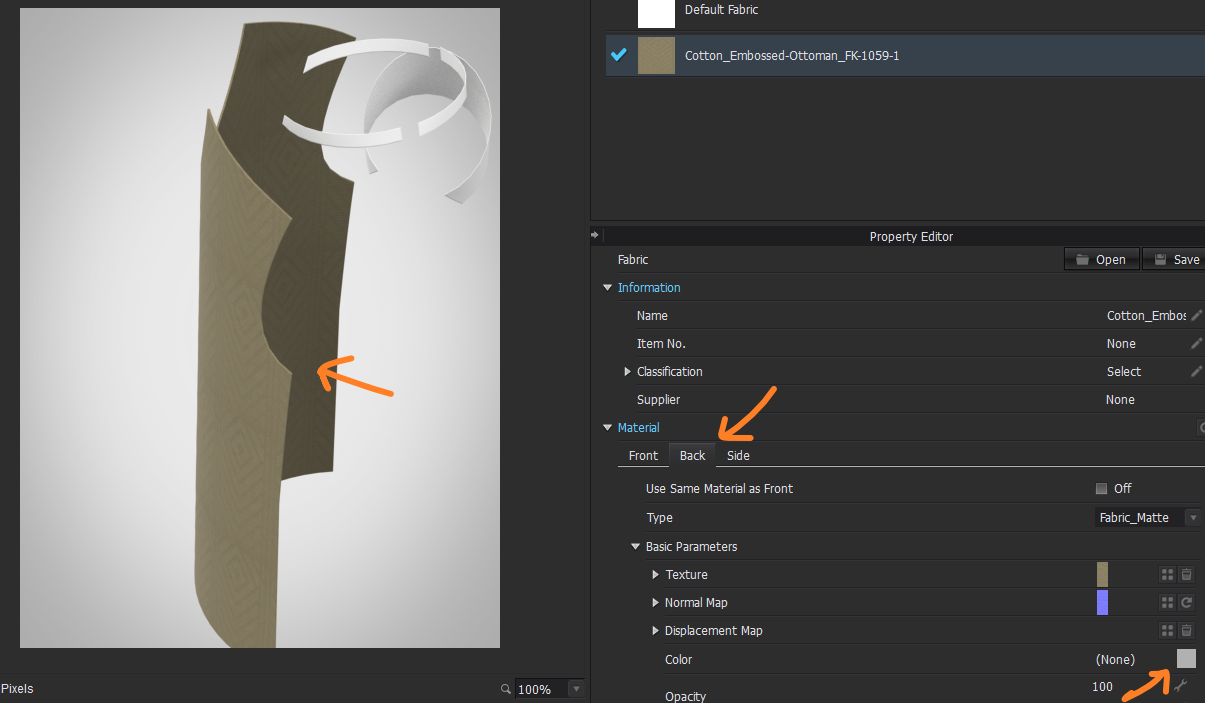
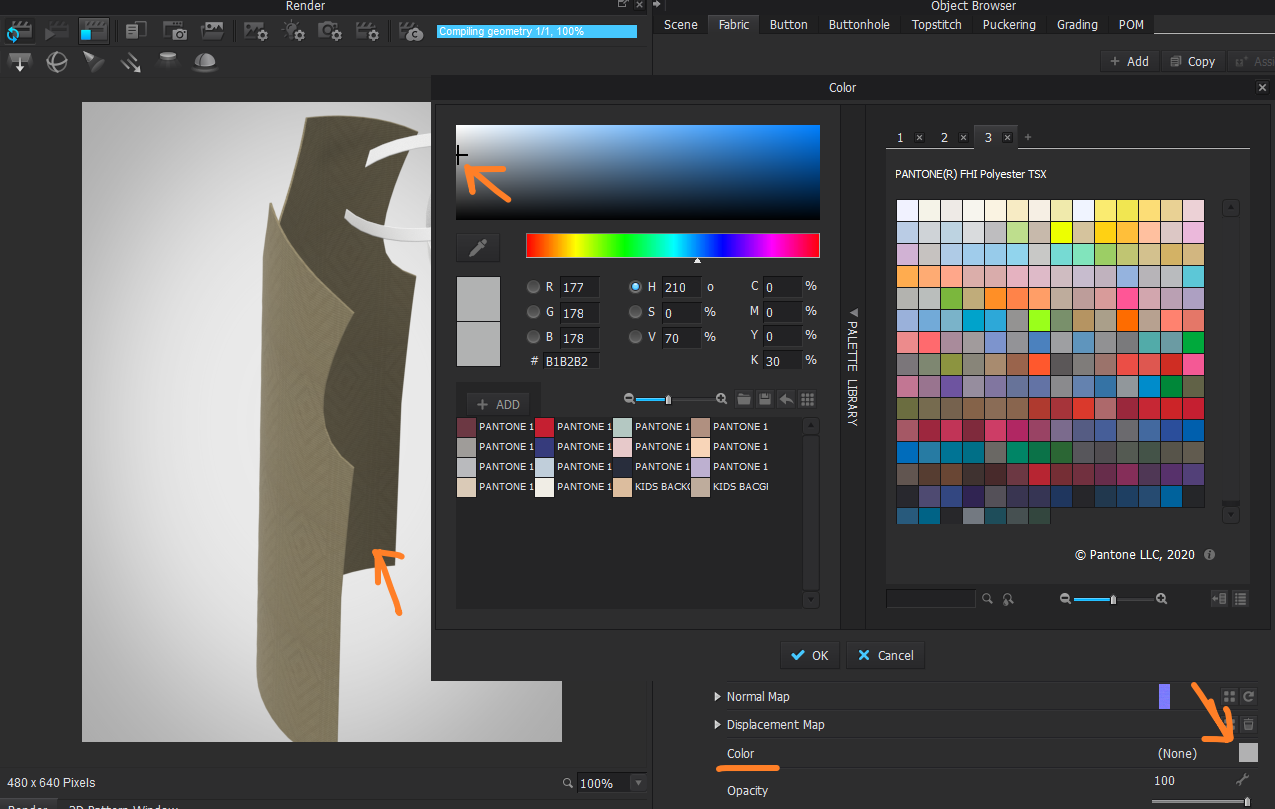
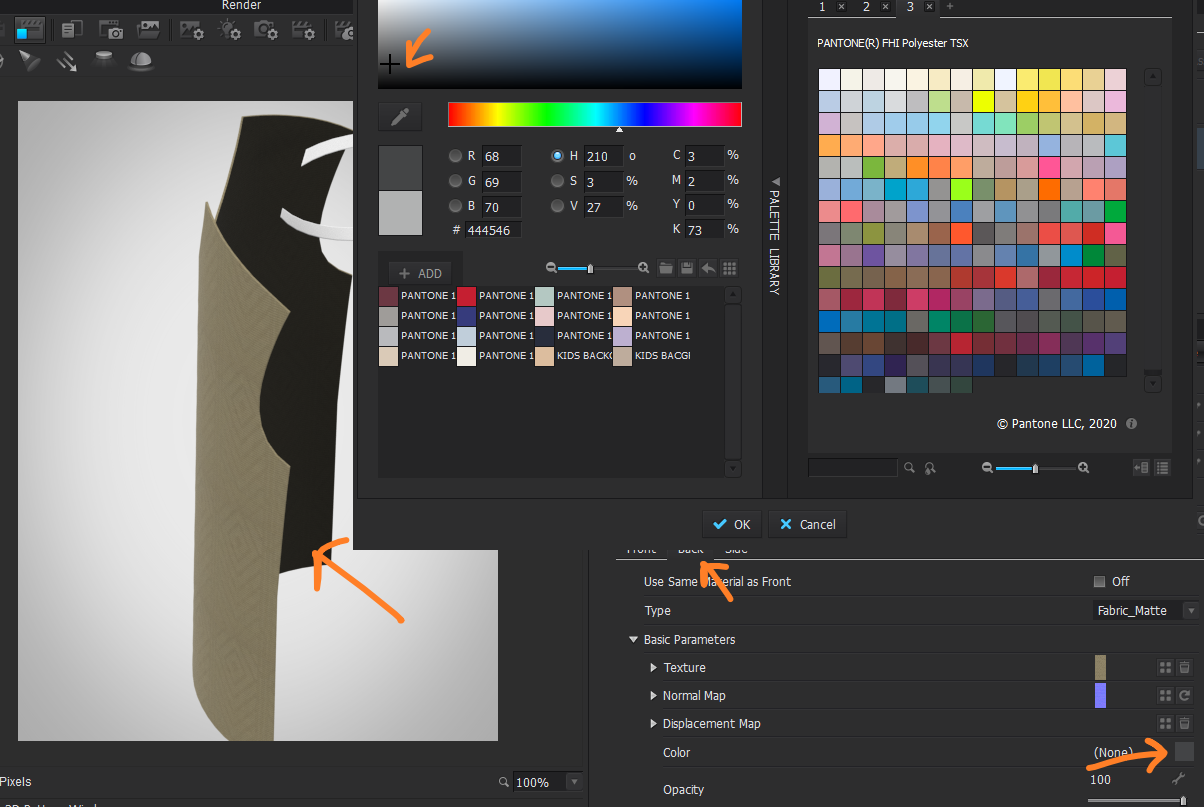 0
0
Comentários