RENDERING ERROR

Hi,
I have some problem with rendering
when I press the "final render" button the garment gets processed till 100% and than it stops working . the image is not saving anywhere.
Also, my clo software is hanging so much .I am using "Acer Nitro 7 laptop with 6 GB graphic card" in it.
Can anyone help me? I really don't know what to do
-
I've seen this happen regularly. Try updating your GPU drivers, restarting CLO, or rendering with CPU.
0 -
 Thanks for your response Pablo.
this is my render settings, please let me know if anything is wrong/or making the file heavy . and also How to update GPU drivers.?
0 -
You need to reset where your images save to and their file name (sequential) when you render. If you don't do this you might be simply saving to a default folder and overwriting the same image file again and again. You access this file save image to name > area in the render workspace tab.
I would try changing your noise thresh-hold to 0.005 and then see how that goes for a render, then maybe lower it after a test.
Check if your vbo setting is causing an issue try toggling on/off

If you graphics card is hanging, it likely has nothing to do with CLO3D, as a 6GB card should be flying for rendering , that sounds like a priority issue and operating system (OS) setup that you may need to investigate. If you are on PC check your application priority so that the CPU is not maxing out if you have other apps operational - that you set the CLO3D app to have priority over any other administration tasks or software. That means that CLO3D takes priority over background tasks or other apps you may have open. Then set the affinity for the CPU such that you don't make all your resources (CPU) allocate to just CLO3D leave some for the general OS - as that may be causing the freeze. You can usually also open up your GPU software that came with the graphic card and set that for the application - eg: NVIDEA has it's own software to allocate how the GPU works with software. I would check all these features in conjunction with any settings you make within CLO3D for your GPU.

You can custom save a file name or as a project when you render - make sure you set this folder to your choice otherwise it will likely send it to the default.
0 -
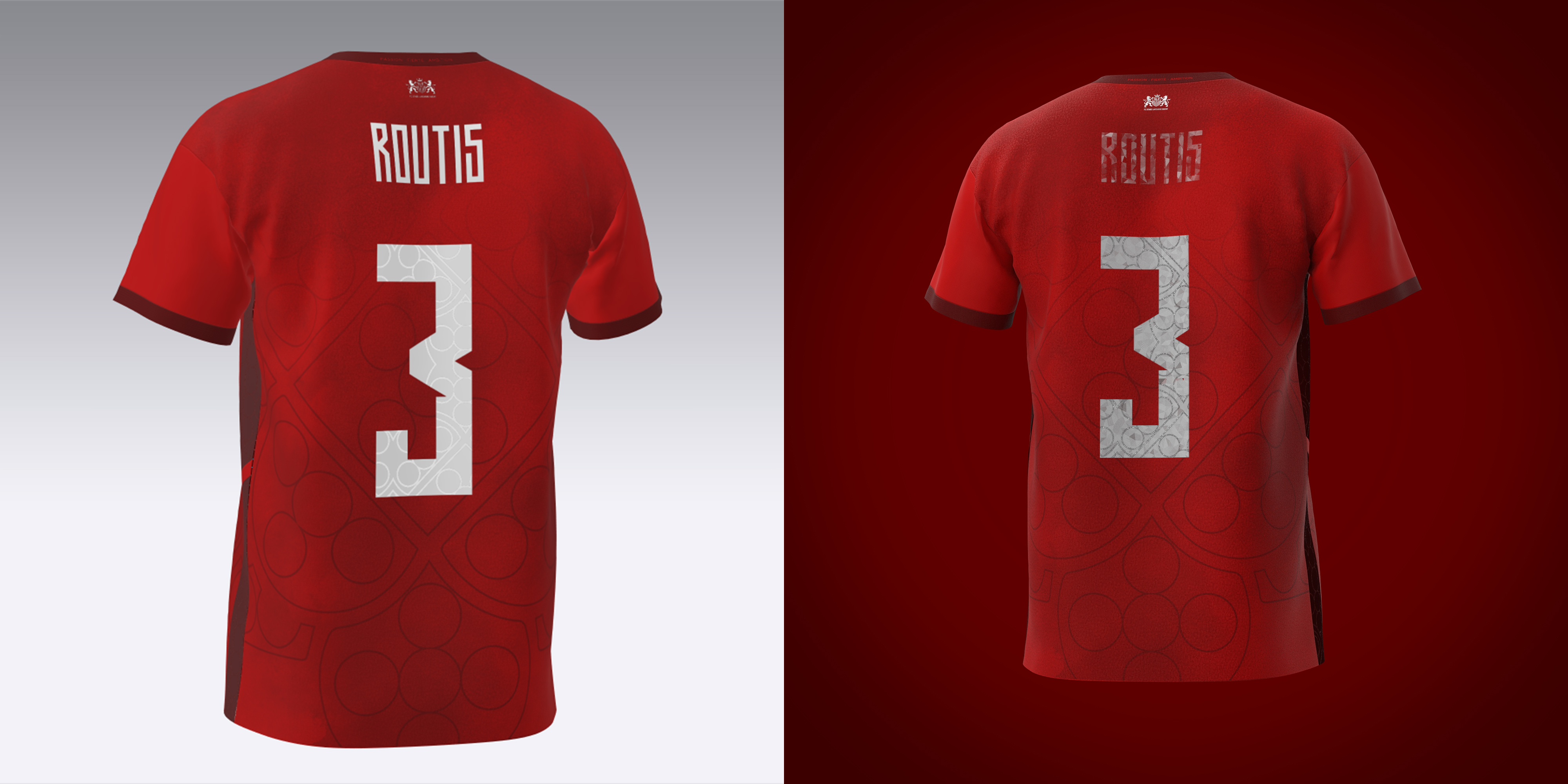
Hi, I hope everyone's good.I got some errors while rendering my soccer jersey. When I import sponsor logos and the number (.jpg) they become darker or they have some weird textures inside. How could I do to fix it ? (left side is the render that I want and right side the current render)
 0
0 -
Hi, I finally found the issues. It was the transparent area of my .png/.jpg files that were too big.
0
Comentários