Error Message When Exporting .obj

I am getting this information/error message, when i try to export my garment as an obj file.
It says "It says some of the texture images may not save properly when a pattern overlaps with the uv guide boundary".
It still allows me to export the object file however. it doesn't save all the necessary files. For example all the map and color files to be able to properly add textures in Daz 3d. Its worked fir me before but for some reason its not anymoreCan someone please help?
-
Can you share with us what export settings are you using?
In regards to the UV Map, check that your pieces are not overlapping and not to close. That will depend on the UV bleeding size you are using in your exports.
 0
0 -
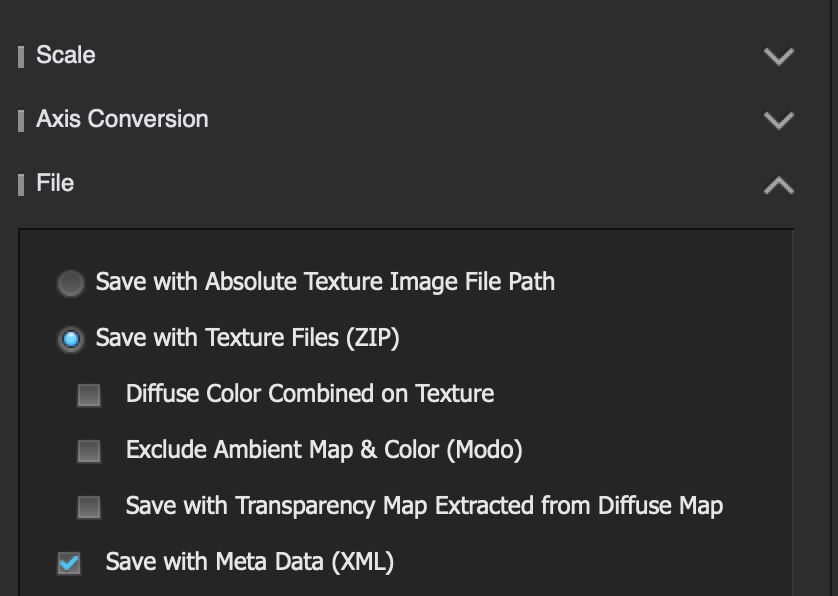
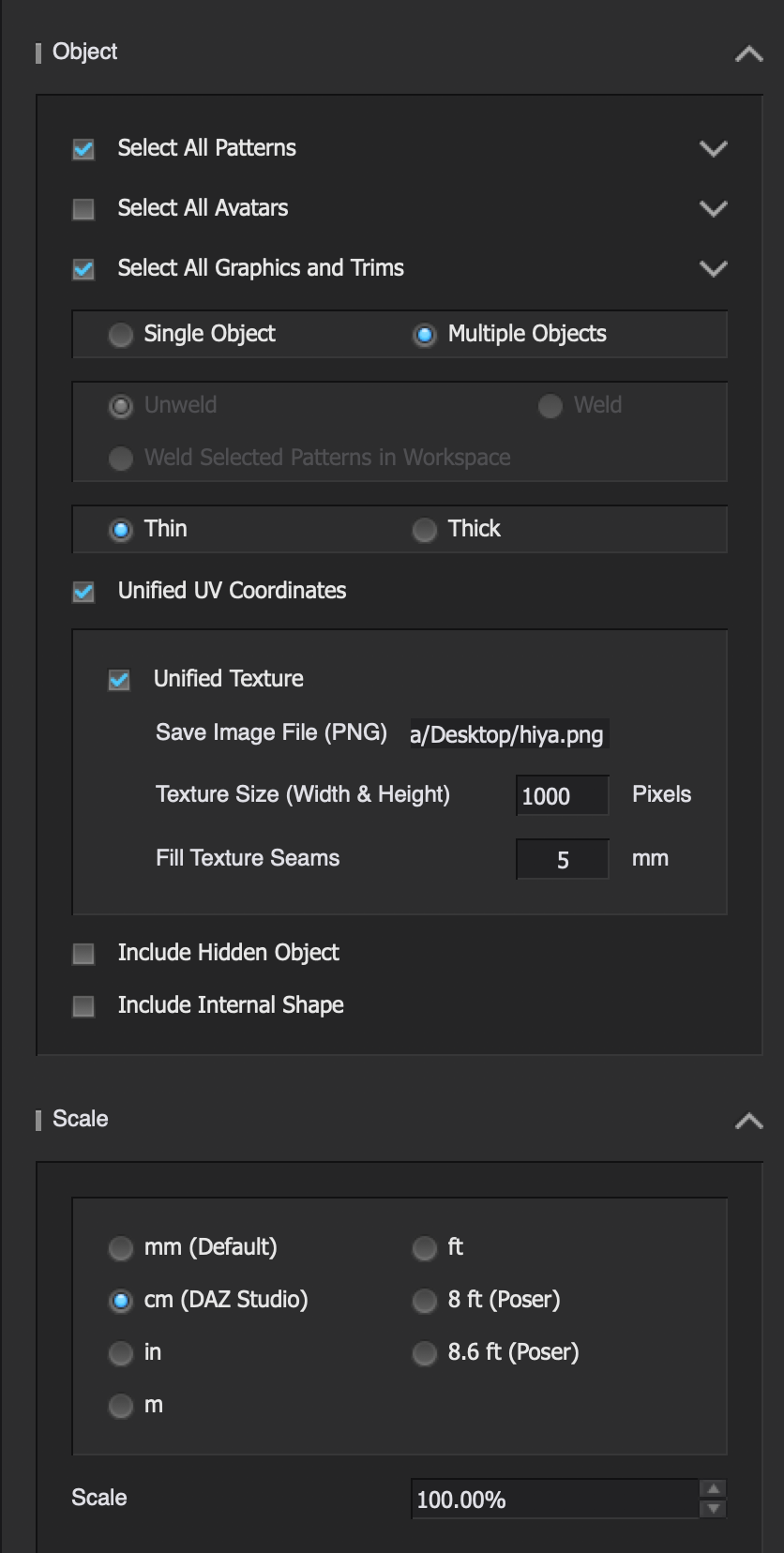
Thanks for your fast reply, here are some images to help
 0
0 -
By using the handle up in the right corner try to resize the UV boundaries so your pieces are not sitting on top of them, but there is a bleed margin.
Your export settings look ok, not sure why you are not getting the diffuse map correctly.
P
 0
0 -
resize so that there isnt 2 rows? Yes it has worked for me literally todays ago, not sure why its not working now
0 -
No.
1. Resize to avoid your patterns to sit exactly on top of the UV boundaries. See the arrow on the left.
2. Avoid patterns to overlap with other patterns. This causes UV mapping issues.
0 -
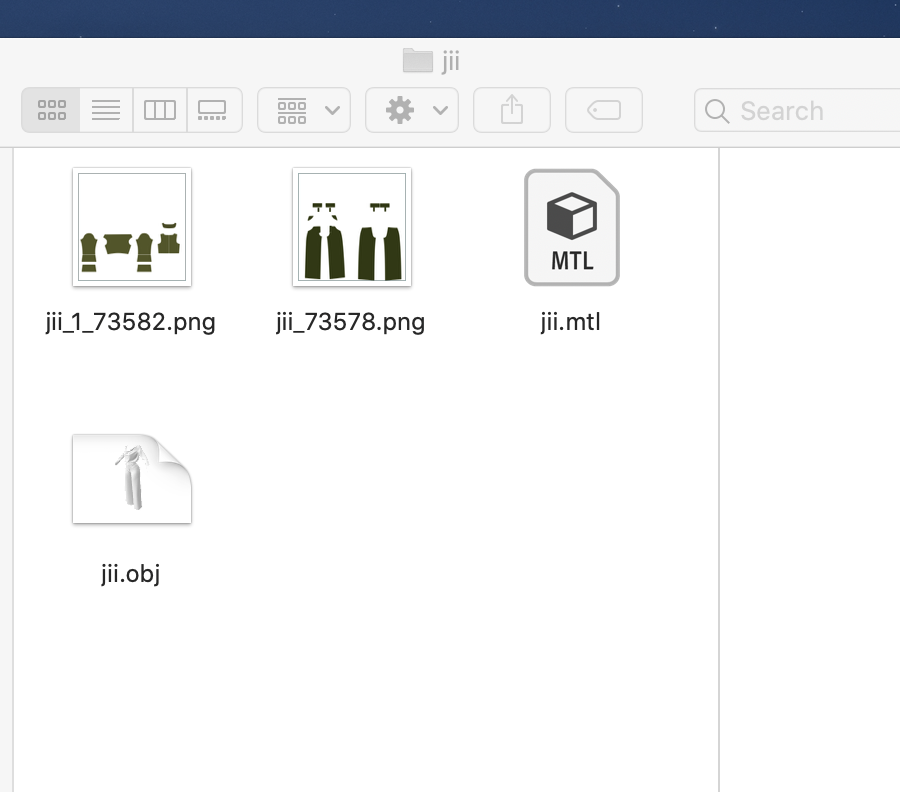
also this is all thats being exported in the folder, no texture & no colors.
 0
0 -
like this?
 0
0
Comentários