HDRI

How do I load the HDRI settings when rendering? I wanna load the "studio high contrast" but it wont allow me to. Thanks
-
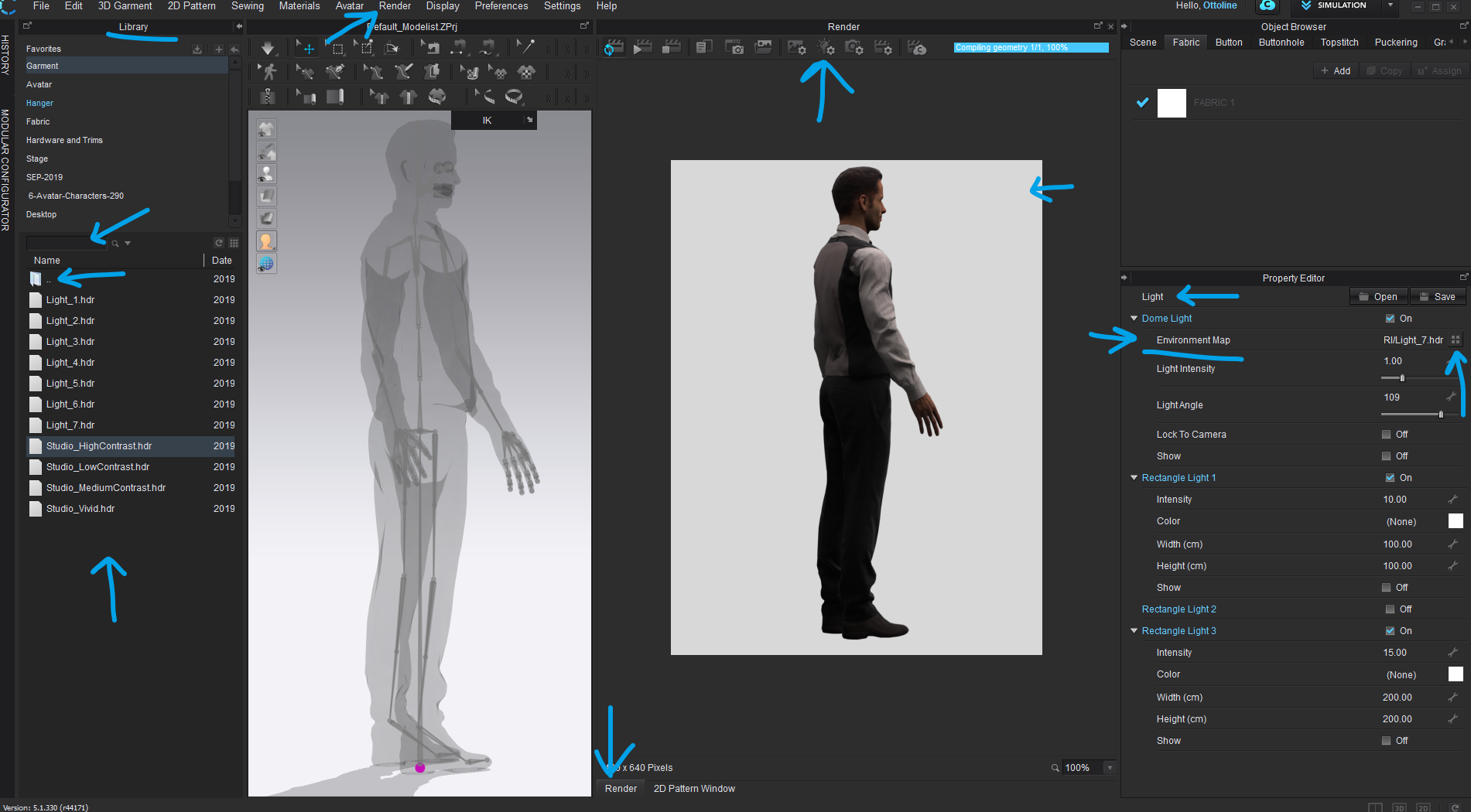
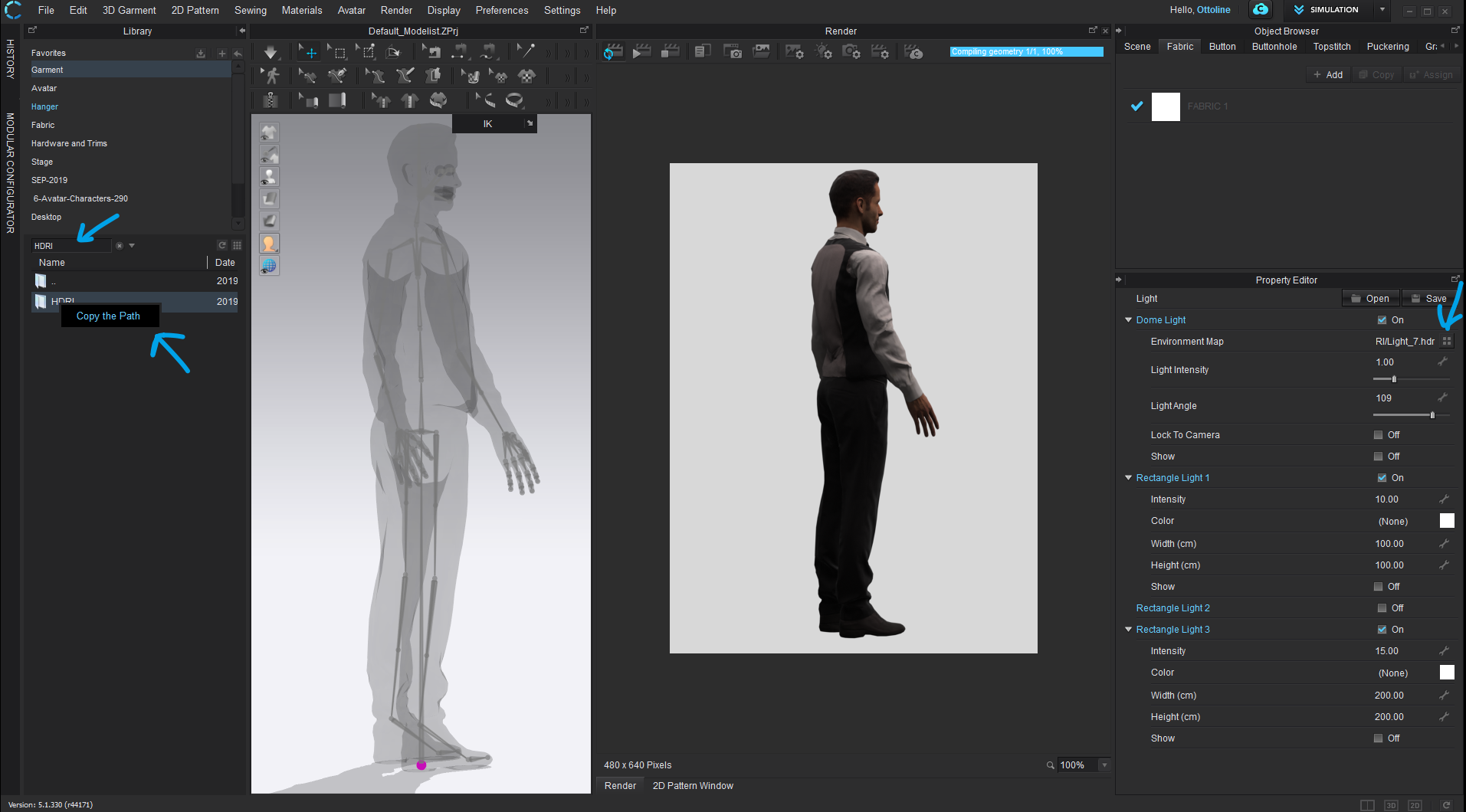
Step 1:
Open the Library Tab > search for folder > HDRI (Render folder > HDRI)
Step 2:
When folder is found > right click the HDRI folder > Copy folder path > (you can now 'x' the search term in the search bar) > open the HDRI folder in the library tab to see it's contents.
Step 3:
Navigate to the Render > lighting tab > navigate to the Property Editor > Select the Environment map icon to load from folder (4 dots icon) > now paste in the folder directory location you copied from the library search process in step 2. > eg: C:\Users\Public\Documents\CLO\Assets_ver_5.1.330\Render\HDRI > The contents of the HDRI folder sitting under the main CLO3D Assets should now be available to you in your win folder explorer. > select the HDRI you want to load as your new environment map and render.
PRO TIP:
#1
You can add additional library folders that you commonly use (Like the HDRI folder) by using the 'Add folder ' icon in the Library Tab > + > input selected folder path on H-Drive. This way you can always easily find these. (remember to 'x' the search filter term so the folder contents appear)
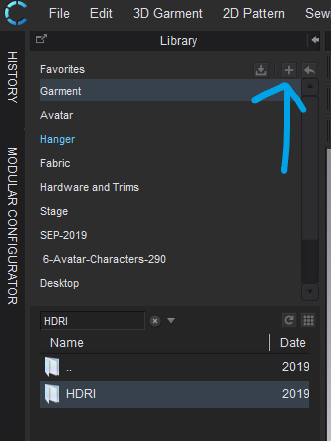
So in summary > Add any common folders to your library that you use regularly, and if you loose something, use the library search filter and term to find it, then copy that file location into any of the property editor locations as-needed.
#2
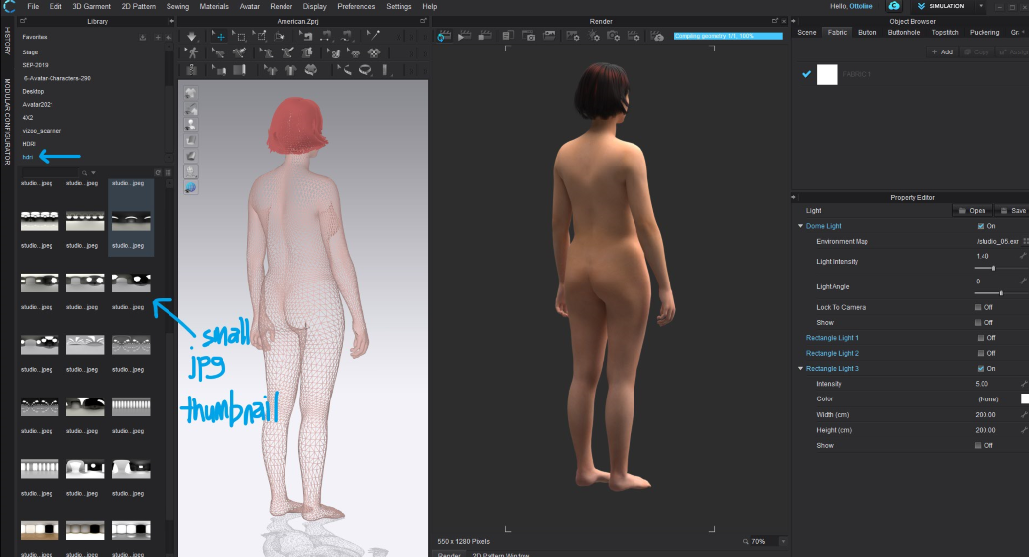
For large libraries of HDRI images it can pay to always add a small .jpeg thumbnail of the same lighting probe image in the folder > so you can switch to the CLO3D grid view > and see a visual list with the same file name. This makes it much easier to find the lighting probe (dome-light) image you are after from the library.
 0
0 -
ahh awesome. Thanks a million
0 -
Kyle A,
You can get good quality Free or donation based HDRI's with matching scene back plates for a variety of lighting environments from : >> hdrihaven.com
And for matching the 3D scene props into the backplate for correct scale and placement into the image you can use a free software >> fspy.io (see video tutorial on how it is used - you could also include your own camera shots into that mix)
0
Comentários