Import Pantone Color Palettes (ase ace)

I exported a color pallette cotton (TCX) from a color manager as .ace or .ase file and want to import it now into clo.
How do i import it to clo?
What i did so far: I copied the .ace file from the desktop to the folder
This PC<Windows>Users>public>public documents>clo>assets_ver_4.2.224>palette
The file shows there but the icon is a different one than the icon from the ''custom palette'' and ''default palette'' and when I want to add from within clo, the file does not show. So I can´T add it.
-
Hi Kkuhle!
You can save your color palette anywhere in your computer, so don't worry about the file location.
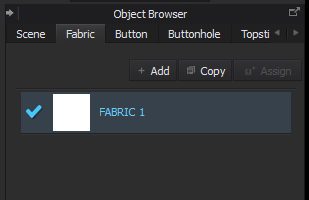
To import a palette into CLO, first open CLO and click on Fabric 1 in the Object Browser.
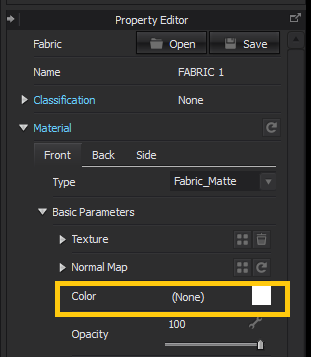
Then go down to the Property Editor underneath and click on the Color swatch.
In the color window that pops up, click on the little plus sign on the right side (next to Default_Palette) and a browser window will open up to let you open your custom palette. This color window is linked to your entire CLO interface, so you'll only have to load the palette once. You may have to wait a few seconds for the palette to load, depending on how many colors are in it.

Note: If your colors are coming in a bit weird, make sure you saved the palette in RGB format or converted it. Since CLO is desktop only, the 3D Window exists in an RGB color space. You can build CMYK colors, but just save a version of your files in RGB and you should be good to go.
Anh
1
Comentários