Establishing correct grainline on 3d pen Avatar generated patterns

Is there an accurate way to establish the grainlines on the patterns autogenerated from 3d pen avatar? For pieces that have a CF and CB, I can align it to the Y axis, but for any other piece, I feel like I'm just going by eye, which really isn't that accurate.
-
=When you create a pattern using the 3D pen the Grain line will be 0 (vertical/Y-Axis)
But There are a few ways to Adjust a grainline in CLO after the pattern piece is made
-The first is the Edit Texture Tool in both the 2D and 3D windows. Then click on the desired pattern piece and you can manually move or adjust the Grainline arrow.

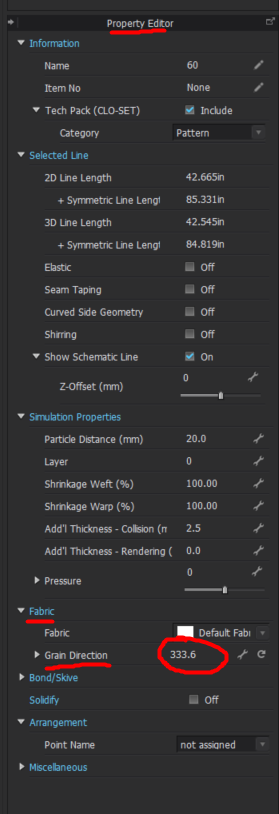
-You can select one or multiple pattern pieces and then go to the Property Editor and put in an exact number between 0 and 360
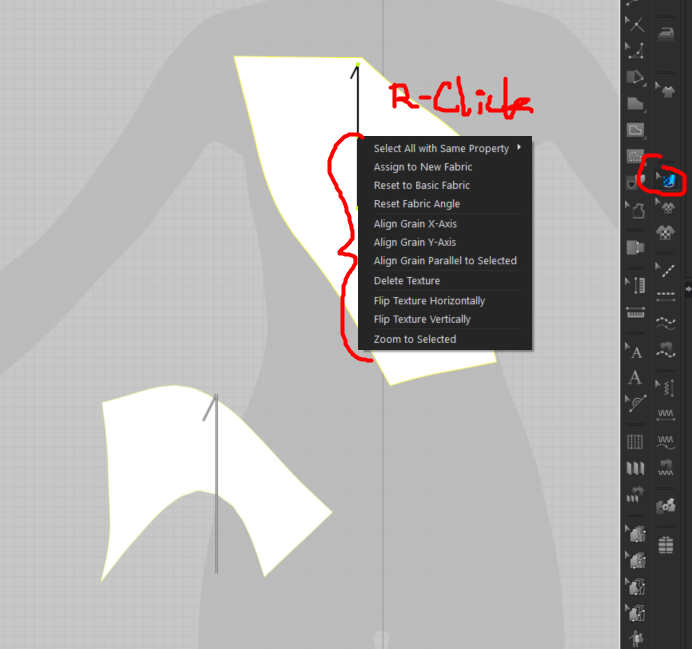
-Lastly you can use the Edit Texture Tool in the 2D window > R-Click on the pattern piece and then select from a dropdown menu
 0
0
Commentaires