Mesh/OBJ cannot be identified/show up in CW tab

Hello CLO community,
im struggling with this issue:
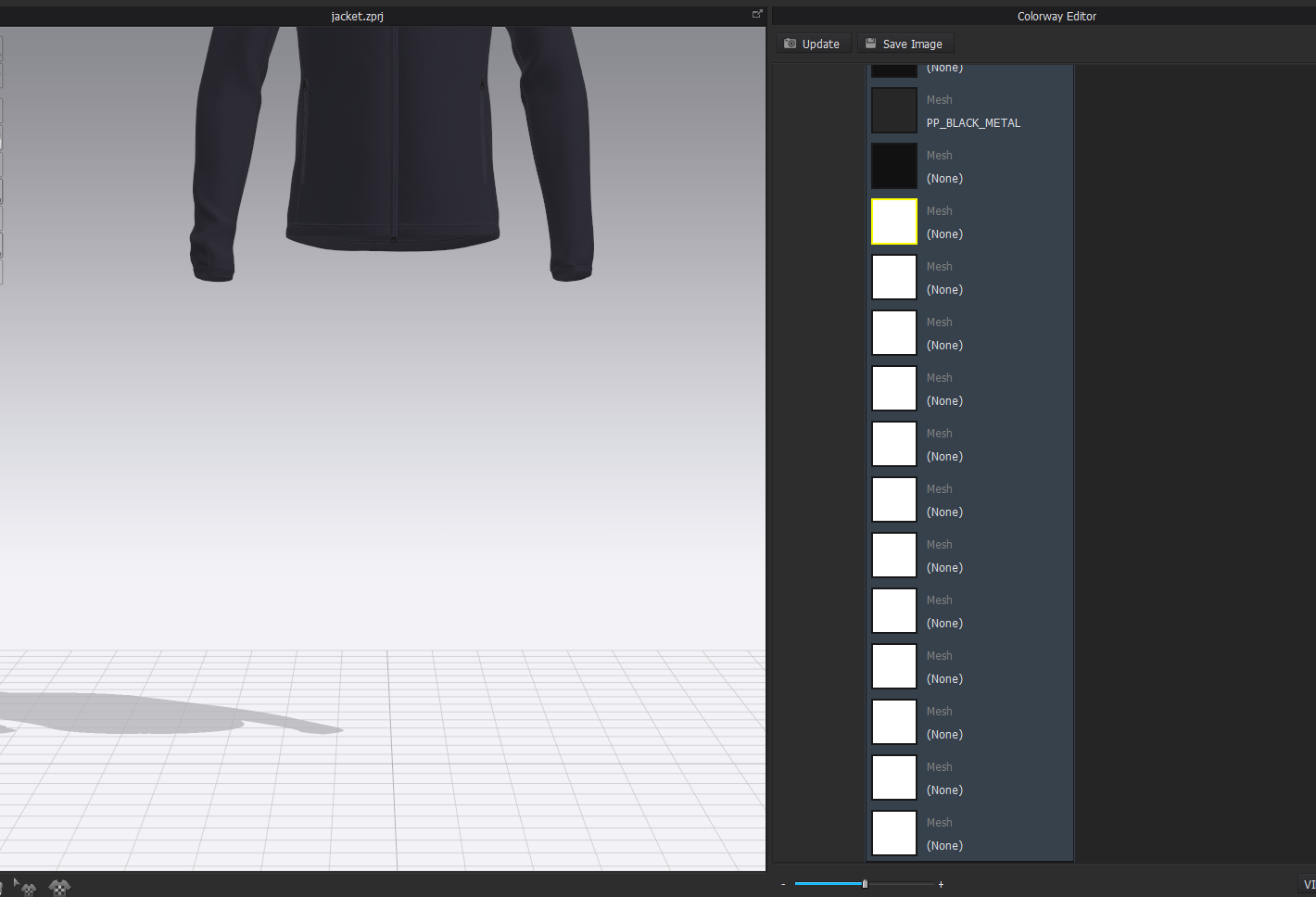
In the cw tab I see a lot of white/no color "mesh", but I cannot identify it in the scene and delete it.
Probably this mesh belongs to some obj's I/trims I've imported before, but actually I deleted everything I dont need.
Everything is shown in the 3D window and also changing the color of this mesh doesn't make it visible.
Does someone know how to identify this mesh/get rid of that?
Best regards
-
Hi ifashion,
Thanks for sharing this case with us. The mesh in Colorway mode may be related to the trims. You can try these ways:
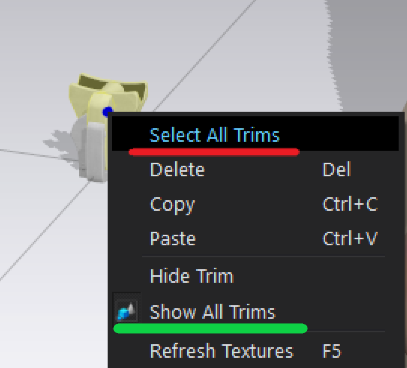
1. To add an obj trim into your project file first. Right-click on it and select "Show All Trims". This way is to check if there are any hidden trims. Then you can remove the extra trims.
2. Another way is to right-click on any one of the obj trims, and click "Select All Trims". All trims will be selected and highlighted in yellow. So you can press "Del" to remove all the trims.
If you already added some obj trims and you want to keep them, you need to click them again and deselect them before pressing "Del".
 1
1 -
This has happened to me. I was able to solve it by importing the garment to another project file.
0
Commentaires