Grading, assigning sizes to whole patterns

Hi there,
I have purchased actual pdf patterns and after cleaning them up in Illustrator I import them in CLO3D as complete patterns per size.
I therefor do not need to grade them individually within CLO but I do want to assign sizes to each pattern as to where they are all in 1 garment file.
Is this possible?
I find the whole 'grading' procedure very cumbersome as I seam to have to adjust each point individually to match the purchased patterns?
disclosure > I have no background in fashion (yet) so there is possibly an easier way to do this ...
Any suggestions/help is greatly appreciated :)
-
Hi dutchesse1,
Unfortunately, there is no way currently to convert pattern pieces into grading information, unless you were able to download a RUL file with the patterns or you created the grading yourself by assigning values to each point. Grading is still a manual process in CLO, so it may be easier to sew up the sizes you need individually instead of grading your pattern. This depends on how comfortable you are with grading and what you need the garments for though.
In CLO, if you know the Offset values for a point and that number is consistent for multiple sizes, then you can speed things up by using your arrow keys to move points and lines instead of having to type in each value.
For example:
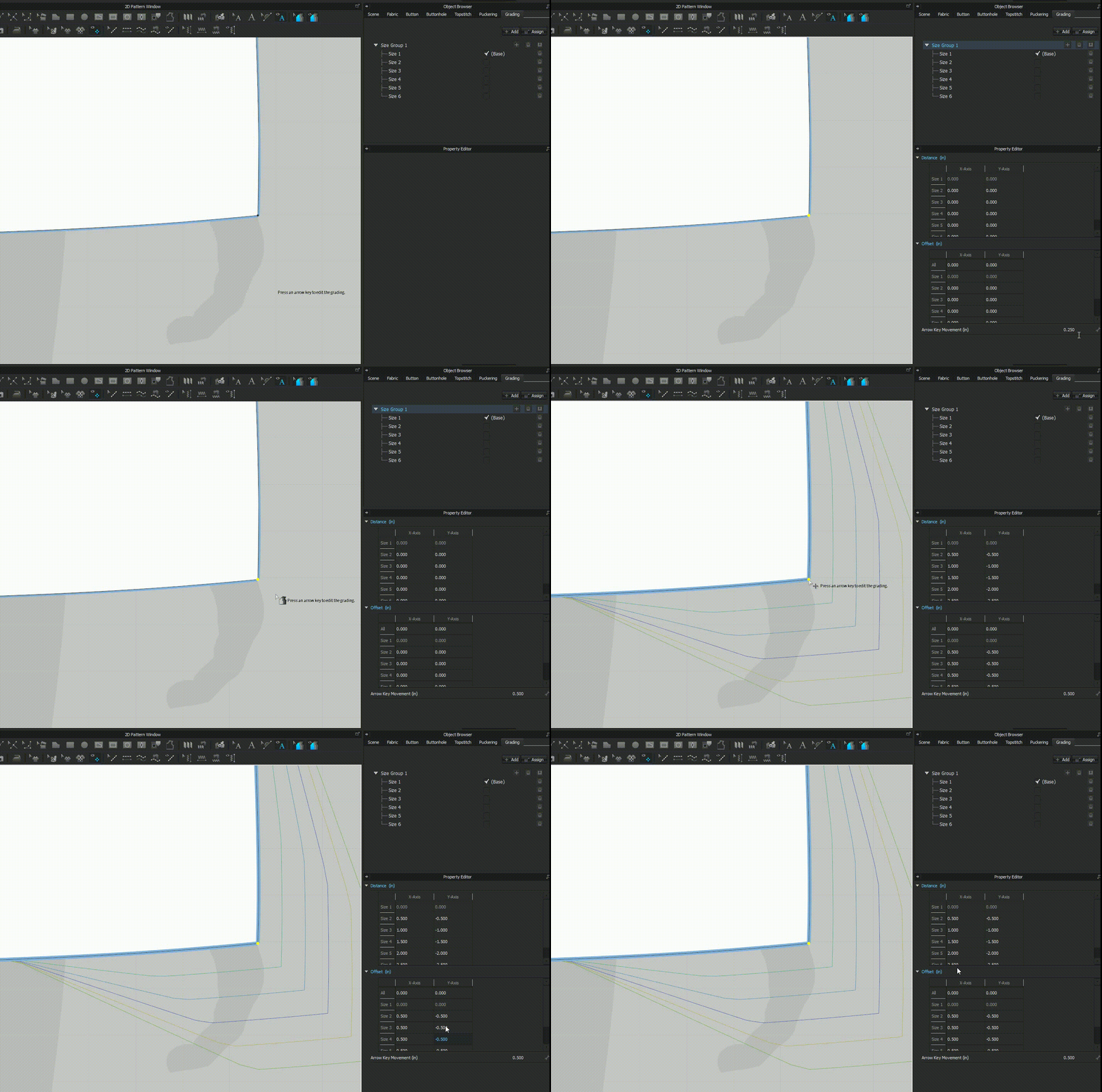
1. I input a number for Arrow Key Movement that matches the Offset value I've calculated for that point.
2. I select the point I want to grade.
3. I hit the right arrow key on my keyboard to move my grading to the right and the bottom arrow key to move the points down.
Maybe this will be more efficient than typing in each value, but you may need to do some math to figure out your Offset values.
1
Commentaires