Binding appears to be 'Floating' in 3D window

Hi,
I am having trouble with a binding around a pattern piece on a handbag I am creating. I have tried to troubleshoot this on my own, but I am unable to find the mistake.
The binding on the shoulder strap has no issues and I created them the same way.
Please let me know if you have any ideas on how to correct this so the binding is 'touching' the fabric.
Thank you!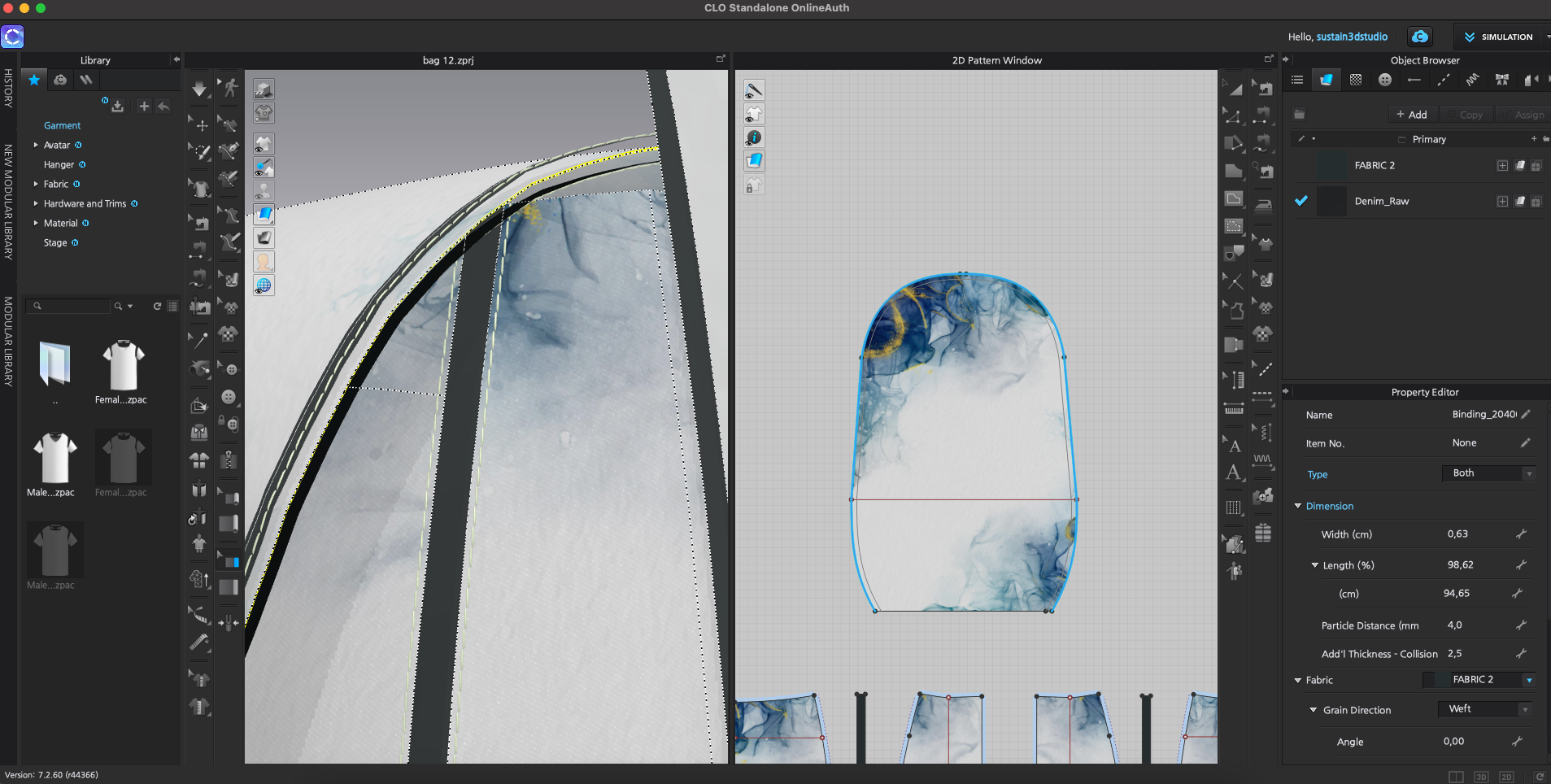
-
Hi There.
This is a quick fix. You are currently on Textured Surface View for your fabric in the 3D vertical Toggle. You instead need to switch to the Thick Textured Surface view
 1
1 -
Unfortunately this did not solve the problem. It looks a bit better, but there is still a visible gap between the binding and the 'flap pattern'.
 0
0 -
Hi. It looks like you may have not turned on Simulation. When you add of edit Binding you need yo turn on Simulation for it to complete.
Yo may also need to check the main pattern pieces Collision and make sure it is not too large
0
Commentaires