How do I stop these two from colliding?

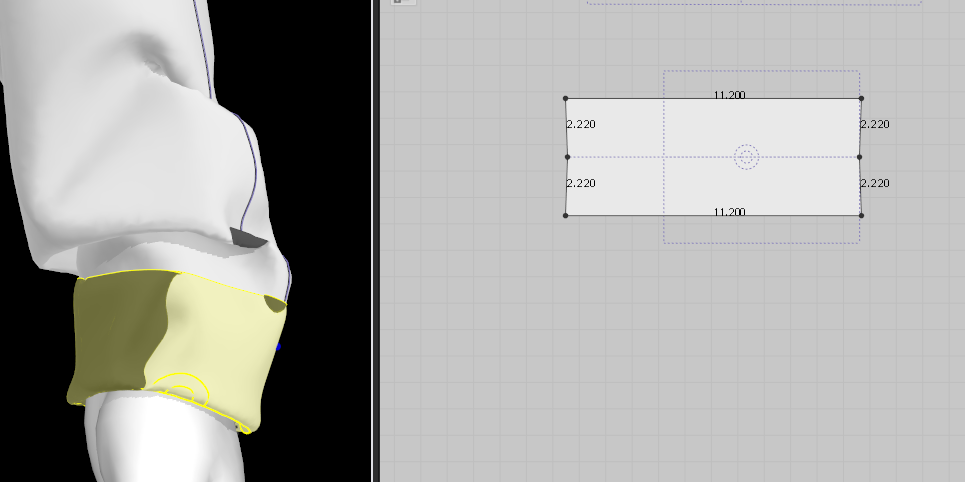
I have a really difficult time making real world garments in this application when it comes to folded, layered garments. This is the most common example, it takes forever for me to pull the fabric in the front over the fabric in the back to make this cuff. How do I make these things stop colliding with each other? This takes about 15 minutes to make in real life but whenever I move the avatar or garment this just happens
-
Hi polkunus. We are happy to help. The best tool to use for folding fabrics is the Fold Arrangement Tool on the 3D side. This tool will let you fold the cuff upward in one movement and save you a lot of time. Just make sure to change the Base Line into an Internal line first so it is selectable. There is a video HERE that explains the tool and specifiically talks about cuffs/collars at the 7:07 mark. Hope this helps!
0 -
I find it helps to set the sewing layer. Select the three sewing lines where cuff is sewn to cuff, set the "Sewing Line Type" to "turned", check "Set Sublayer" then choose "Back". Also add a fold line with angle 0 degrees, along the wrist edge of the cuff, and increase the fold strength. Add Bonding to the cuff. It should then be robust.
Is using the half pattern with only the marked fold line and simulating the under layer an option? When you do it that way it's quick and easy. You just want to add extra rendering thickness (~ the fabric thickness for a second layer). Then select the two short edges and check "double sided" under "curved side geometry". Use a fabric with identical front and back for those parts if you weren't already.
0 -
Why do you need to fold it? You can increase thickness and it looks folded, unless you want to convey the actual construction method to manufacturing.
0 -
Because I'm using this for pattern drafting. Increasing its thickness to look folded defeats the purpose of CLO's use for me. I still have this issue with lapels. It takes an excruciating amount of time to make sure everything looks just right. I feel like 65% of CLO is making sure the garment is simulated properly without collision
0
Comentarios