Don't see any curves on my garment pieces at the 3D window

Hi, I am using the "edit curvature" and making curves at my 2D garments.
They do become curvier on my 2D window but stays straight at my 3D window.
Please help :)
0
-
Hi daniellexcohen,
Thanks for your question. This issue may be caused by the Particle Distance setting. You can check it in the Property Editor after selecting the pattern.
If Particle Distance is in a large value, such as 500mm, the resolution maybe not that high enough and the outline looks rough. You can try to lower the value of Particle Distance by 20mm or 10mm to see the outcome while editing the pattern.Here is an example of Particle Distance 500mm VS 20mm.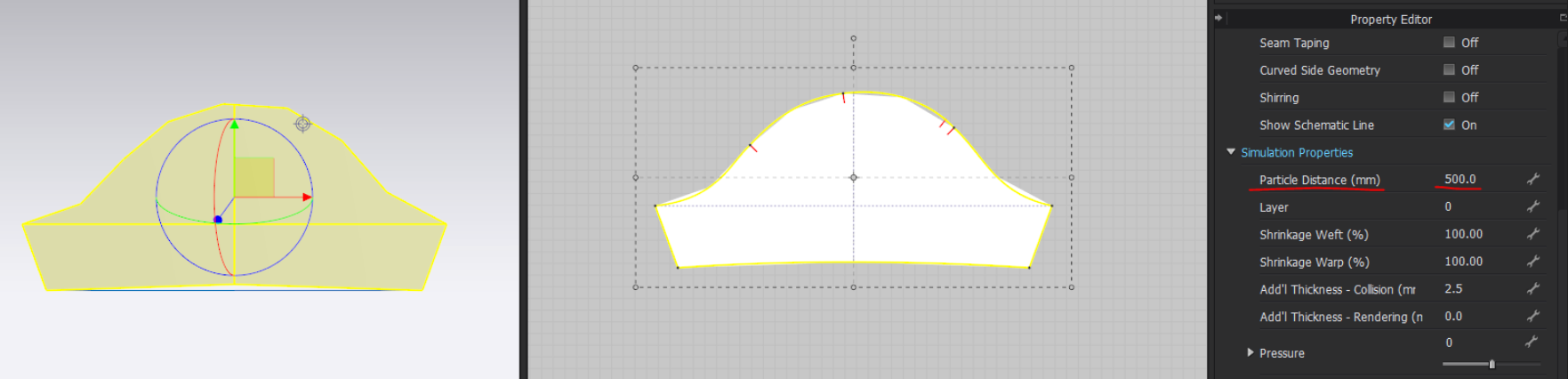
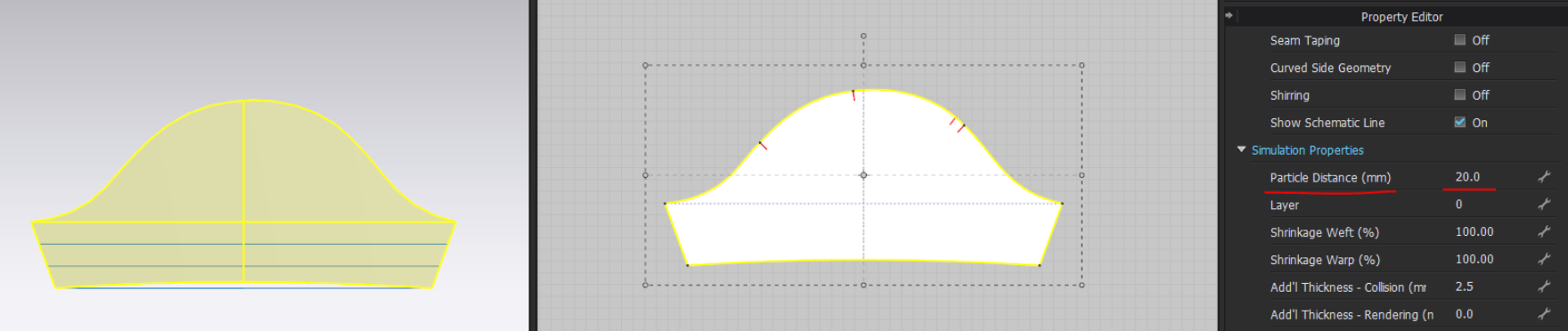
If the problem still exists, please share the screenshot and the project file with us for further checking.
0
Comentarios