3DS max to Clo

Hi everybody,
hope somebody will be able to help me. I've downloaded this pack https://www.turbosquid.com/3d-models/3d-male-mannequin-nike-football-1301251 but I don't understand how to open the clothes the mannequins are wearing as editable objects in Clo. Everytime I try, Clo opens the avatar wearing those clothes but nothing in the 2D pattern window. Hope I've been clear enough. I've put the link to the product I bought so maybe it's easier for you guys to understan what I mean.
-
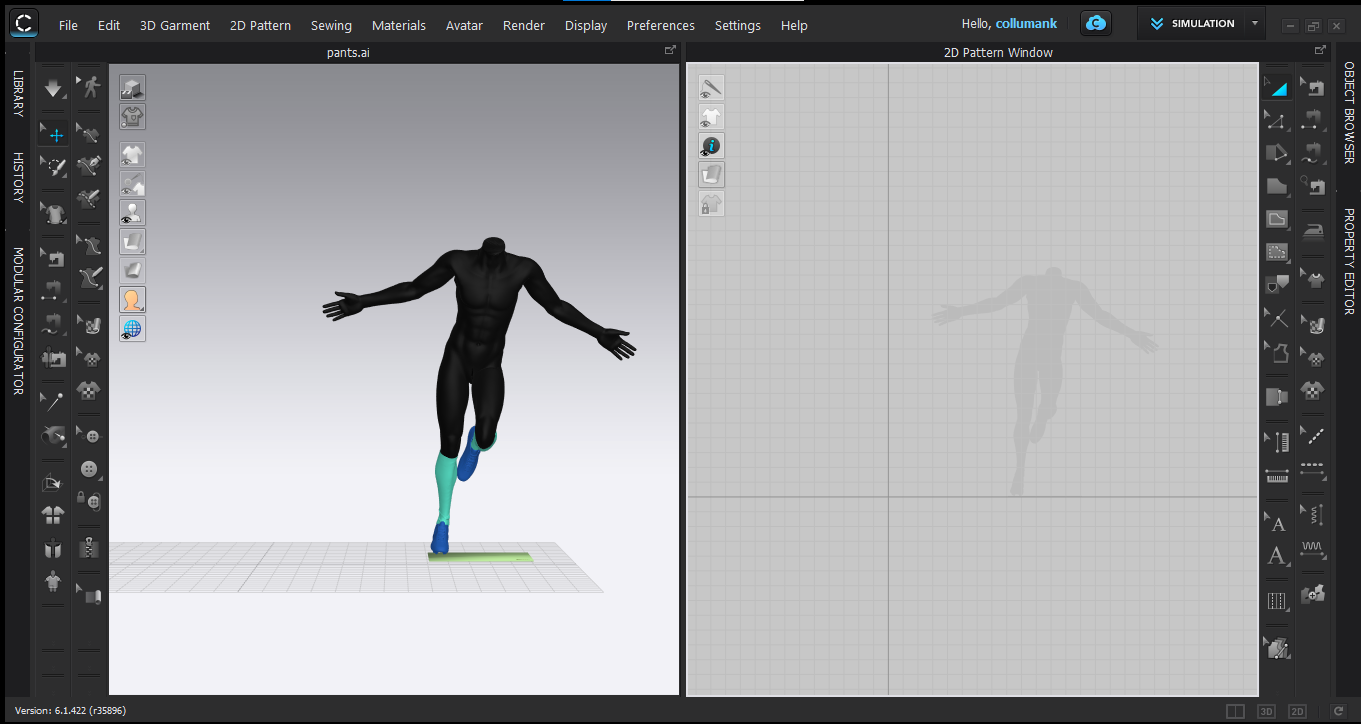 an example of what I mean, the mannequin is there wearing socks and shoes but nothing appears in the 2 pattern window0
 -
On the Turbosquid site, it says the clothes were created with Marvelous Designer, but the files supplied are non-editable formats (obj and FBX) they are basically frozen 3D snapshots of the Marvelous Designer files and are not editable (except for the textures) You need a .zprj file to be able to edit the garments. You could maybe contact the file author to get those files but I expect they would be a LOT more expensive if they were available in the .zprj Clo/Marvelous format.
Adam
0 -
Thanks for the quick reply Adam! Got it, I can actually convert the imported 3d files from the mannequin in 2d outline so it's partially resolved. Thanks again for the help!
0 -
Converting 3D mesh back into patterns is maybe an inefficient way to go as most of the assembly detail will be missing. Better to just remake the shorts from scratch along with the tee-shirt this is maybe a faster process directly drafting in CLO3D.
There is also the tee shirt configurator that has block patterns in the software so you could already jump start directly into this quickly. Socks are so simple to make it's maybe 5 minutes work for those items.
0
Comentarios