Apply texture on 3d model bag

hello everyone
We modeled a 3d bag in maya with UV map single mesh and separated mesh (1 mesh for the front of the bag, 1 for the back and 1 for the handle/ring part), once imported in clo3d it import as "avatar" is there a way to import differently in clo3d than avatar when it is a 3d model?
no pattern made only UVmap.
We also have print texture when apply the texture on the UVmap it apply randomly and unaware how to modify/ reduce re arrange the print the way I desire on the UVMAP, is there a way to manipulate the print texture to choose from the print a specific selection in clo3d on the UVMAP
We have save UVMAP as jpg and apply in photoshop however once we re open the texture in clo3d it again apply randomly without me be able to modify, change or apply the section of the texture print (5000 by 5000 pixels) the way I desire on the bag..
as you can see on the second image some swirling of the texture is happening
Any professional advice the way to do it screen shot / tips?
does anyone work on import a 3d model bag with UV MAP and manage to play and place the print with desired position and location from a print?
will be welcome unless you sense due to the shape of the bag made in 3d we do have to use other program and do it is all in maya fabric/bump map and our texture?
the other way is to create from scratch pattern in clo3d however we already have the model in 3d plus re assemble this shape is tricky...
thank you
The bag is round shape as well..
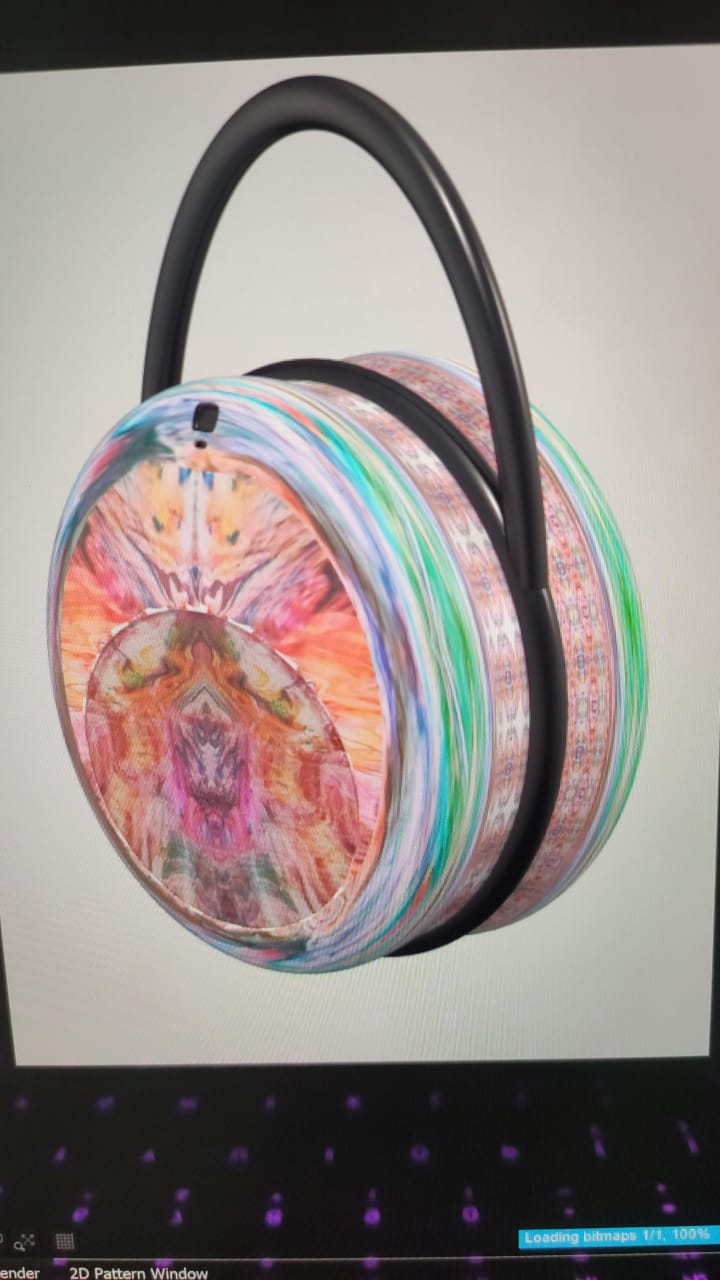
-
Hello nymarek! thank you for submitting a question.
Could you send us the screenshot form the UVs in Maya? Just to check the differences between both programs.
Also, did you unwramp the UVs on maya before export?
Thanks
0 -
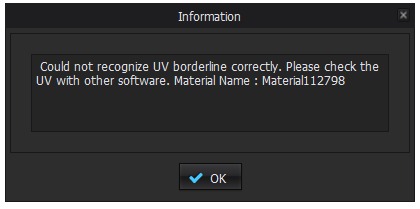
good morning CLO Designers for responding please find the unwrap UV map of your bag.. the bag is real size full scale 26 cm.. that is also another reason FBX is none opening in clo3d? I also attached an error message from clo3d as open uv map. We just reduce scale of the bag in maya then FBX is now opening that is a progress the issue the print texture to be place on the Uvmap that is the second steps.
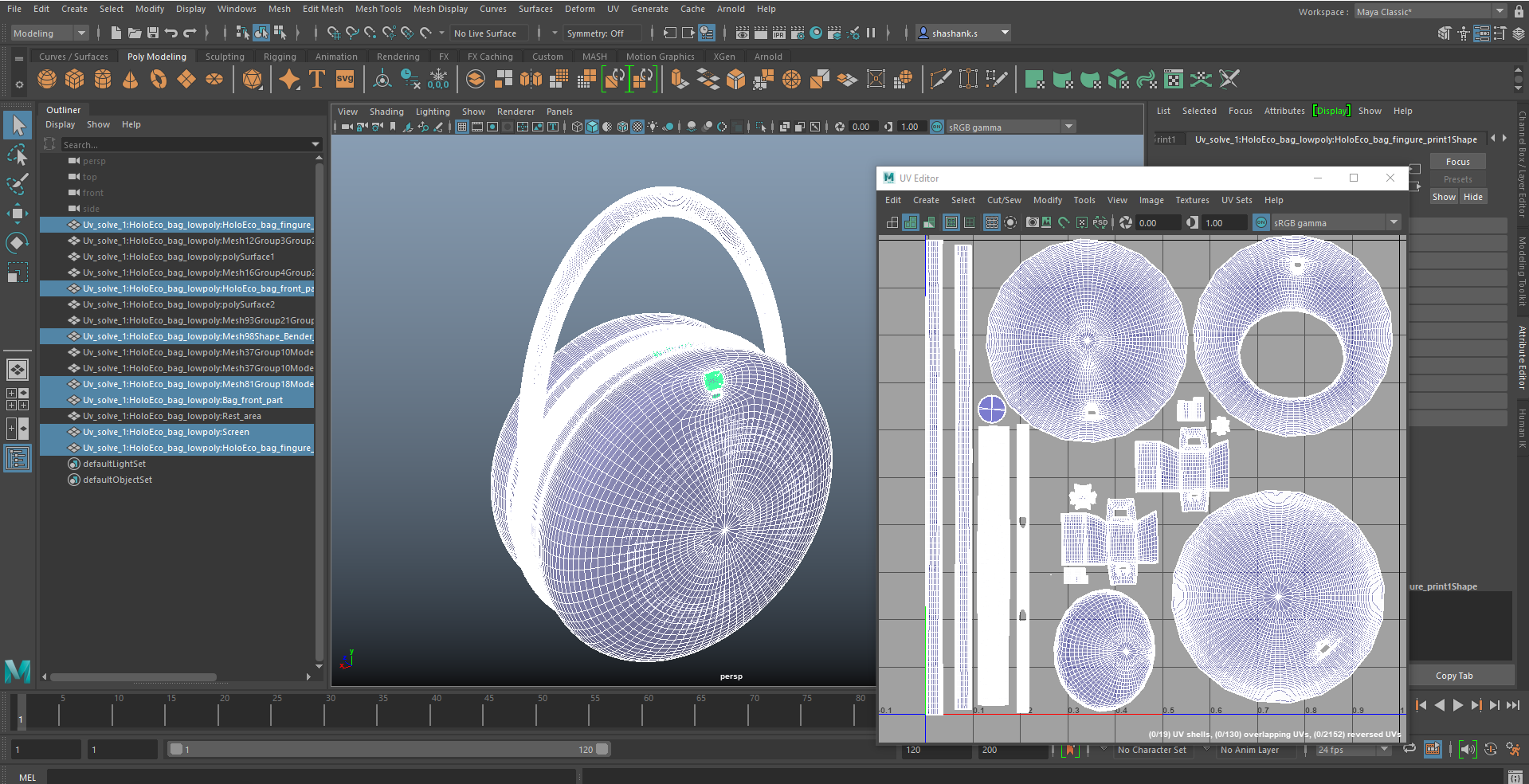 0
0 -
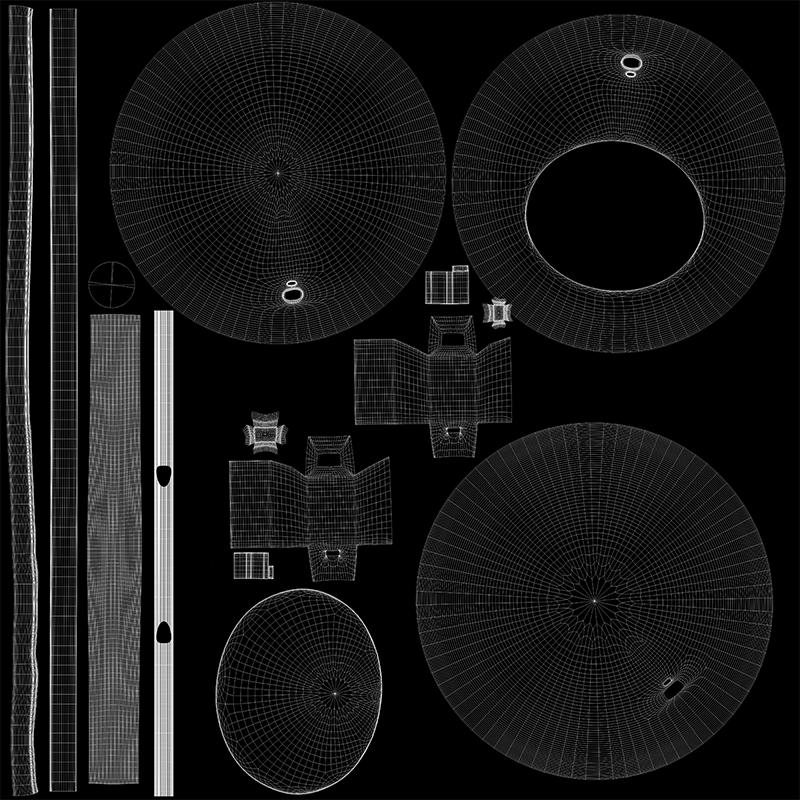 0
0 -
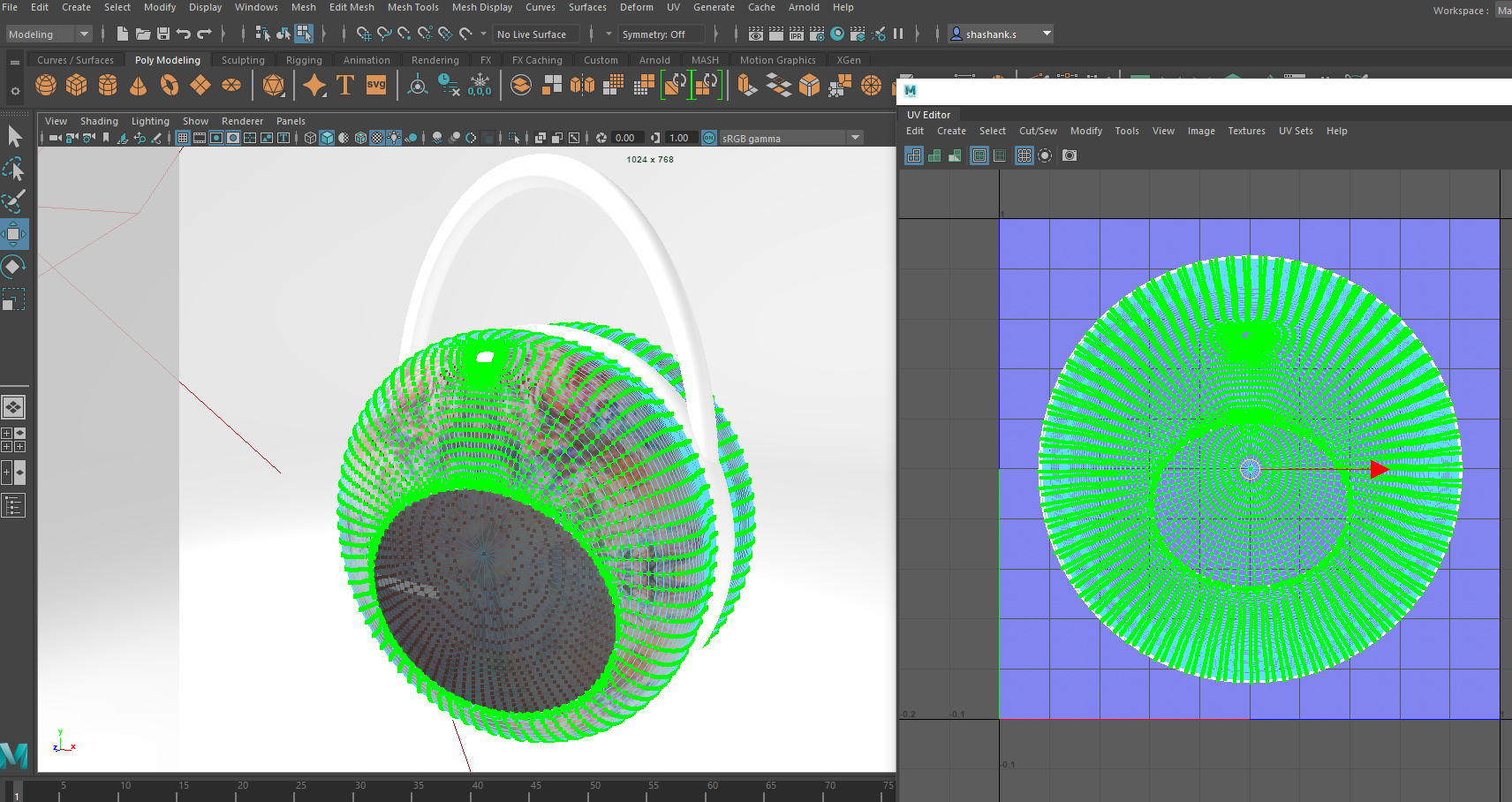
 0
0
Comentarios