seam allowance on graded sizes

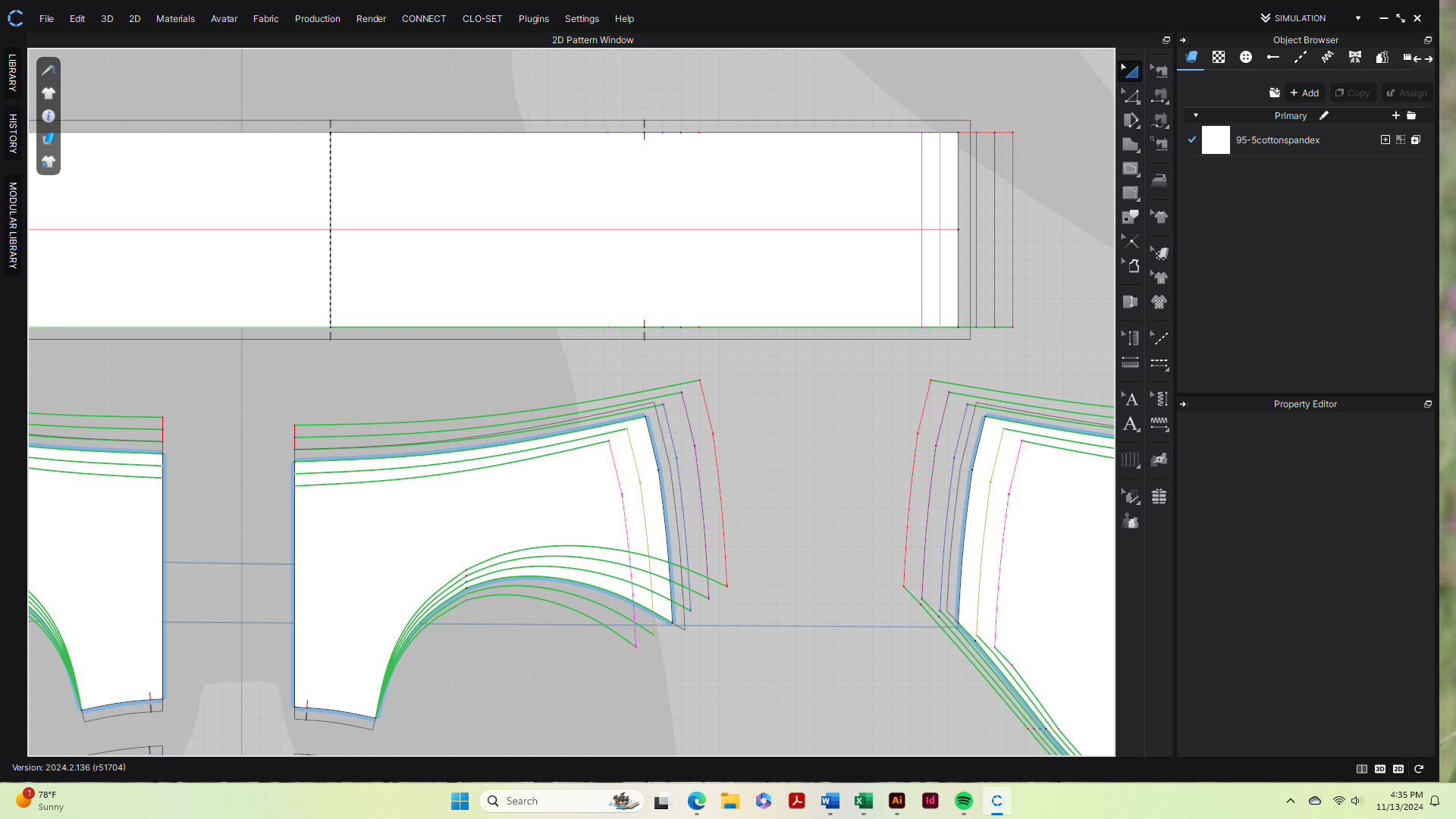
How do I get seam allowance onto the graded sizes? It is only showing on my base size. The only information I can find says to upload an .rul file and I don't have a program to do that.
-
Hi There.
The Seam allowance once applied with the seam allowance tool should show up on all sizes. But would you be able to send us the project files as well as screenshots visualizing this for our tech team to look at directly. If so please send through our Contact Us page
0 -
Thank you I will send the files.
 0
0 -
Ah! I see. I thought this may be something different.
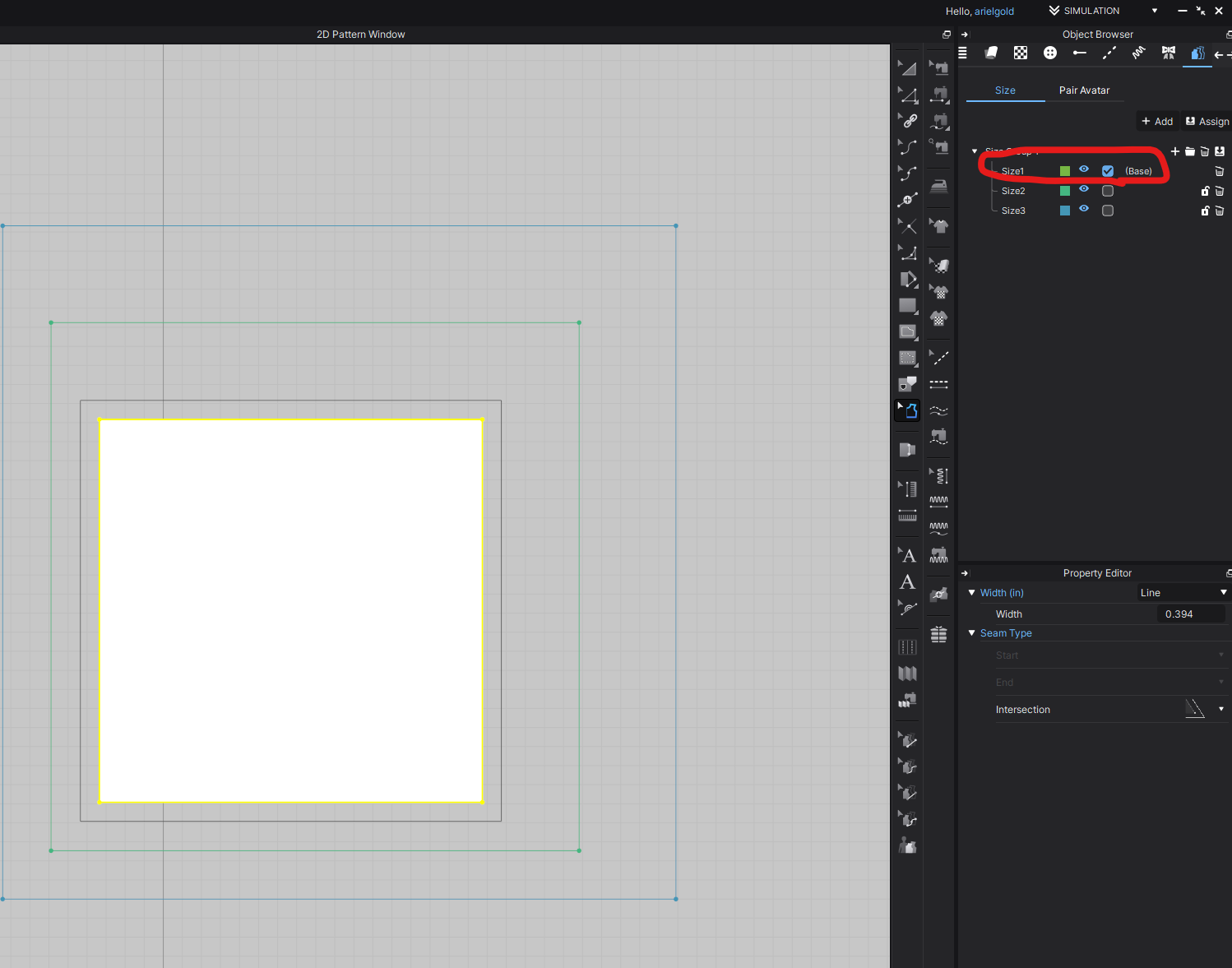
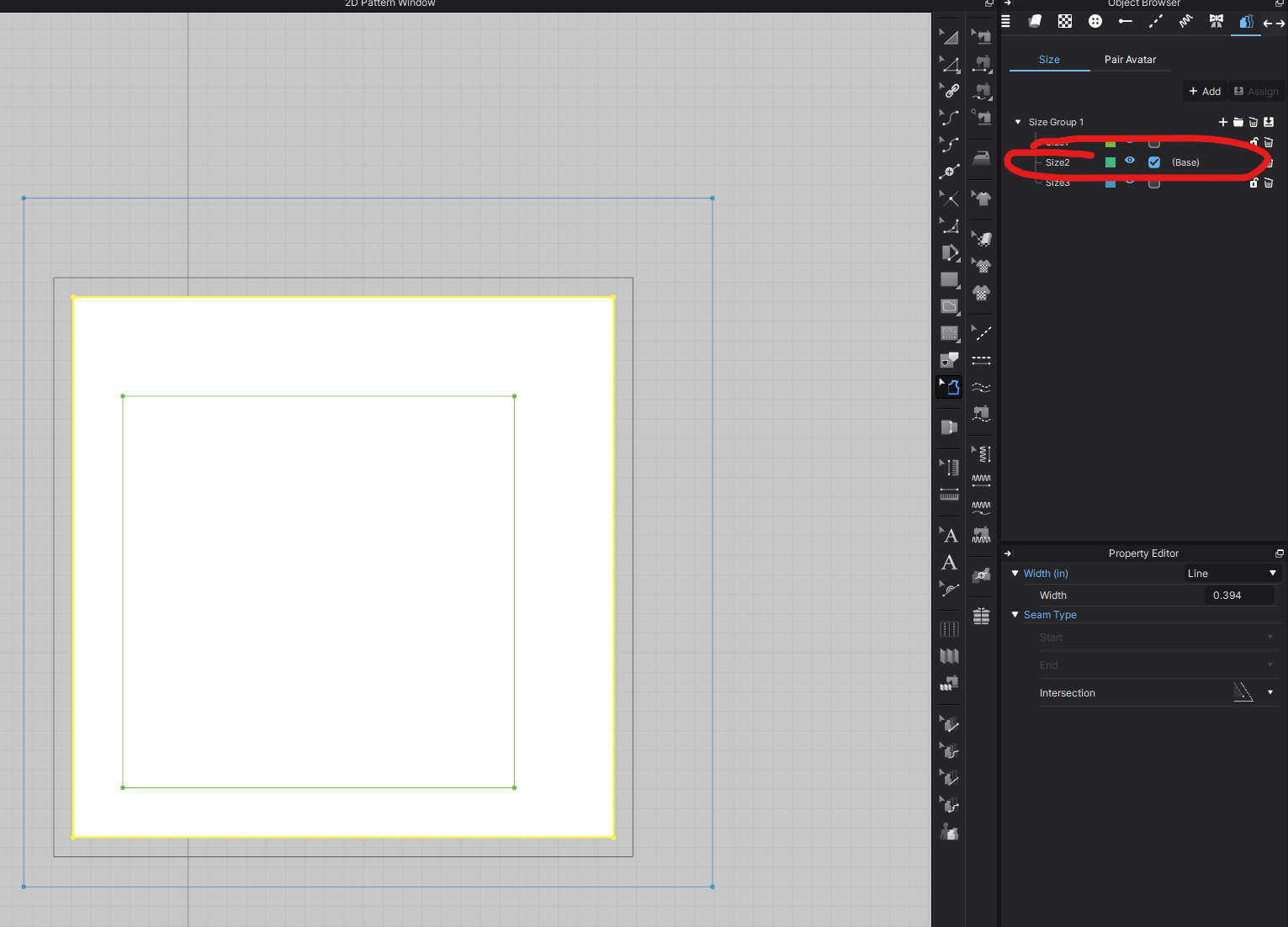
In this case it is working correctly. You will only see the seam allowance for the currently selected Base Size. If you go to the Grading Tab and change the Base size you will then see the Seamallowance for the size. See below images for reference
 0
0 -
Oh! Well that is very helpful, thank you. I didn't realize I could only see the seam allowance for one size at a time. I had seen videos where it appeared you could see the seam allowance on all sizes, but maybe they were using patterns drafted in another CAD program and brought into CLO. Anyway, I think that answers my question. Thanks!
0
Comentarios