UV Problem for garment edges

This UV problem could be found when trying to export thick fabric.
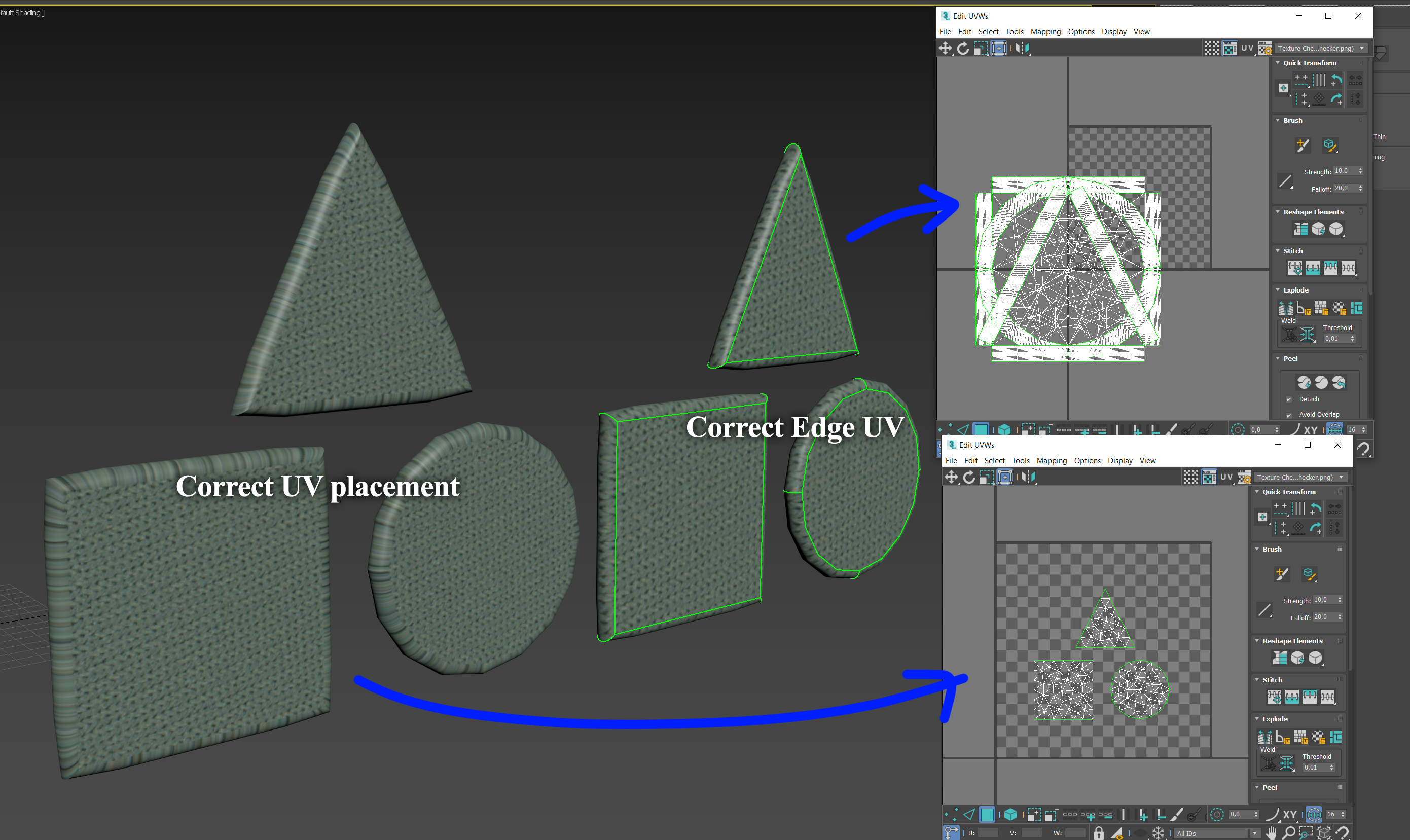
When exporting with default settings UV for the garment edges looks fine. But overal UV has a lot of intersections between different pieces. It makes impossible to texture it.


But if you try to export garment with Unified UV for texturing, it will not create correct UV for edges.


-
Make sure the pattern piece is not sitting straddled across the CLO3D UV map grids 0,0 (0-1) co-ordinate.
0 -
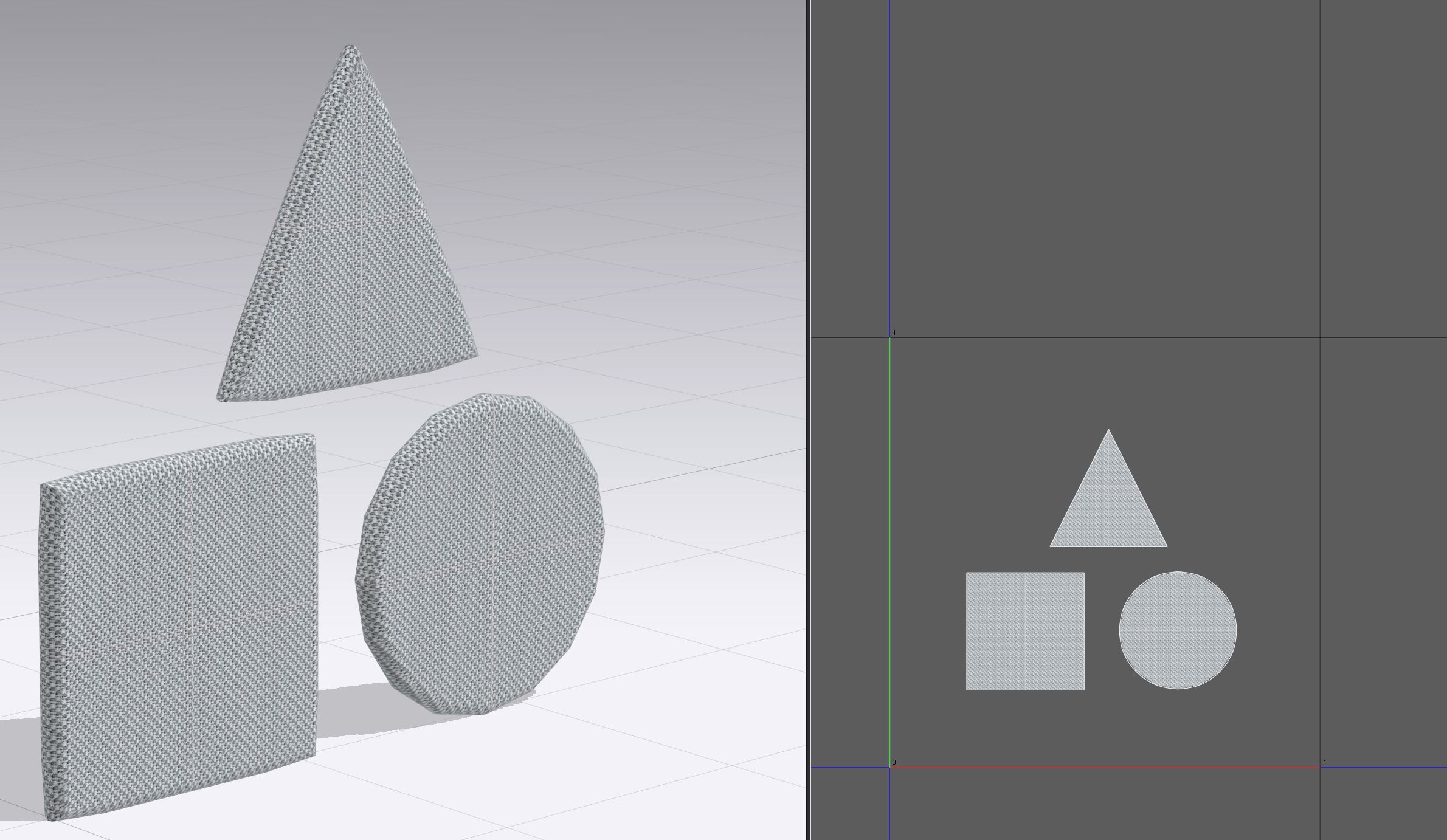
What do you mean? How does it relay to edge UV? Here is more demonstrative Example with different garment shapes
How is possible to export with correct UV Placement and Edge UV at the same time?
Link for a clo3d file:
https://www.dropbox.com/s/yzoxrc2zw8f2nms/uv_bag.Zprj?dl=0
 0
0 -
The edge has a UV its just that all the vertices are on top of each other. Which is not an unreasonable approach to cloth thickness and textile weave construction. In fact it's pretty smart as the edge of any fabric is generally only the thickness of the weave (WIF) type (knotting on the loom - over and under) of the yarn radius. Therefore you are only typically detailing the fabric thickness of 0.5mm to maybe 1.2mm max (lambskin is 0.86mm thick) so it makes sense to compress the edge vertices so the texture reads as yarn picks according to the fabrics weave grain direction. That means the edge has a happy stripe contrast that co-ordinates with the front or rear face weave (warp and weft). Makes perfect sense to me for use in garments an fabric edges at these types of normal thickness.
The problem you maybe face is that you are making an edge detail that has very little to do with garment construction as no fabric I have seen in the last 30 years has such massive edge thickness or an edge texture like what you show - wrapping around. If it were a thick cut fabric eg: leather or felt the edge would likely be sharper (cut) and have a different contrasting edge map texture applied to the skins polished tanned face. And in CLO3D you can do that customization in the fabric stack by adding in a custom edge texture if you want. On the pattern piece edges you can manually change their radius to suit your fabric material, the default is curved but you could change that value.
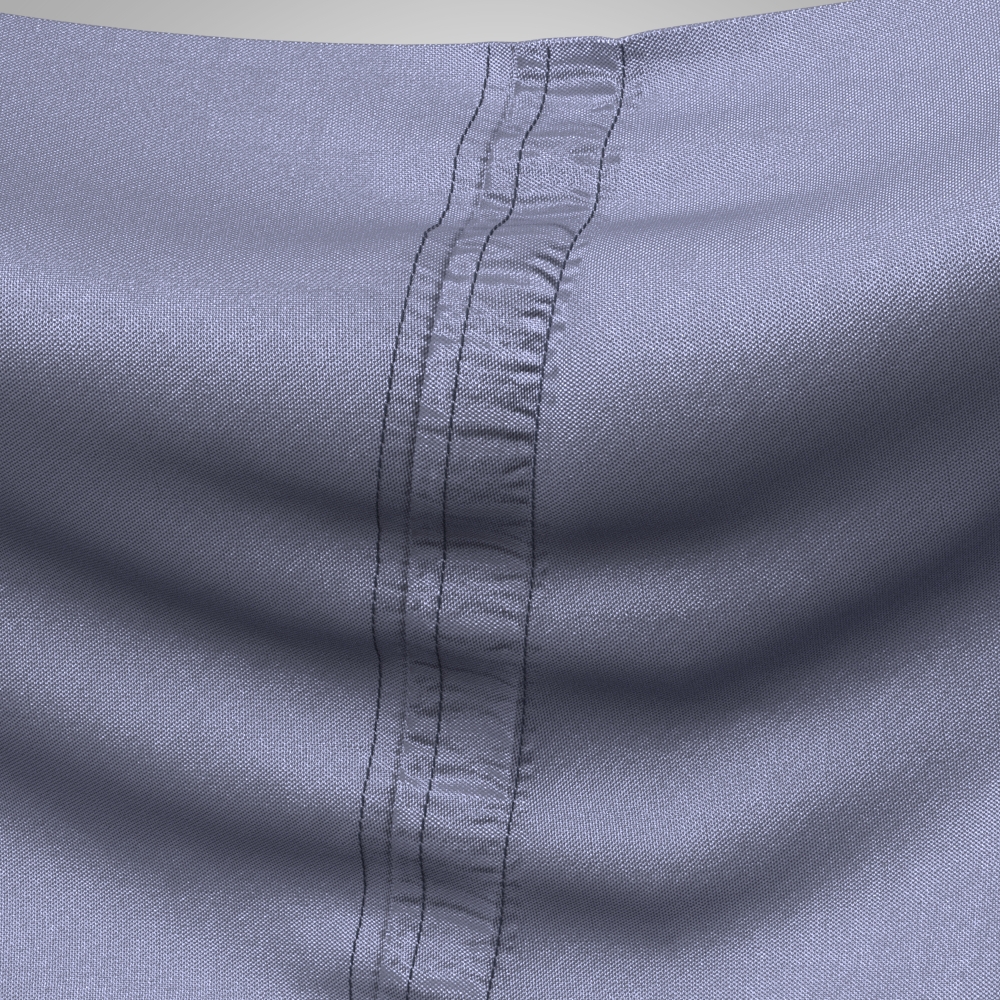
Do you need to export thick mesh when you can apply thickness modifiers in your next workflow and the thin mesh can be packed with all the edge normal's for seams? Most edges on fabric are thin as opposed to so thick, and at traditional camera distances and lens types almost impossible to see. Even when close up like the quick seam stitching detail I did in CLO3D 6 (below) >> even at this extraordinary close up - that's a pretty thin edge texture basically the thickness of the yarn diameter if a cut edge.
Below CLO3D 6 (vray seam render) with pucker and pattern edge normal's, that can now also be packed down to the baked texture map.
My question would be - is this maybe and extremely rare user case (1%) where the fabric rolls around such a big radius (full radius) > more typical of a product design detail than fabric (eg: injection molded texture like you might find on a plastic 3mm thick case part - and not fashion in cloth and woven textiles construction).
If you have radius edges (a product design surface detail) as opposed to a fabric cloth detail wouldn't you manage that edge texturing on a case by case basis, when needed for that 1% of occasional use. For luggage etc there are methods to treat lamination and thicker components.
Maybe post an image of the type of detail you are trying to simulate where this would be an issue for texturing in CLO3D.
0
Comentarios