Arranging graphics

When I go to render out an image the square pattern comes over the Standard Chartered logo. However, when I look through both the 2D and 3D view, the logo is on top of the pattern. I have ensured that the squared pattern is at the back of the order and the logo at the front but nothing changes!
Help would be greatly appreciated!
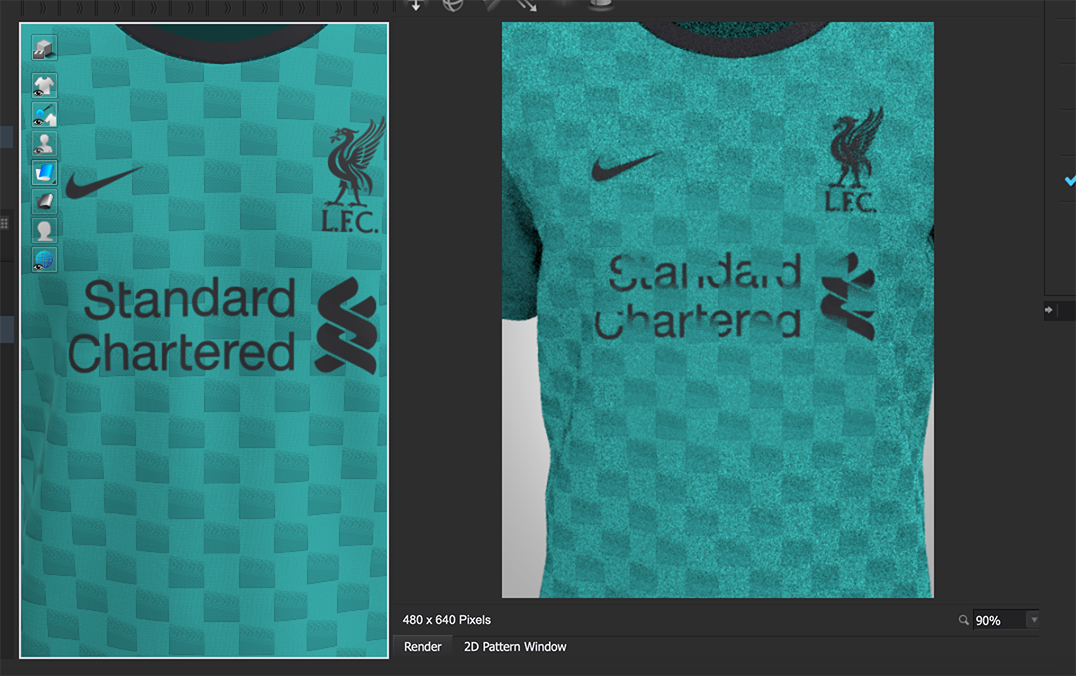
-
For any artwork you layer in the graphic tool you have the ability to use blend filters (like in photoshop - ) > so make sure you have these set correctly for each layer above and below. IMPORTANT > then make sure you hit the APPLY button to make the new filter take effect.
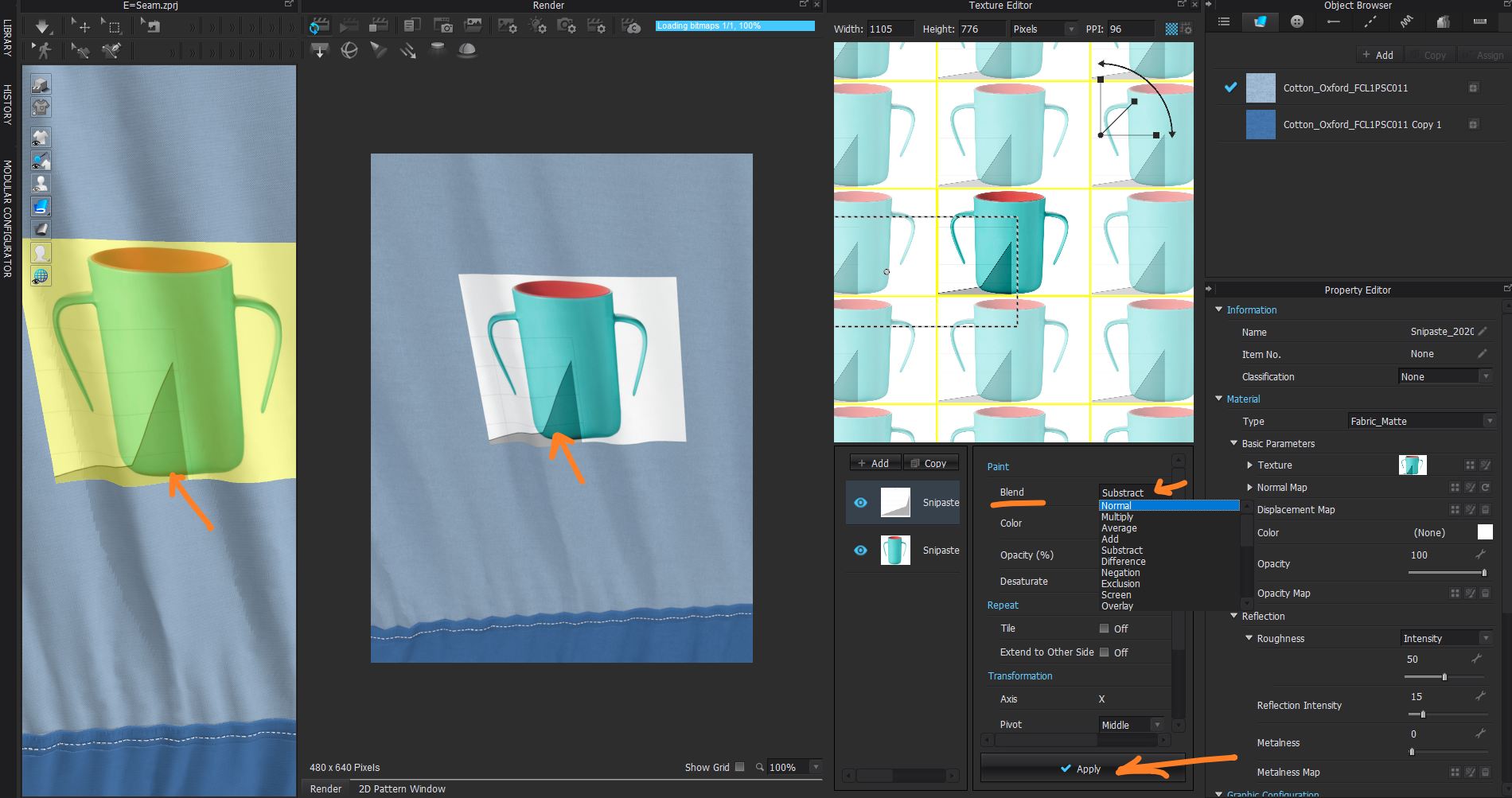
Made filter change layer but because I didn't apply that to the texture editor layer stack it has yet to present in the vray render view.
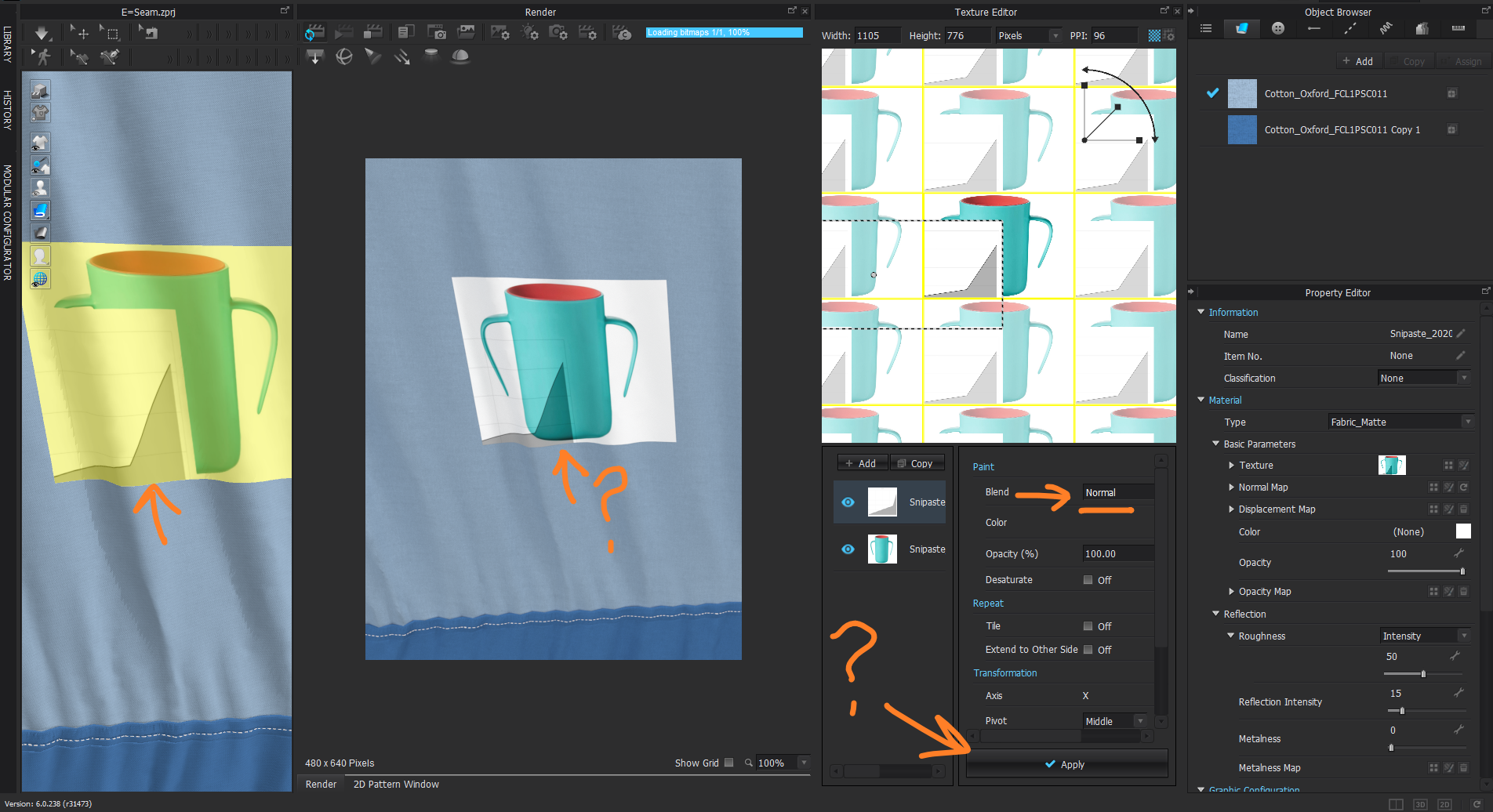
When I apply the filter it now shows up in the vray render view.
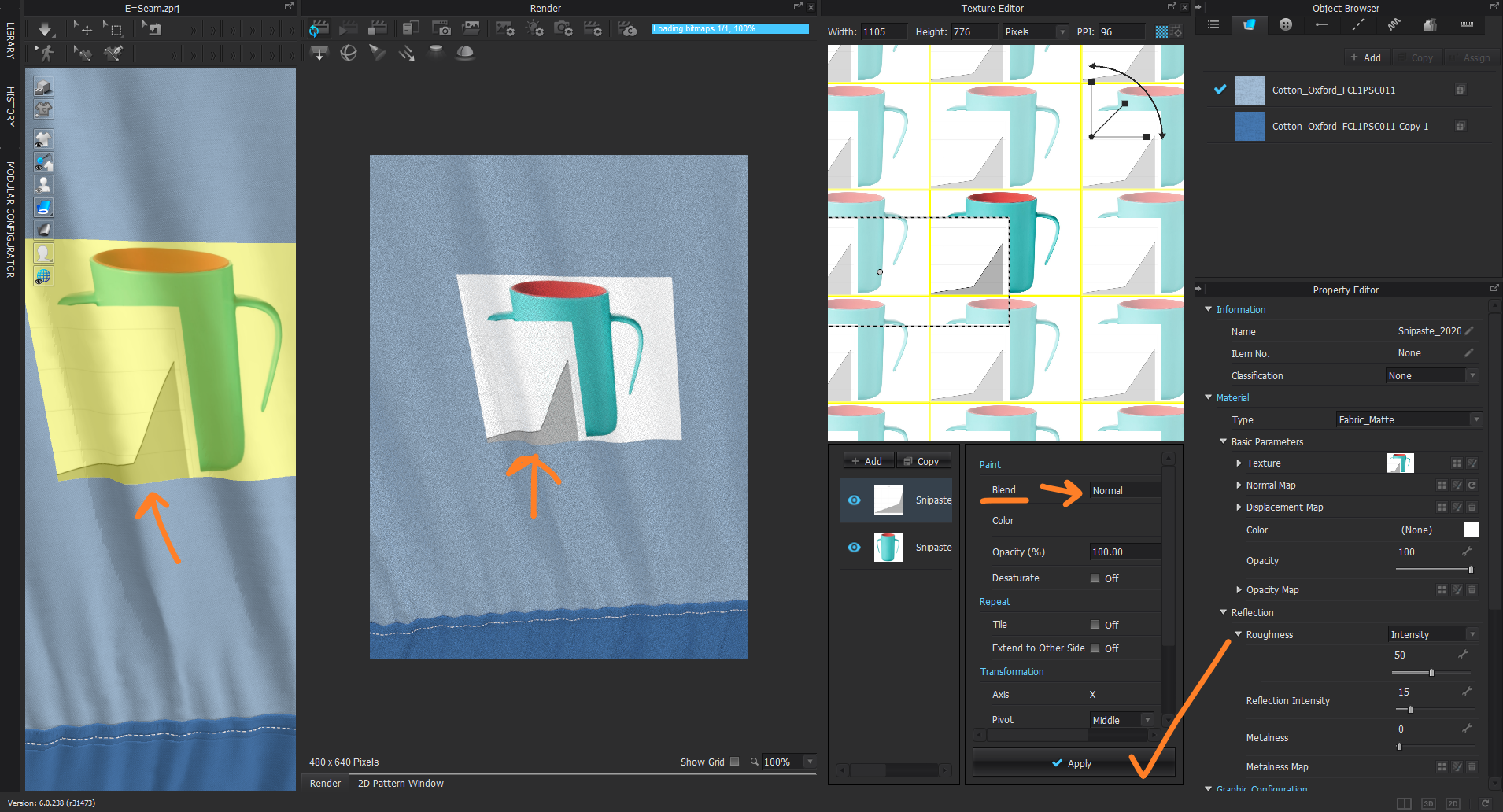
Also make sure that the fabric does not have a depth map applied before you check the graphic layers are working correctly. Then adjust your rear fabric the graphic sits on.
If you use transparent (png) graduated tone images (incoming for your artwork graphics) you may need to make sure these are compliant with the graphics editor when you apply filters as the accumulated values between layers may be treat graphic elements unexpectedly (eg: transparency). So in that case you may want to just check your origination artwork fill for graphic elements.
0
Comentarios