Avatar and Clothing Disappear

The avatar and the clothing disappeared after I rendered. Previously, I had rendered without incident in this particular file. When I toggle on the avatar display, the show avatar is selected. I tried all of the other options and even tried adding a new avatar, but it never appeared in the 3D window. I sent the file to others who had the same problem with it. I can see the avatar and clothes in my other files, so it is exclusive to this one file. It is acting like the avatar and clothing are there but you cannot select them in the 3D window. The patterns appear and behave correctly in the 2D window.
In troubleshooting, I reinstalled the program, but it still did the same. I tried adding another garment to the file, but it still did not show the avatar or any garments. I have added the "trouble" project to an existing project and the clothes appear briefly in the 3D window, but when I click onto a garment piece, then it all disappears including the avatar and existing garment. 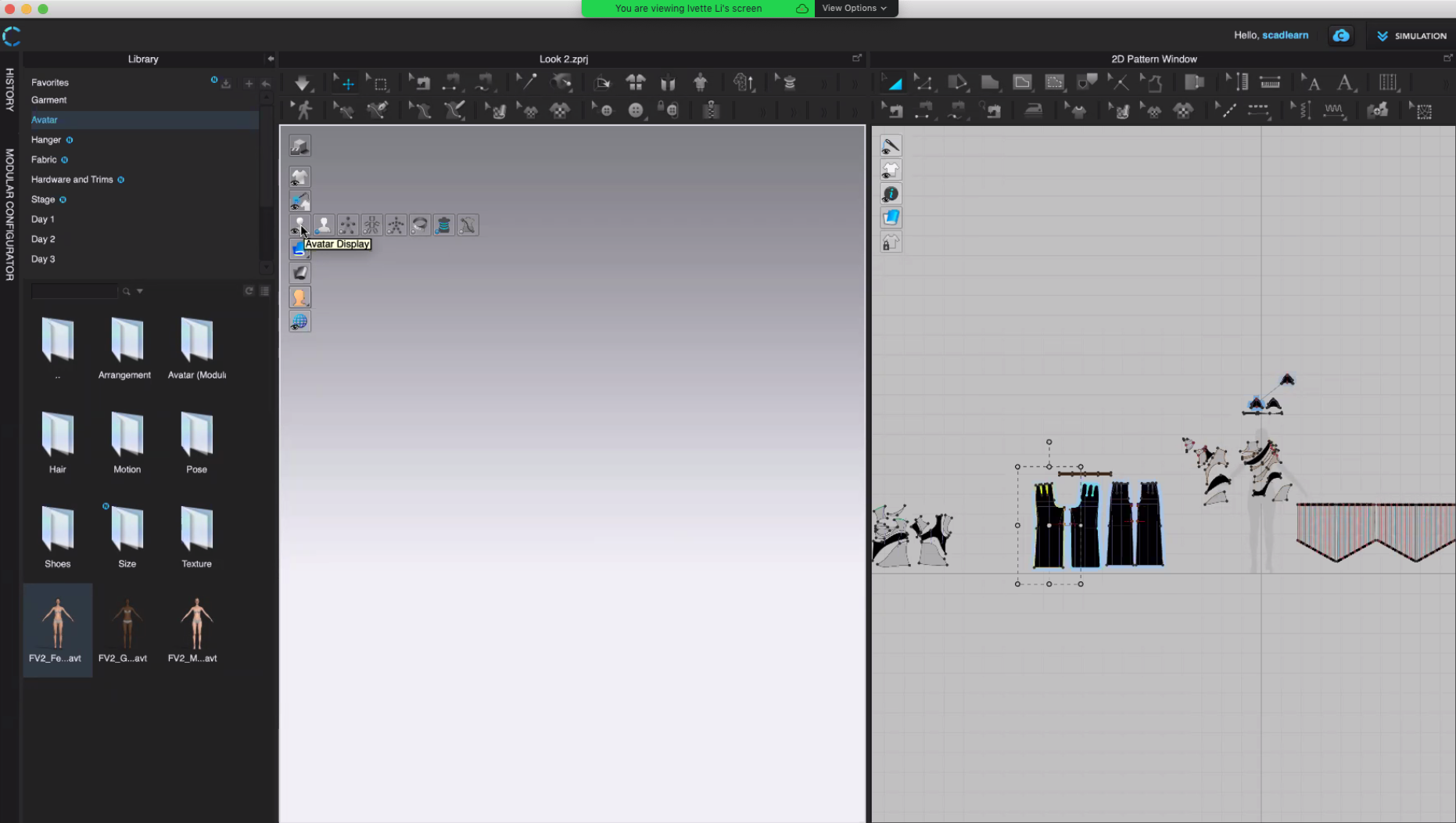
Any help is appreciated.
-
Press 2 or 5 to go into front or top view. I can see the silhouette of your avatar on the right, so it might be there. Another method is to select a piece of fabric on the 2D Window and go to the 3D Window and press F for focus.
0 -
Unfortunately, we tried both and it did not make it appear.
0 -
I just had the exact same, 3D window suddenly became totally empty, I rebooted the program, still that file has a totally empty 3D window now.
Hours of work....0 -
Hi nawalm
We understood your situation. Please try to check the below settings on the 3D window display bar. It would be great if you can share the screenshot for further checking.
- Did you turn off "Show Avatar"?
- Did you turn off "Show All Garment"?
- Did you archive all patterns?
- Could you see the patterns on 2D pattern window?
0 -
Any solution to this?!
I have the same issue that when ever I click render the garment disappears.Everything is set visible etc.
0 -
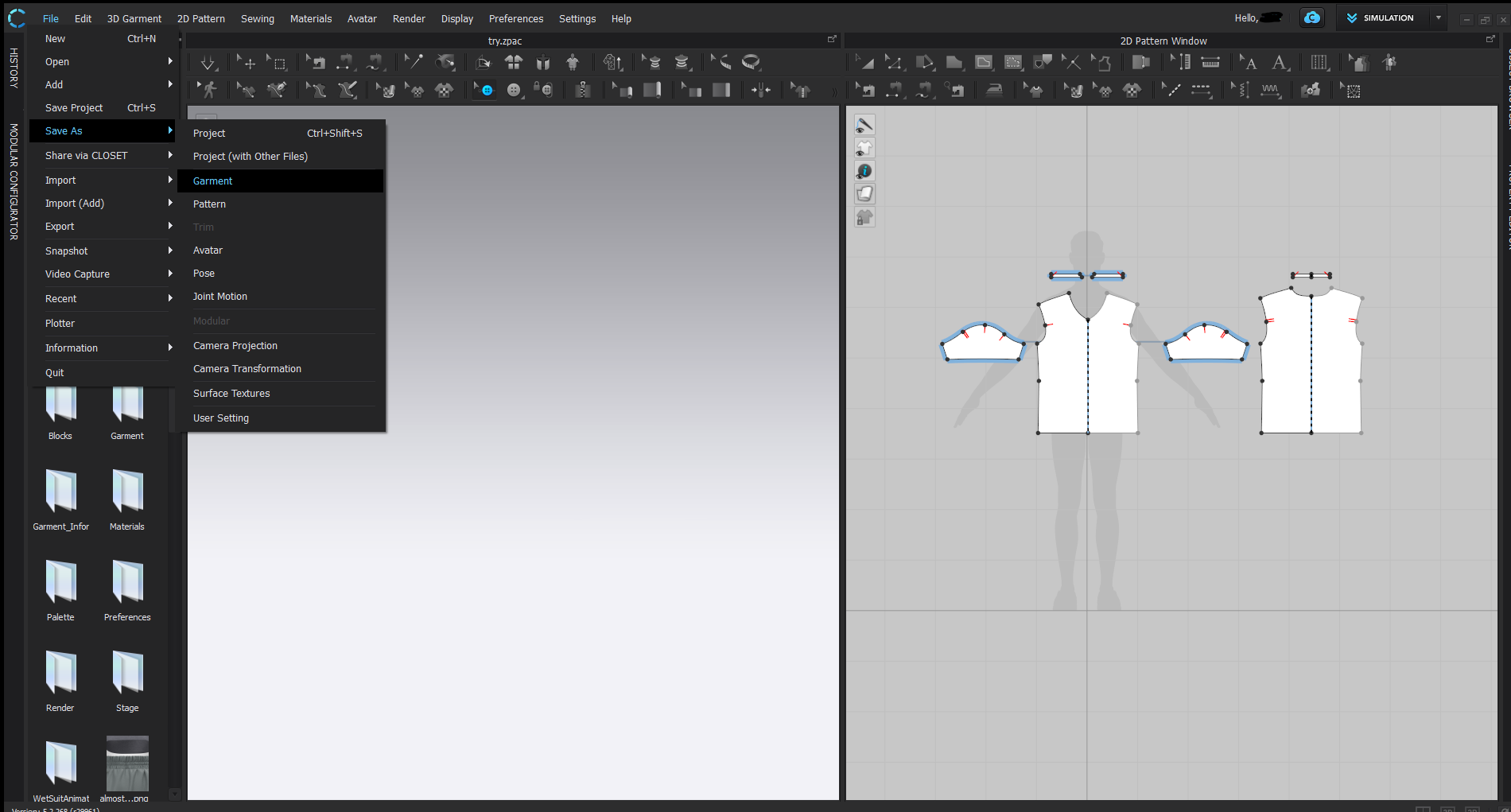
Try to save the project as a garment then open that file and upload the avatar.
 0
0
Comentarios