Save animation with transparent background

How can i export animation with a transparent background? I would like to use my own stage/scene and not the default ones in the program.
-
sanfrancali, you could export individual PNG files with the alpha channel and then use other video composers to add your background.
 1
1 -
Thank-you Pablo! I have a follow-up question. I'm adding an OBJ file of sunglasses. I'm not able to set it properly for movement in animation. The sunglasses stays stationary while the clothes and mannequin keep walking.
How can i set the OBJ sunglasses to move with the garment and mannequin?
Thanks
0 -
I don't work too much with animations so I can't answer that question off the top of my head.
I suggest you post a different question regarding this and see if any of the animation experts can chime in.
0 -
For what reason may my background transparency function be inactive?
 0
0 -
Hello
I need to know how to
Make a rendering of a animation with transparent background.
It seems like the it works on images and turnable but not animation.
Here I can not avoid the white background.
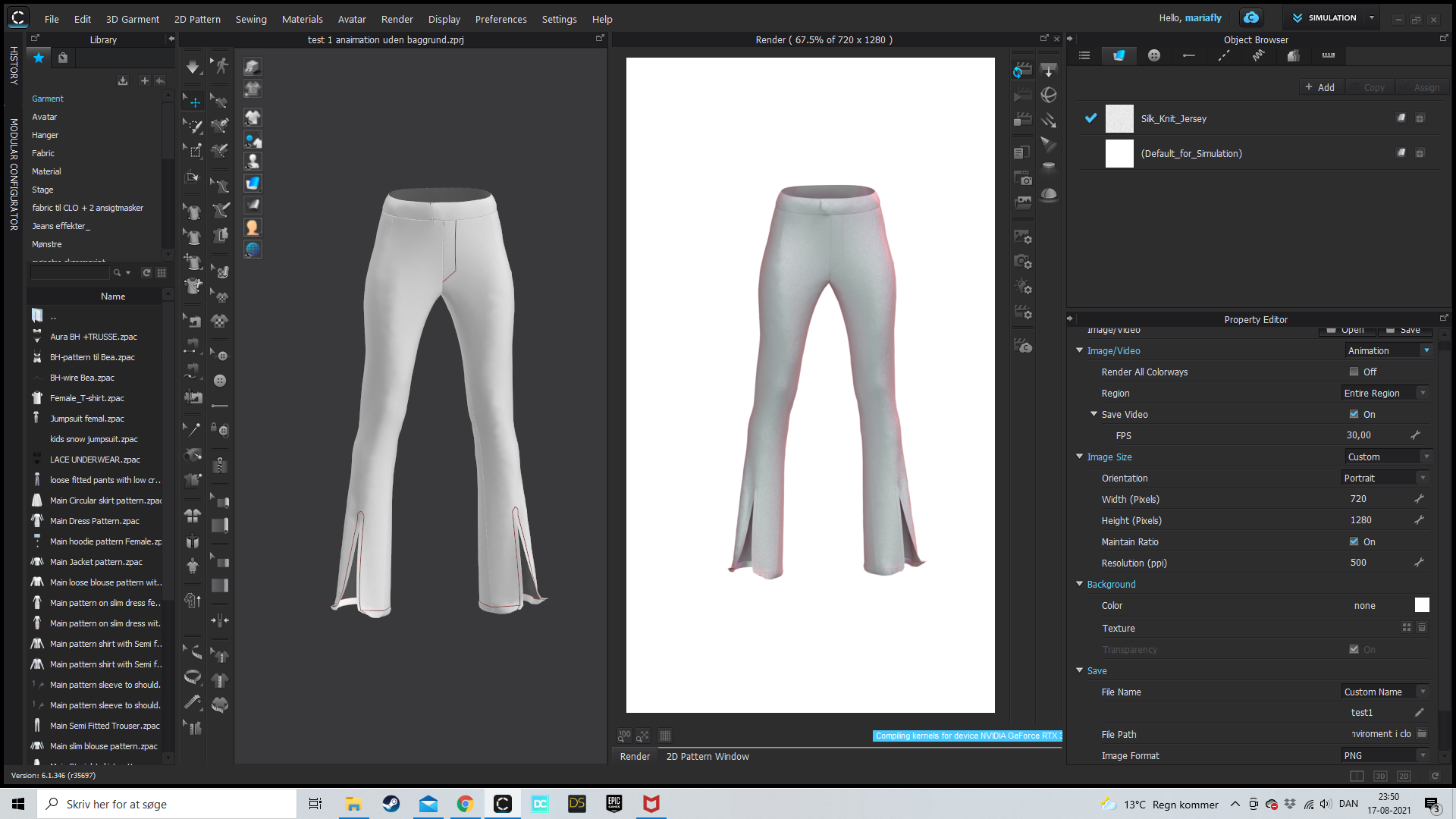
Please help me. I need this to work.
Best regards Maria
0 -
Hi @mariafly you have to unflag SAVE VIDEO, and after you can flag TRASPARENCY
0
Comentarios