how to convert to a hole

Hi,
I have a problem with " convert to a hole"
I thought it is quiet easy and several times it works. Now after I have downloaded the new version something must happens. I can creat a hole / ellipse but I can´t get the pop up menu " convert to hole" have someone an idea what is wrong.
I would be nice if someone have a ideas.
Thanks
Cornelie
-
Hi Cornelie, I checked, but for me it works with any kind of shape, ellipse or free shape.
With the internal shape selected I right-click on the yellow line and the pup-up menu appear with the option "convert to hole" selectable.
Can you upload somewhere your project file so I can try it on my computer?Daniele
0 -
Make sure the shape is created as an internal object, there needs to be a material for the whole to be created within.
0 -
hello I am having a similar problem no matter what i do a window pops up saying the shape must be placed within a pattern but the shape is already placed over a pattern, please help
thank you
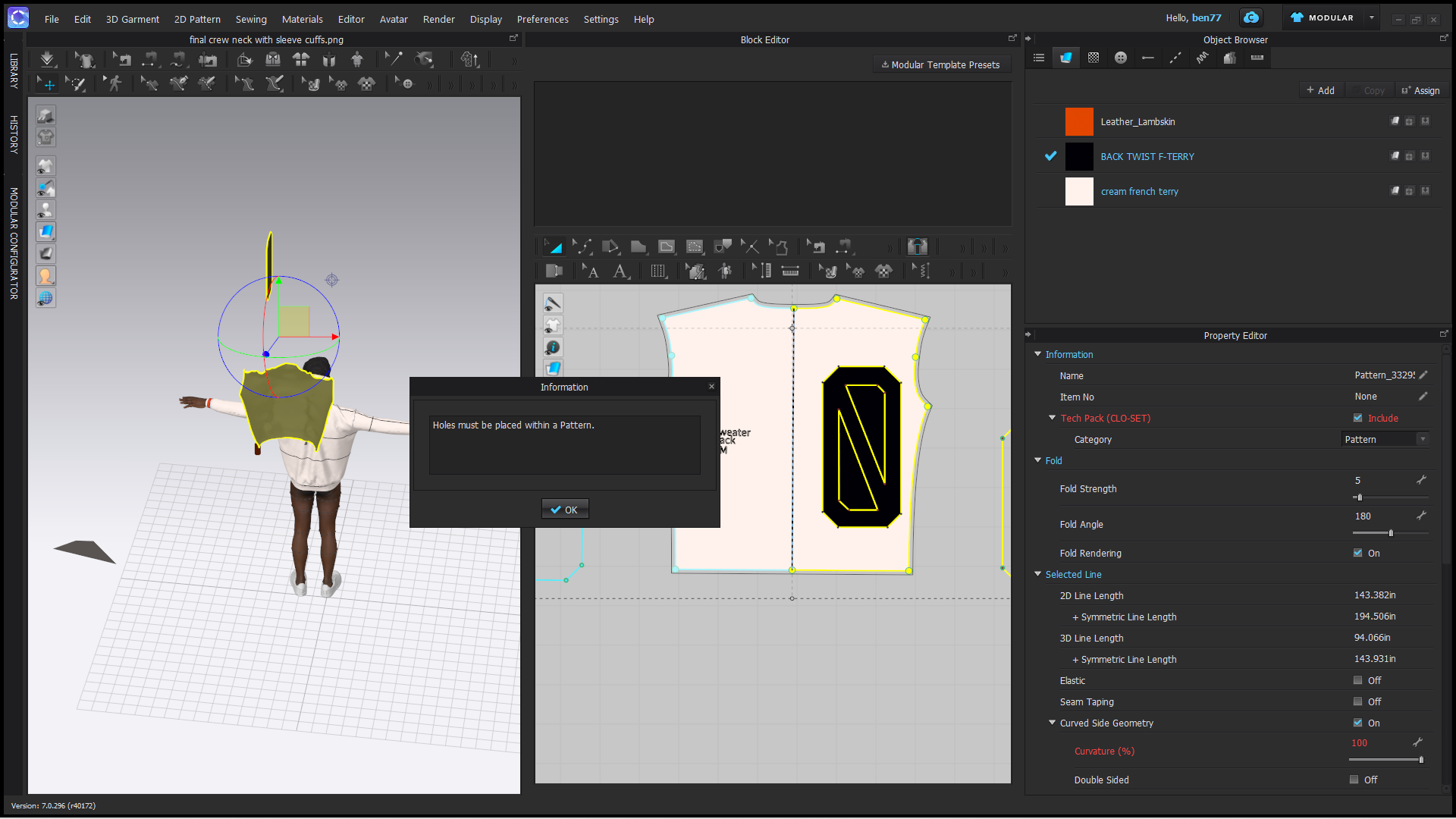 0
0 -
Hi. Can you say exactly what you are trying to achieve above? It is hard to see. Also you may want to switch your Mode from Modular back to Simulation if you are making edits
0
Comentarios