Bug in rendering (graphic displayed on wrong face)

I think this is a bug.
I placed a graphic on the backface, it looks fine in 3D simulation but when rendering it turns to the frontface of the fabric and is only visible there (not on the backface as in 3D window).
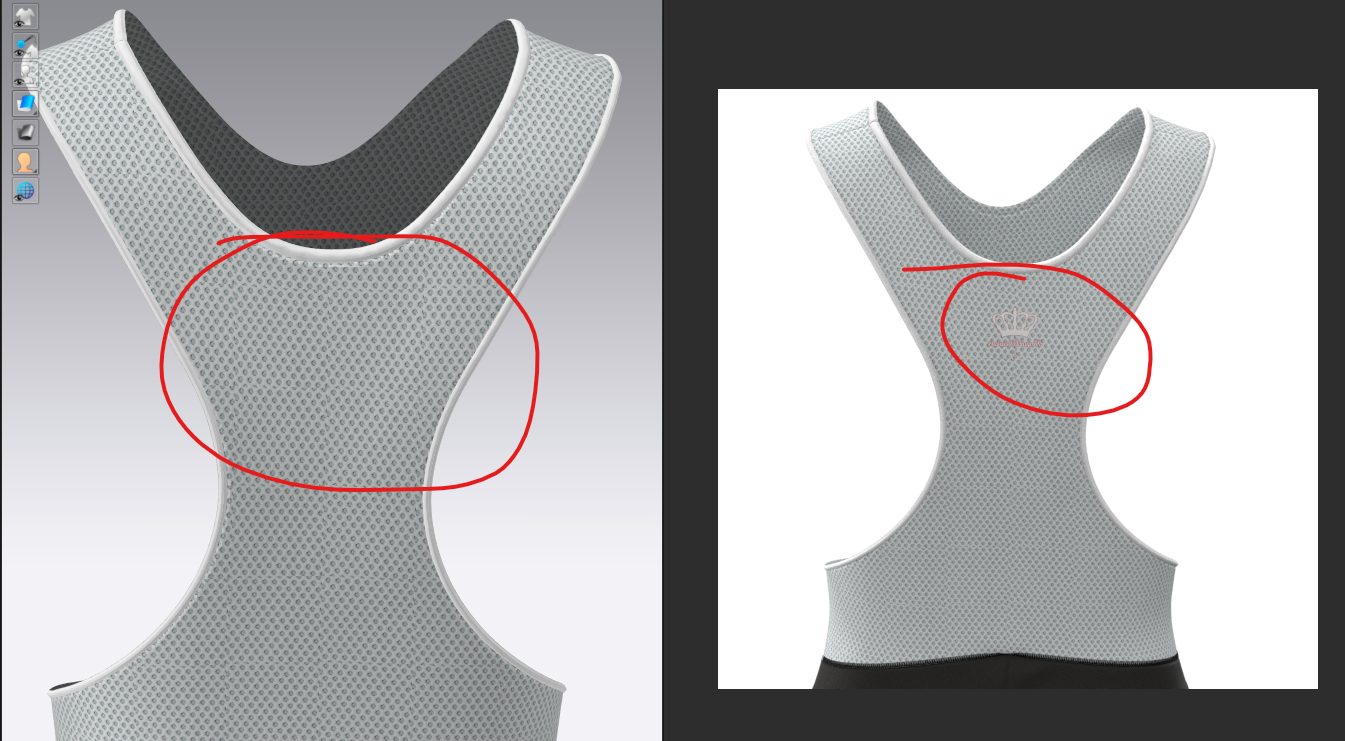
-
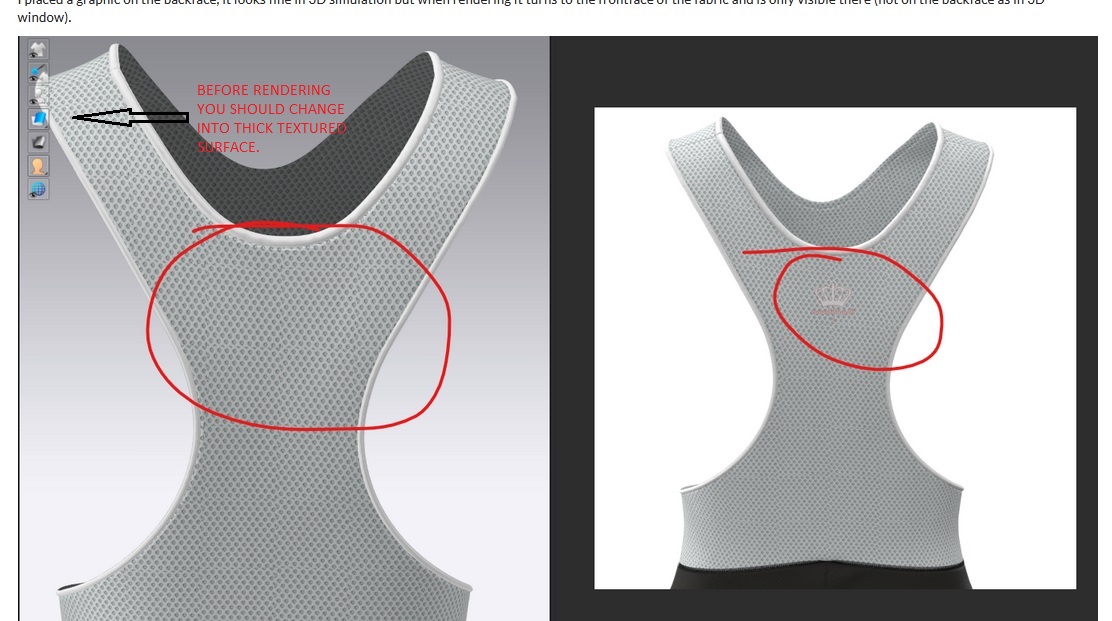
hope you will see the texture where you placed it. .
Minnat
3 -
Good catch Minnat. This is a very, very common issue so easy to overlook.
I believe CLO should put in place a "poka-yoke", which in manufacturing means a fixture or process that makes it impossible to go wrong.
Something like the pop-up that prevents you from rendering if you are simulating. I can't think of a case where you would like to render without thick surface.
P
0 -
Thanks to both of you.
I can't agree more with you Pablo, I would like that the programm will change in the best setup when switching to render.Daniele
0 -
Hey Pablo -
thanks a lot - this works now perfect. I agree that it does not make any sense to have a texture mode that will cause mistakes in rendering. I think I´ve had another issue caused by this with a small offset on a texture.
Marco
0 -
yes ,Correct Pablo.
0 -
Look at the quality of the render and 3D preview.
During the beta test, I pointed out problems with smoothing normals in 5.1 rendering. Everything remained with the problem. This is a 3k render, the texture is not visible, but a broken mesh is visible.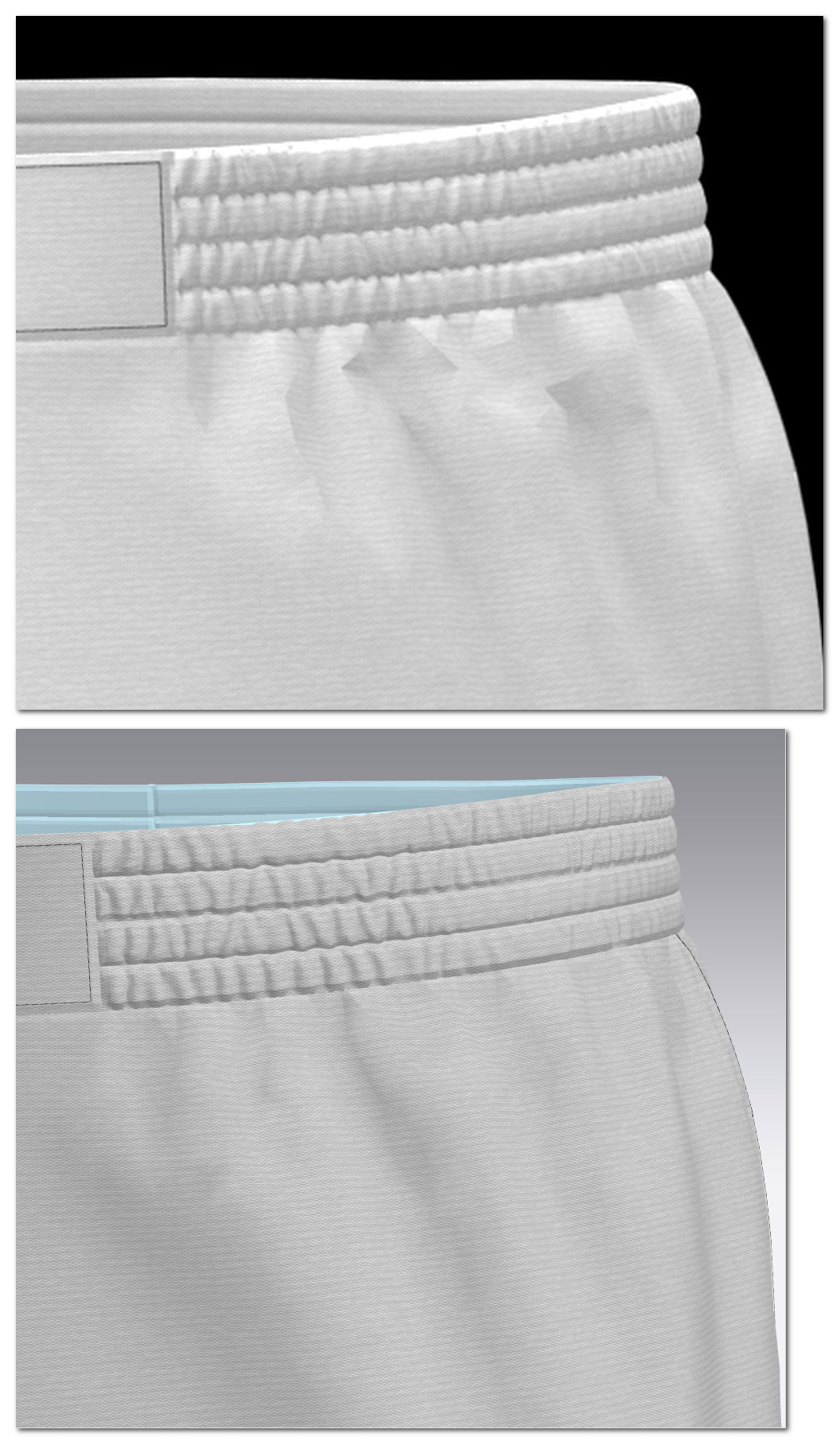 0
0
Comentarios