Seam sahping

0
-
Comentario oficial
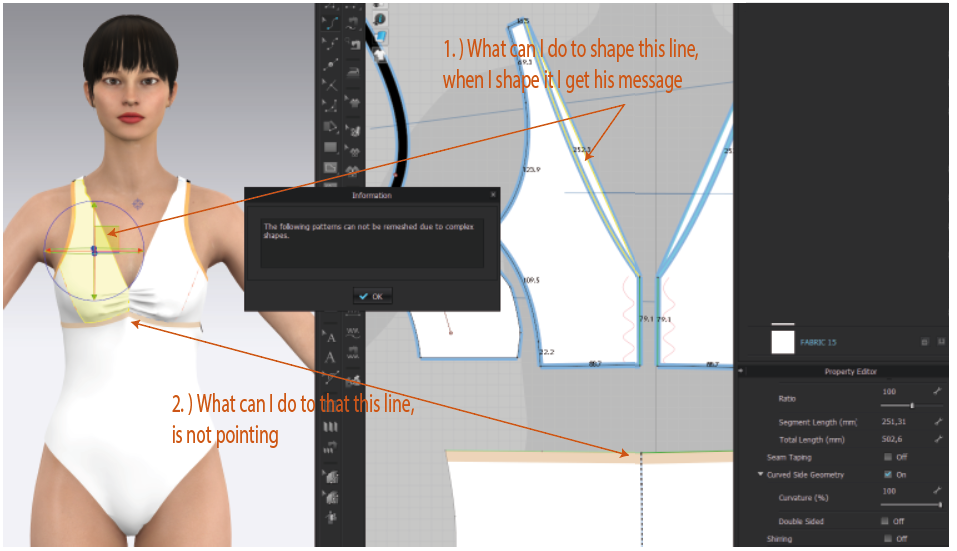
Hello designhamburg Thank you for reaching out. Select your Edit Curve Point tool. This will activate the curve points in the pattern. If there appears to be a LOT of them (they will be red), you can Right Click and Optimize Curve Points or delete them manually. I would check the corners where that line connects that you are trying to curve to see if there are two anchor points that are very close. Hope this helps.
-
Vielen Dank liebes CLO Team, das Werkzeug Kurvenpunk bearbeiten hat geholfen. Super !
Haben Sie auch noch eine Idee für die Unterbrustlinie damit sie nicht so spitz wird ?
0
Comentarios