Can't find emission colour option

Hi, I need to create this type of fabric: 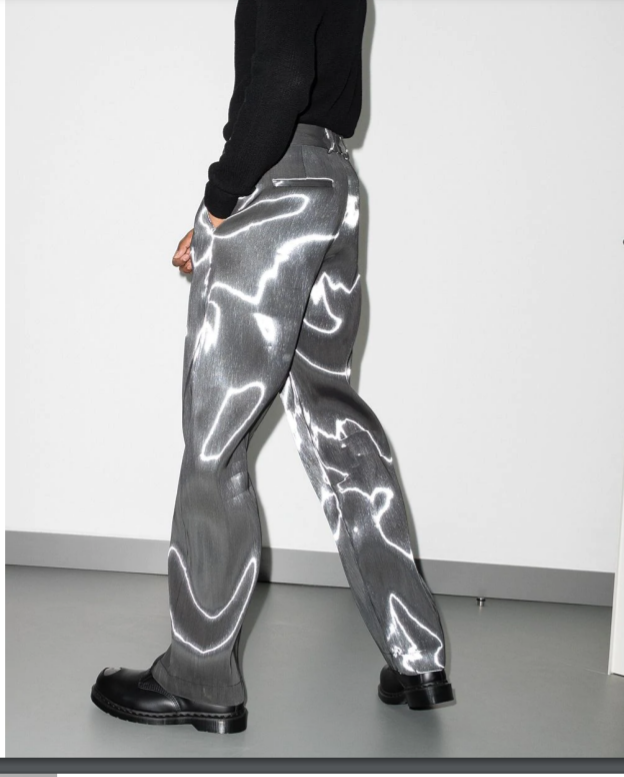
However I am under the impression I need to use emission colour settings but I can't find them, nor can I find Ambient intensity settings:
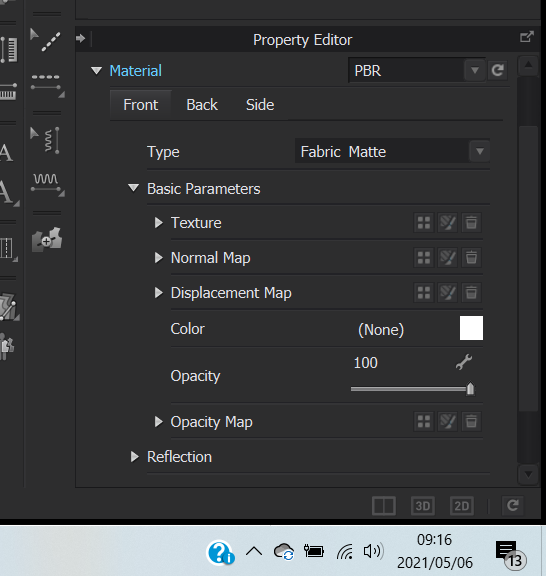
Does anyone have any solutions to this?
0
-
Official comment
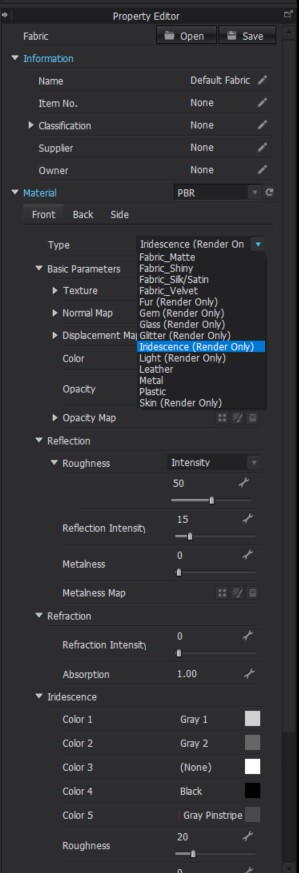
danatroskie Thanks for reaching out. Start by changing your Material Type to Iridescence. While in Interactive Render adjust the settings to see how the options affect the fabric.
-
Hi, thank you for getting back to me. I have tried those settings but I don't seem to be getting the correct result.
0 -
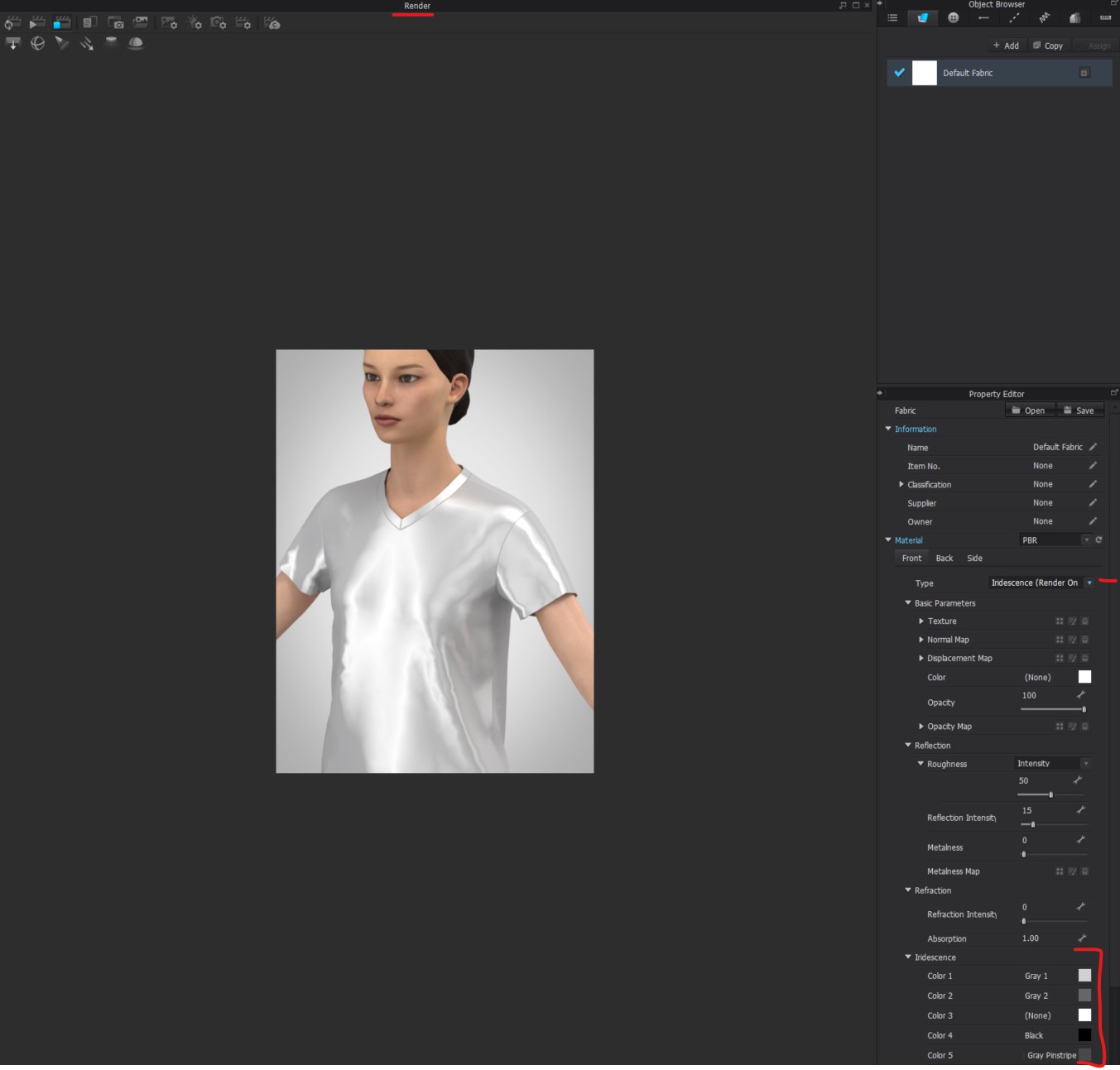
Hi danatroskie. For iridescence First assign the the fabric type from matte to Iridescence. Then turn on your Interactive Render Engine. You can then go in a change the colors of the iridescence to match the silver fabric you have
 0
0
Comments