Basic Zip Collision Issue

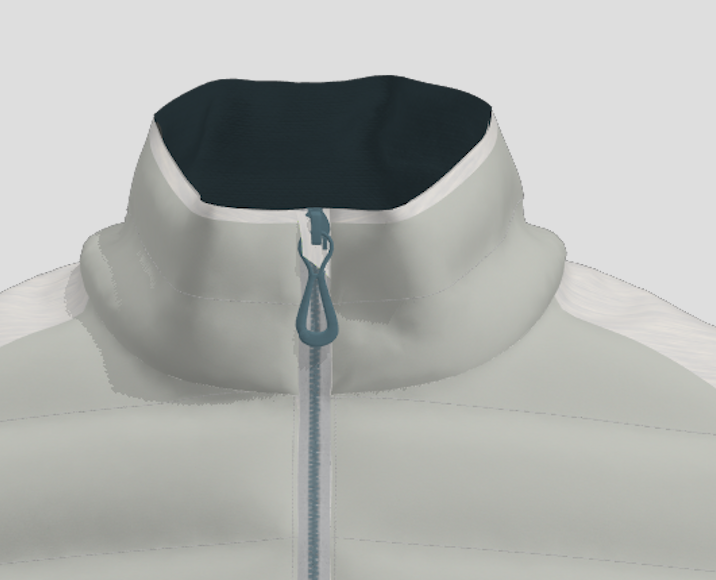
When trying to create a zipper garage, I can't seem to find the right settings to make sure the fabric layer doesn't collide with the zipper. I am only using the puller and zip head that comes with the software, not one that I have made myself. Is anyone able to help me with this?
-
Kathleen, most likely your zipper is a trim and not an avatar. Trims do not provide collision for the fabric. That is why your zipper garage is going "through" the zipper. Import the zipper as an avatar. Also when dealing with small pieces, make sure you are using low particle distances, as you need more geometry to help collision. Try decreasing the zipper garage piece to 2 mm.
0 -
Hi Pablo,
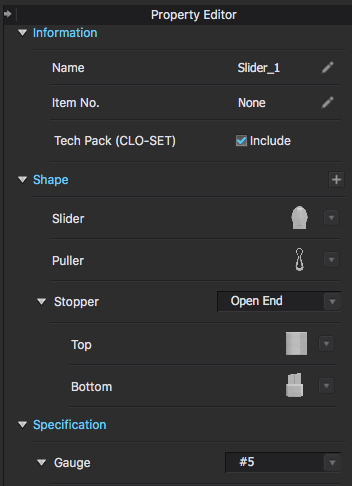
Thank you so much for your response! I have tried to decrease the particle distance of the garage from 5 to 2mm but it hasn't made much difference - probably because the puller is a trim as you say. However I can't work out how I would import it as an avatar. I added the zipper using the zip tool and selected one of the standard pullers that looked the most like my trim. Is it somewhere in the property editor that I can change this?
 0
0 -
Hi kathleenkimber. Instead of using the Zipper tool add the Zipper slider and puller manually. You can find these in the CLO Library. Hardware & Trims > Zipper > Slider or Puller > OBJ. Double click on your desired OBJ and then when the pop up appears make sure to select Load Type as Add and Object Type as Avatar. There is a great video showing this on our Youtube HERE. It starts at about the 2:50 minute mark
0
Comments